Want to import multiple XML files into a single Azure table?
Try Withdata FileToDB, a desktop XML to Azure converter for Windows, MacOS, and Linux, Convert XML to Azure, Easy and Fast.
- Can run in GUI mode, Step by Step, just a few mouse clicks.
- Can run in Command line, for Scheduled Tasks and Streams.
- Import XML to Azure locally and privately, avoid uploading XML file(s) to online services.
- Support Windows, Linux, and macOS.

Import multiple XML files into a single Azure table
Login to Azure -> Choose XML files -> Set Azure table -> Import XML files to Azure table
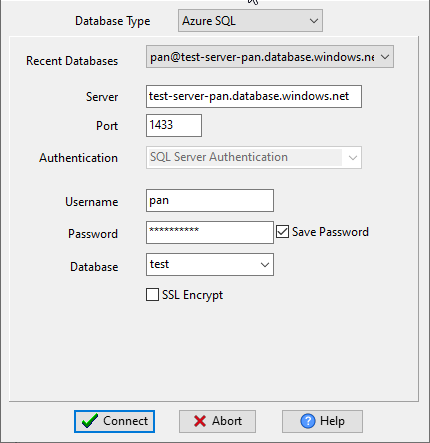
Choose Azure and logon.
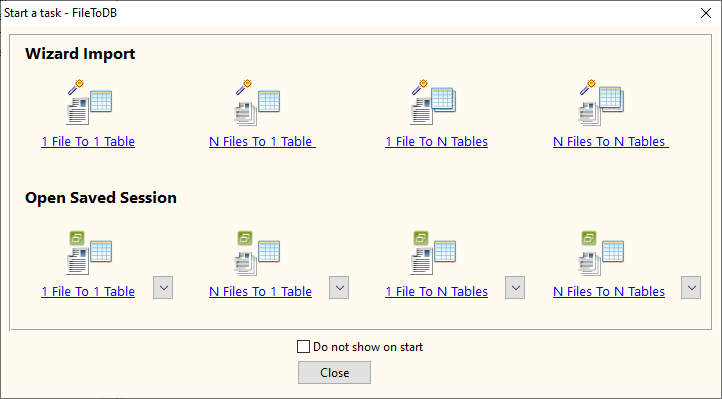
Click “Wizard – N Files To 1 Table” at task dialog.
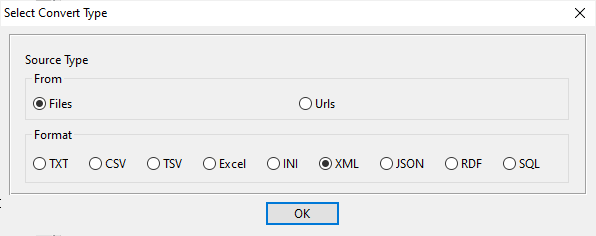
Select the “XML” file type.
then show the wizard.
1. Select a folder that constains XML files.
Support large ( > 4GB ) XML file.
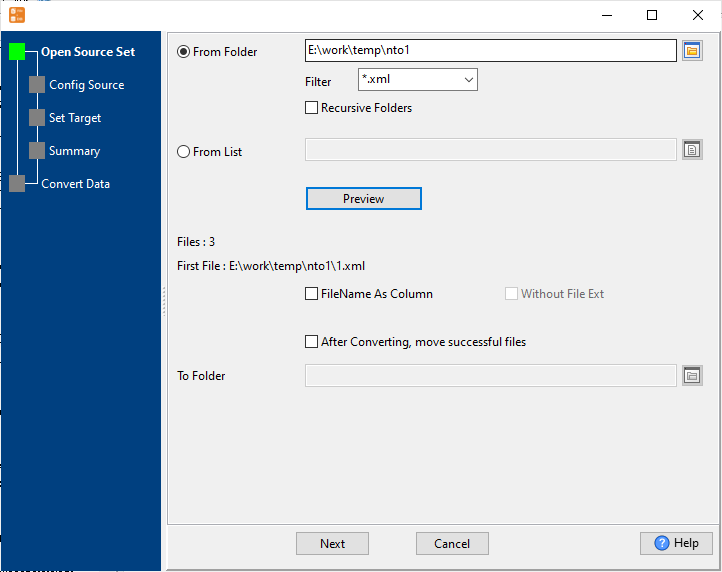
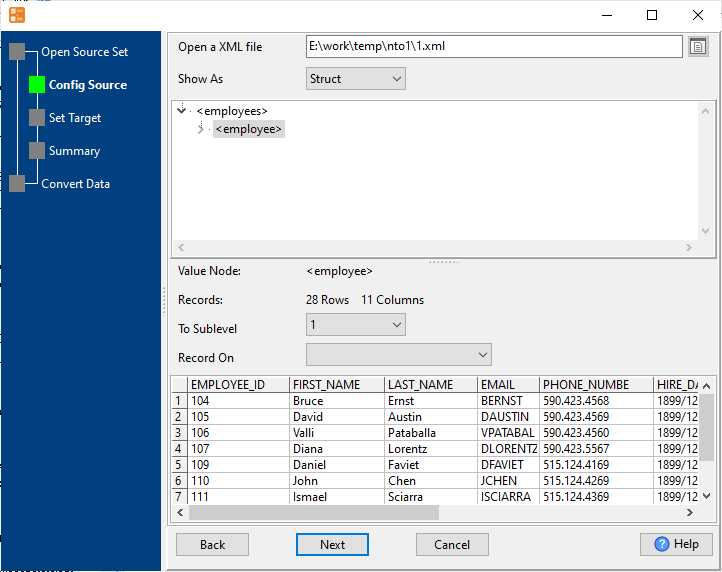
2. Config first XML file importing options.
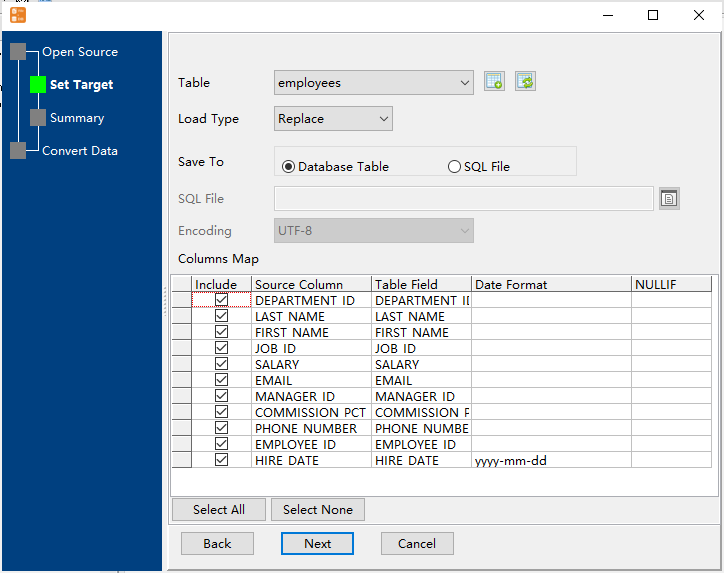
3. Select a Azure table and config fields.
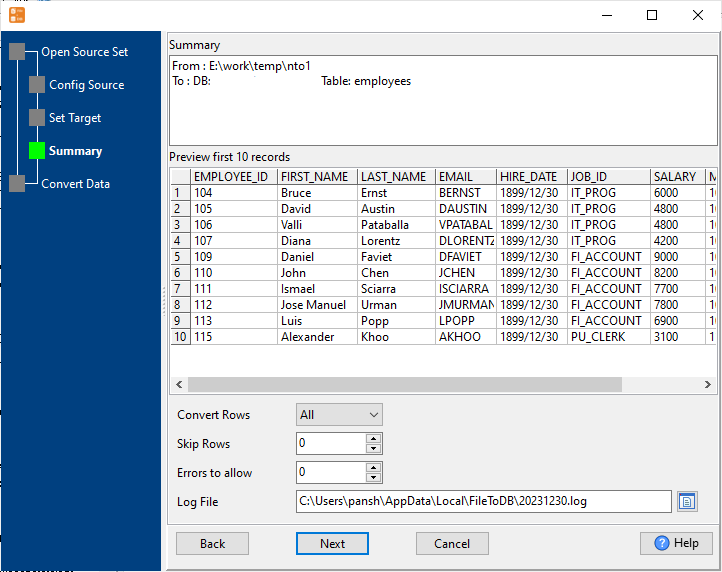
4. Preview data will be in Azure table.
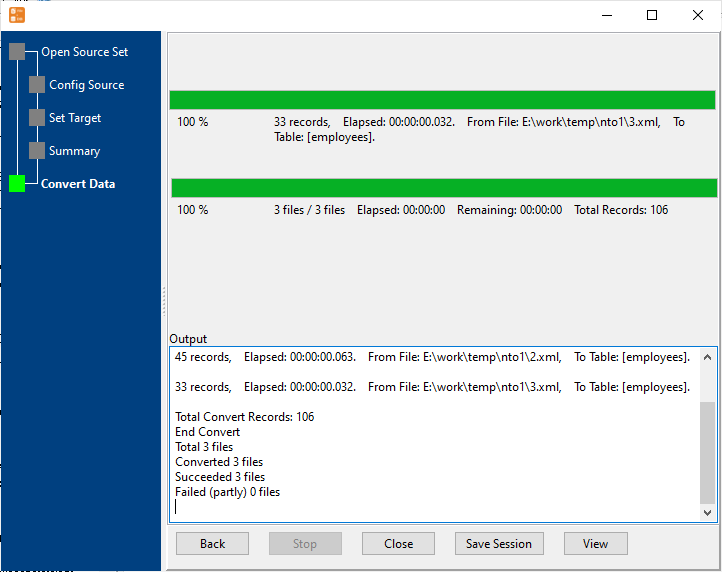
5. Import multiple XML files to the Azure table.
View imported data in Azure table
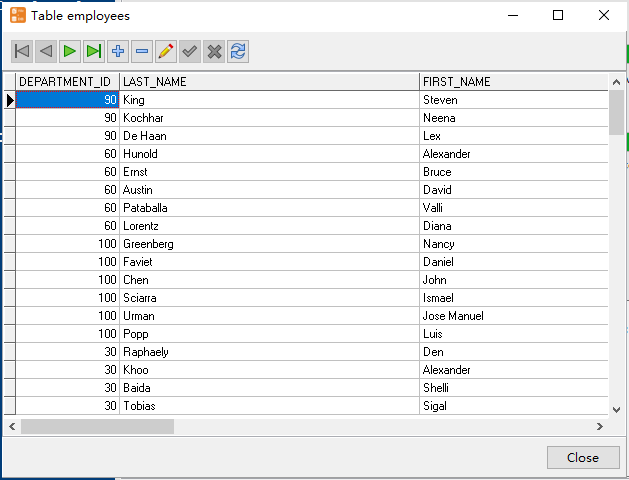
More about XML to Azure converter
Download Withdata FileToDB
See also:
XML → Azure SQL reference
Type mapping
| Value kind | in XML | in Azure SQL |
|---|---|---|
| Int | <int>1234</int> | int |
| Bigint | <bigint>9007199254740993</bigint> | bigint |
| Decimal | <decimal>1234.56</decimal> | decimal(p,s) |
| Float | <float>1.234e10</float> | float |
| Text | <char>text</char> | nvarchar(n) |
| Long text | <text>multi-line text</text> (entities for & <) | nvarchar(max) |
| Date | <date>2026-09-18</date> (xs:date with an XSD) | date |
| Datetime | <datetime>2026-09-18T14:30:00Z</datetime> (xs:dateTime) | datetime2 |
| Binary | <blob>base64...</blob> (xs:base64Binary) | varbinary(max) |
| Boolean | <bool>true</bool> | bit |
| JSON | escaped inside an element, or its own sub-tree | nvarchar(max) |
Dialect differences
XML is a file format and Azure SQL is a database server, so the target has to be told the types the file never carried - the rows below are where the two sides diverge.
| Property | in XML | in Azure SQL |
|---|---|---|
| port | — | 1433 |
| identifiers | Attribute values in quotes; entities (& < >) for ... | [square brackets] |
| row limit | — | SELECT TOP n |
| dates | Text (xs:date / xs:dateTime when an XSD is in play) | datetime2, date, time |
| long text | — | nvarchar(max) |
| binary | base64Binary / hexBinary inside text | varbinary(max) |
| separator | Tags, not delimiters | — |
| encoding | Declared in the XML declaration | — |
| typing | None in the markup itself | — |
| shape | Arbitrary tree | Tables of rows and columns |
| ceiling | Whole document is usually parsed into memory | — |
Command line
| Side | Command |
|---|---|
| Azure SQL | bcp |
| Azure SQL (load) | bcp, or BULK INSERT |
Convert your data online, free
Free in-browser converters for CSV, Excel, JSON, XML and SQL: Withdata Online Data Conversion. Large files, batch conversion or scheduling? See the offline desktop apps, or browse all data conversion tools.

