Want to import data from JSON Lines (JSONL / NDJSON / LDJSON) file to DBF?
Try Withdata FileToDB, a desktop JSONL to DBF converter for Windows, MacOS, and Linux, Import JSON Lines to DBF, Easy and Fast.
- Can run in GUI mode, Step by Step, just a few mouse clicks.
- Can run in Command line, for Scheduled Tasks and Streams.
- Convert locally and privately, avoid uploading large or private JSONL file(s) to online services.

JSON Lines text format (JSONL), also called Newline-delimited JSON (NDJSON), or Line-delimited JSON (LDJSON). JSON Lines files may be saved with the file extension .jsonl, *.ndjson, *.ldjson.
Import data from JSON Lines (JSONL / NDJSON / LDJSON) file to DBF
Login to DBF -> Choose JSON Lines file -> Set DBF table -> Import JSON Lines to DBF
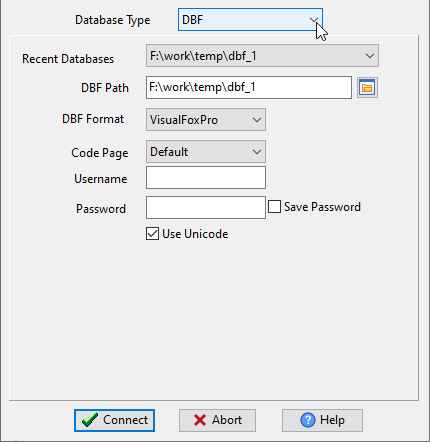
Choose DBF and logon.
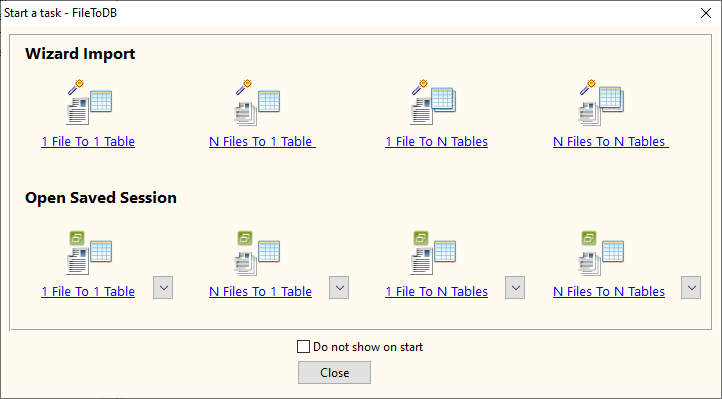
Click “Wizard – 1 File To 1 Table” at task dialog.
Select the “JSON” file type.

then show the wizard.
1. Open a JSON Lines (JSONL / NDJSON / LDJSON) file.
Support large ( > 4GB ) JSON Lines file.

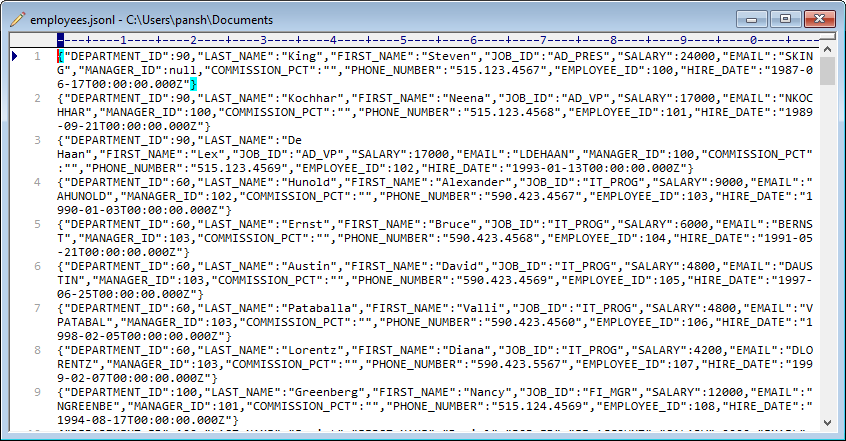
Here is the file’s content.
FileToDB will parse JSON Lines file.
2. Select a DBF table and config fields.
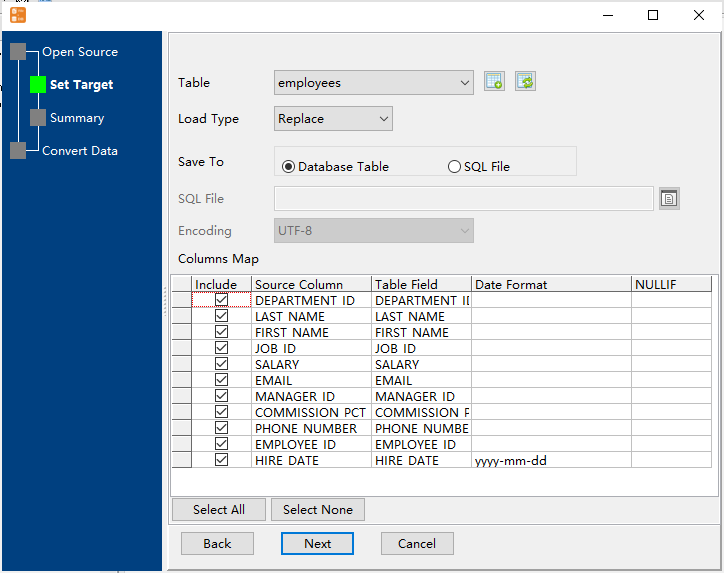
3. Preview data will be in DBF table.
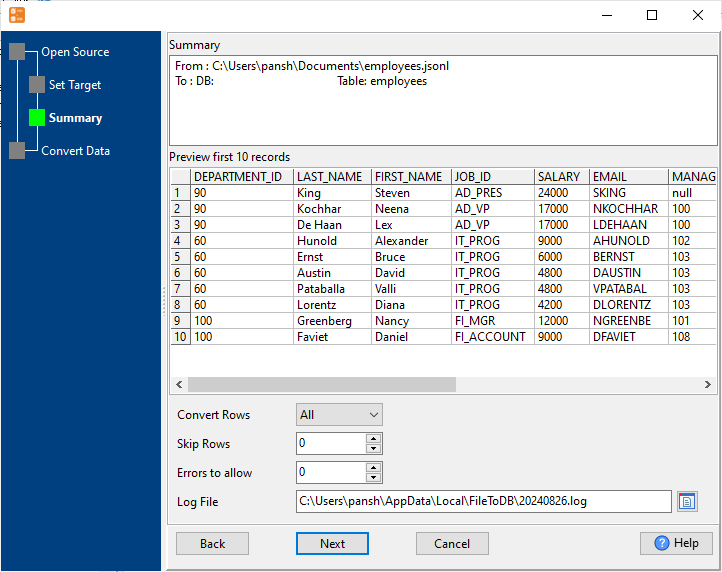
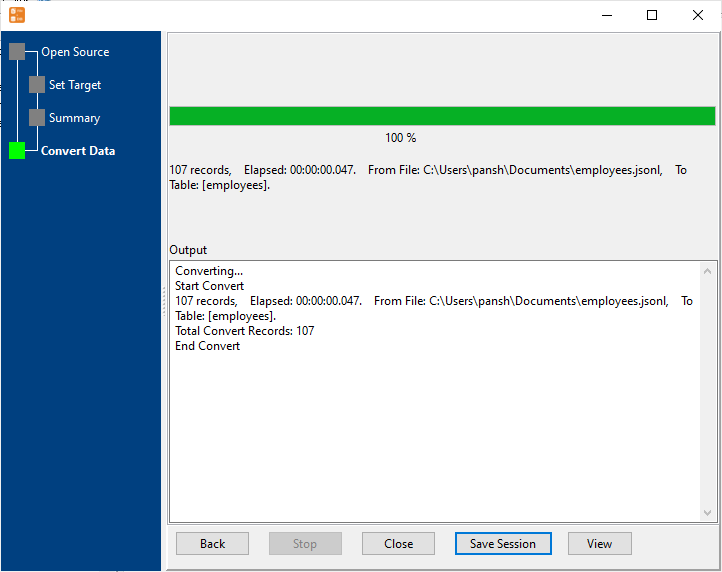
4. Import JSON Lines data to DBF.
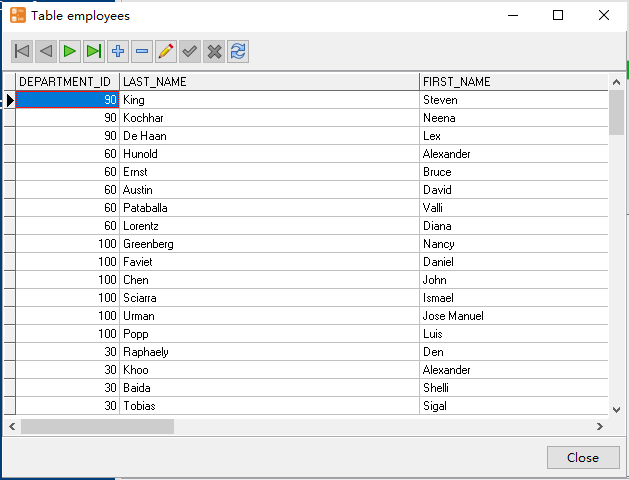
View imported data in DBF table
Convert JSON Lines (JSONL / NDJSON / LDJSON) to DBF in command line
Save “JSON Lines to DBF” session, then you can:
- Import JSON Lines (JSONL / NDJSON / LDJSON) to DBF in Windows command line.
- Import JSON Lines (JSONL / NDJSON / LDJSON) to DBF in Linux command line.
- Import JSON Lines (JSONL / NDJSON / LDJSON) to DBF in macOS command line.
Set scheduled tasks for converting JSON Lines (JSONL / NDJSON / LDJSON) to DBF
You can schedule and automate this “JSON Lines to DBF” conversion task by:
- Save session and create .bat (Windows) or .sh (Linux/macOS) file for “JSON Lines to DBF” conversion.
- Set scheduled task for “JSON Lines to DBF” conversion.
FAQ
More tools for JSONL / NDJSON / LDJSON.
Download Withdata FileToDB
JSON Lines → DBF reference
Type mapping
| Value kind | in JSON Lines | in DBF |
|---|---|---|
| Int | 1234 (number) | Numeric(10,0) |
| Bigint | 9007199254740993 | Numeric(19,0) |
| Decimal | 1234.56 (number) | Numeric(p,s) |
| Float | 1.234e10 (number) | Float |
| Text | "text" (string) | Character(n) |
| Long text | "multi-line\ntext" | Memo |
| Date | "2026-09-18" (string) | Date |
| Datetime | "2026-09-18T14:30:00Z" (string) | (none) |
| Binary | "base64:..." (string) | (none) |
| Boolean | true / false (boolean) | Logical |
| JSON | nested object on the same line | (none) |
Dialect differences
JSON Lines is a file format and DBF is a database server, so the target has to be told the types the file never carried - the rows below are where the two sides diverge.
| Property | in JSON Lines | in DBF |
|---|---|---|
| port | — | (file-based) |
| identifiers | Double quotes; backslash escapes (a newline inside a string... | — |
| row limit | — | (driver dependent) |
| dates | No date type: dates arrive as strings | Date (D) |
| long text | — | Memo (M) |
| binary | Not supported natively - base64 inside a string | — |
| separator | Newline between records | — |
| encoding | UTF-8 by definition | — |
| typing | Same as JSON, but records cannot nest across lines | — |
| shape | Flat stream | Tables of rows and columns |
| ceiling | Streams, so it scales past what a single JSON document can ... | — |
No counterpart
- JSON Lines values of kind Date and time have nowhere to go in DBF.
- JSON Lines values of kind Binary have nowhere to go in DBF.
- JSON Lines values of kind JSON have nowhere to go in DBF.
Convert your data online, free
Free in-browser converters for CSV, Excel, JSON, XML and SQL: Withdata Online Data Conversion. Large files, batch conversion or scheduling? See the offline desktop apps, or browse all data conversion tools.

