Want to export data from MariaDB table to Excel xlsx file?
Try Withdata DBToFile, a MariaDB to Excel converter for Windows, Linux, and macOS, Export MariaDB data to Excel, Easy and Fast.
- Can run in GUI mode, Step by Step, just a few mouse clicks.
- Can run in Command line, for Scheduled Tasks and Streams.
- Support Windows, Linux, and macOS.

Export data from MariaDB table to Excel xlsx file
Login to MariaDB -> Choose MariaDB table -> Set Excel file options -> Export MariaDB to Excel xlsx file
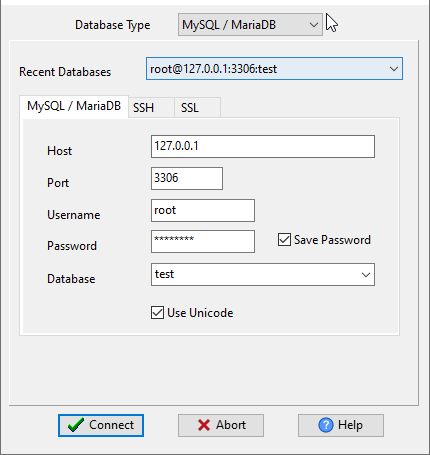
Choose MariaDB and logon.
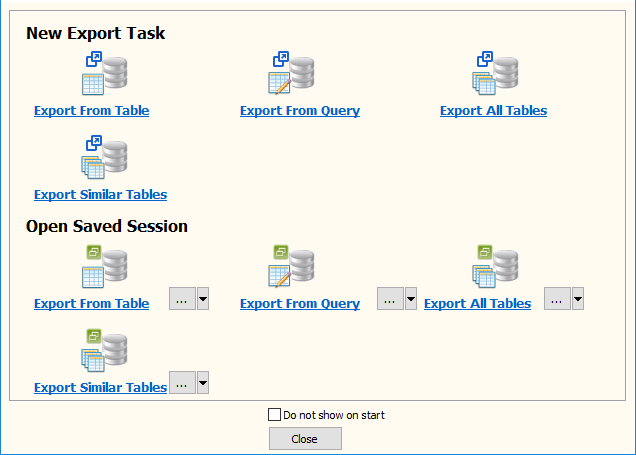
Click “Export From Table” at task dialog.
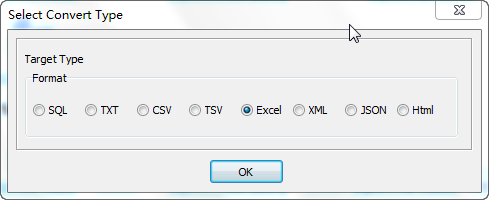
Select Excel file type.
then show the Export Single Table form.
1. Select MariaDB table.
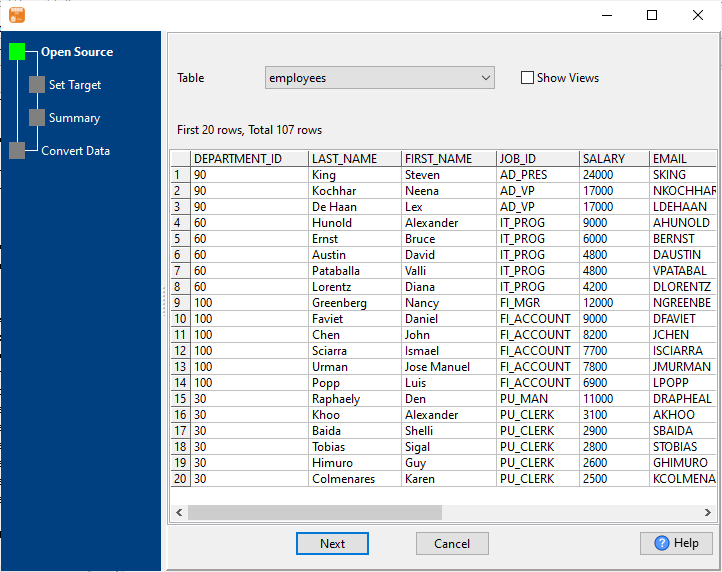
2. Enter Excel xlsx file name.
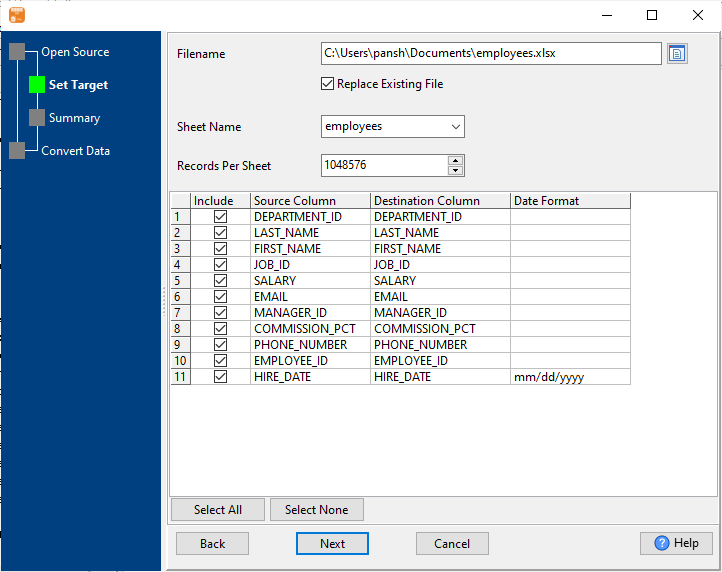
3. Preview Excel.
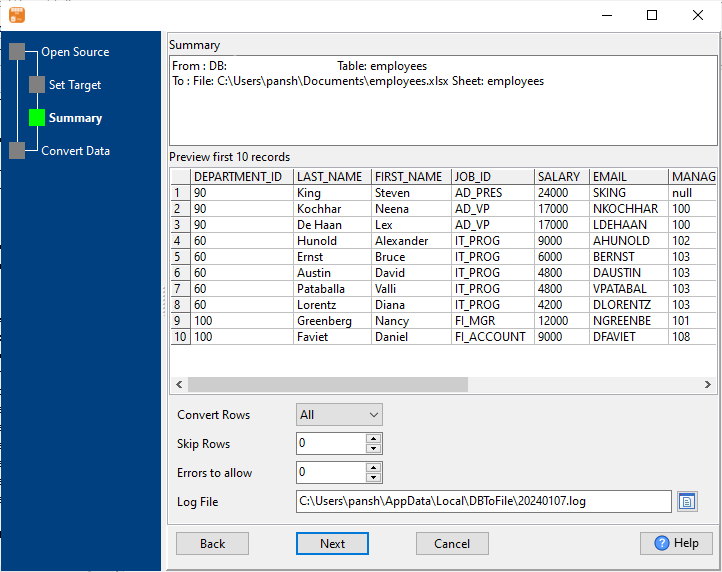
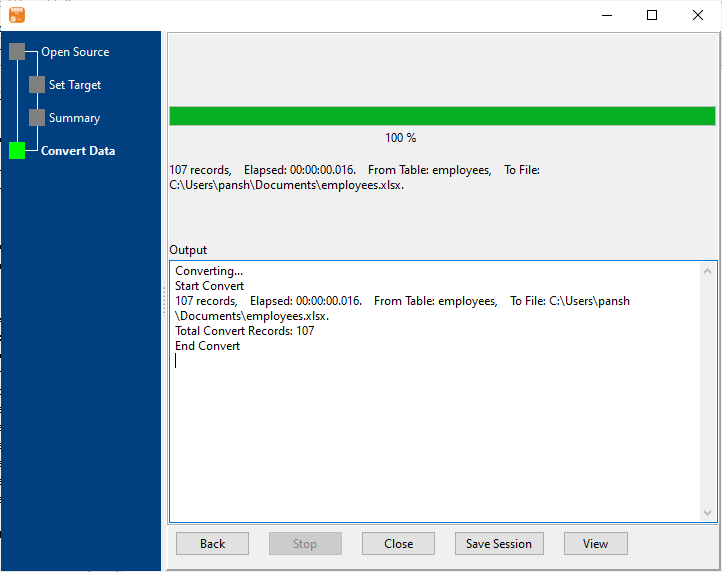
4. Export MariaDB to Excel xlsx file.
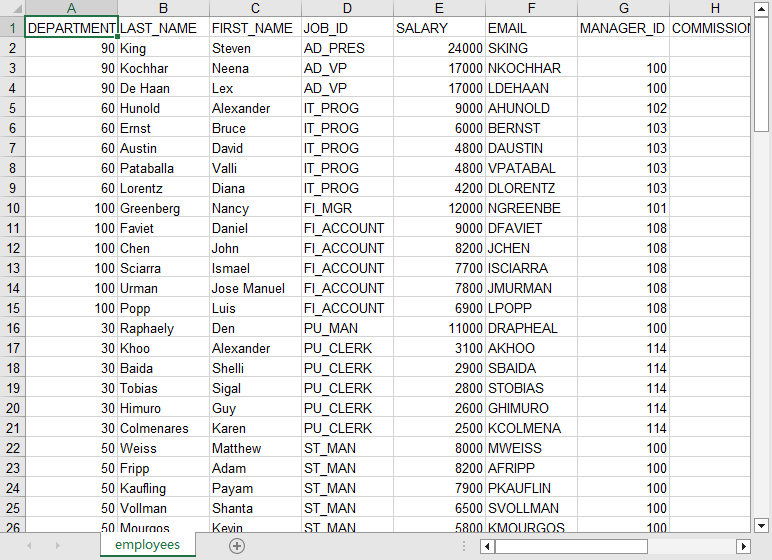
After exporting, you can view output Excel file.
More about MariaDB to Excel converter
Download DBToFile
MariaDB → Excel (.xlsx) reference
Type mapping
| Value kind | in MariaDB | in Excel (.xlsx) |
|---|---|---|
| Int | INT | 1234 (a real numeric cell) |
| Bigint | BIGINT | 9007199254740993 (exact only while the cell stays text) |
| Decimal | DECIMAL(p,s) | 1234.56 (numeric cell, format controls the displayed decimals) |
| Float | DOUBLE | 1.234E+10 (numeric cell) |
| Text | VARCHAR(n) | text cell; leading zeros survive only if the column is text |
| Long text | LONGTEXT | text cell; wraps inside the cell rather than the row |
| Date | DATE | a serial number plus a date cell format |
| Datetime | DATETIME | a serial number plus a date-time cell format |
| Binary | LONGBLOB | not representable as data |
| Boolean | TINYINT(1) | TRUE / FALSE (a real boolean cell) |
| JSON | JSON | a text cell; the quotes are part of the value |
Dialect differences
MariaDB is a database server and Excel (.xlsx) is a file format, so the gap is wider than a dialect difference - the rows below are where values and structure stop lining up.
| Property | in MariaDB | in Excel (.xlsx) |
|---|---|---|
| port | 3306 | — |
| identifiers | `backtick` | Not applicable; a cell holds exactly one value |
| row limit | LIMIT n | — |
| dates | DATETIME, TIMESTAMP, DATE, TIME | Stored as a serial number; only the cell format makes it lo... |
| long text | TINYTEXT / TEXT / MEDIUMTEXT / LONGTEXT | — |
| binary | BLOB / TINYBLOB / LONGBLOB | Only as text or an embedded object, not as a data column |
| separator | — | Cells, not delimiters |
| encoding | — | UTF-8 internally, declared in the package |
| typing | — | Real cell types: text, number, date, boolean, error |
| shape | Tables of rows and columns | Multiple sheets, each a flat grid |
| ceiling | — | 1,048,576 rows x 16,384 columns per sheet; 255 sheets per w... |
Command line
| Side | Command |
|---|---|
| MariaDB | mariadb-dump |
| MariaDB (load) | mariadb-import, or LOAD DATA INFILE |
MariaDB to Excel without the manual work
For batch jobs, large files and scheduling use the MariaDB to Excel converter — an offline desktop app for Windows, Linux and macOS. Free trial.

