Want to import data from CSV file to HiperSix?
Try Withdata FileToDB, a desktop CSV to HiperSix converter for Windows, MacOS, and Linux, Convert CSV to HiperSix, Easy and Fast.
- Can run in GUI mode, Step by Step, just a few mouse clicks.
- Can run in Command line, for Scheduled Tasks and Streams.
- Convert locally and privately, avoid uploading large or private CSV file(s) to online services.
- Support Windows, Linux, and macOS.

Import data from CSV file to HiperSix
Login to HiperSix -> Choose CSV file -> Set HiperSix table -> Import CSV to HiperSix
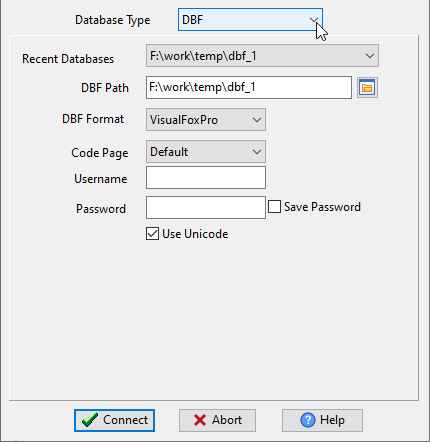
Choose HiperSix and logon.
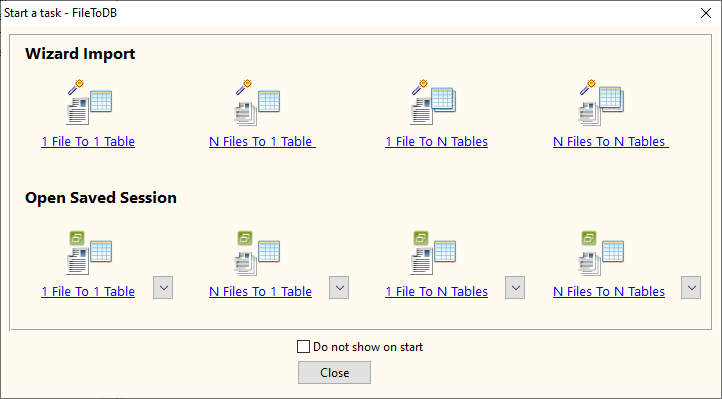
Click “Wizard – 1 File To 1 Table” at task dialog.
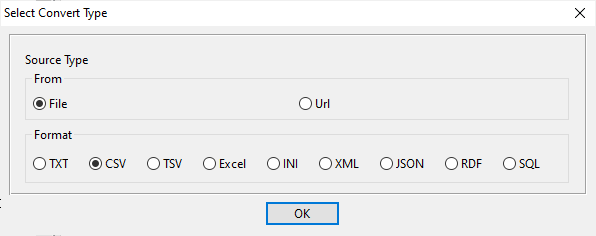
Select the “CSV” file type.
then show the wizard.
1. Open a CSV file.
Support large ( > 4GB ) CSV file.
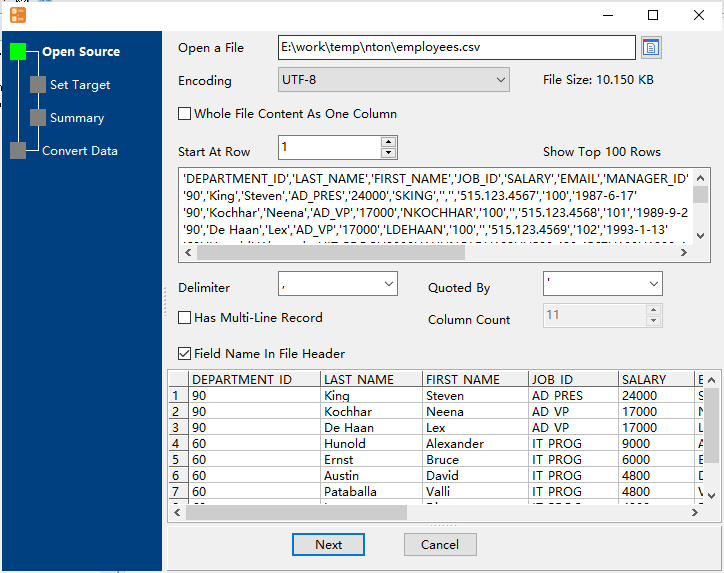
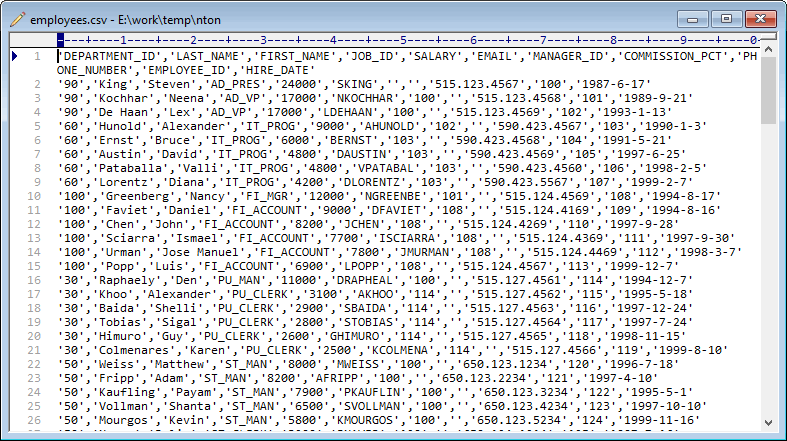
Here is the file’s content.
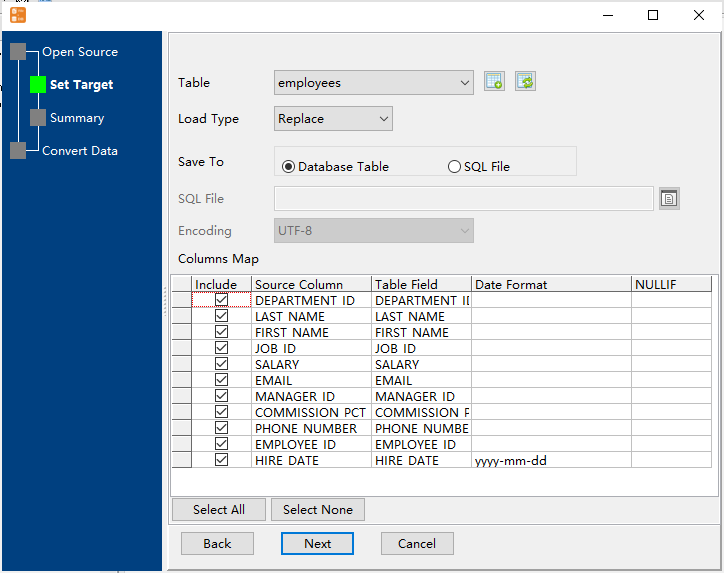
2. Select a HiperSix table and config fields.
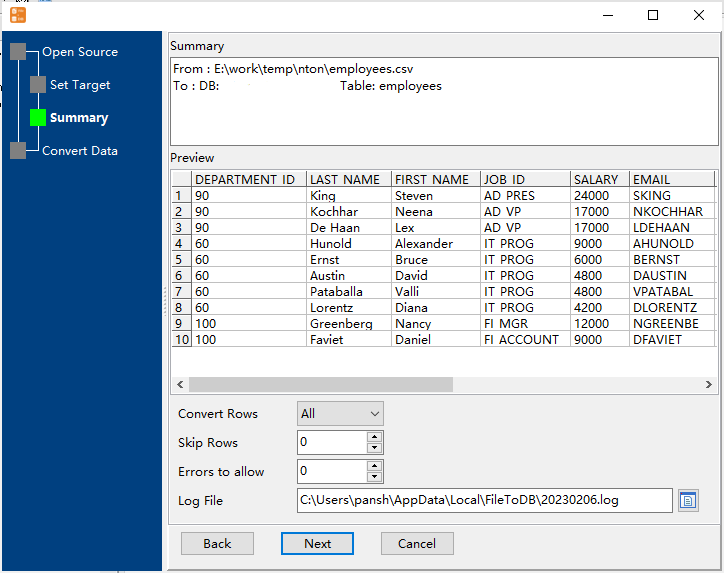
3. Preview data will be in HiperSix table.
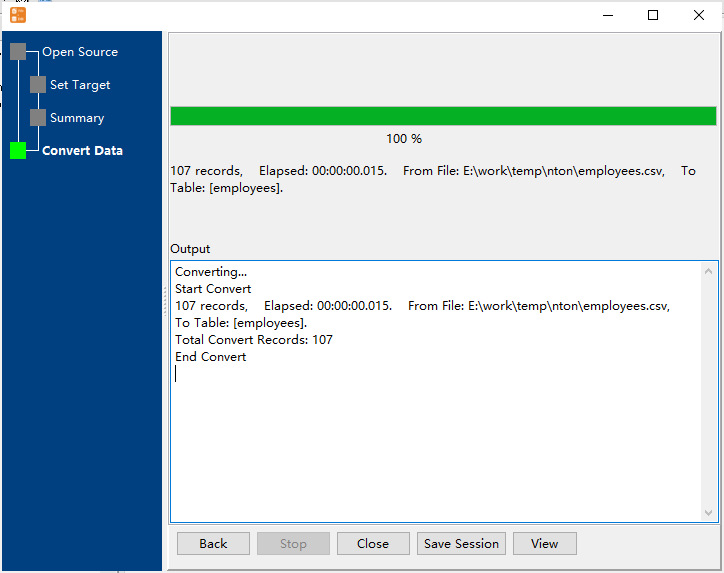
4. Import CSV data to HiperSix.
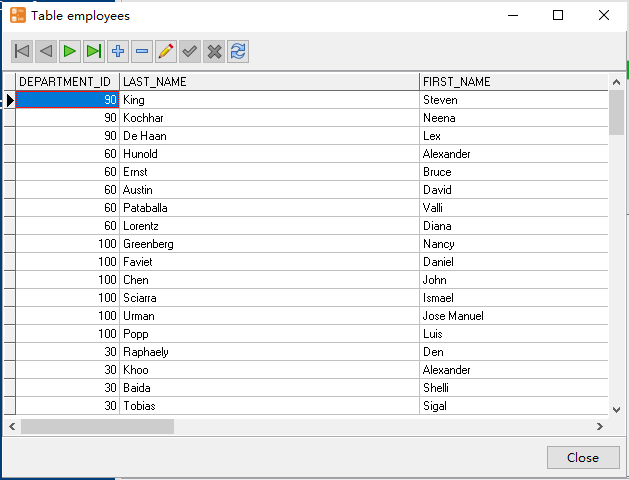
View imported data in HiperSix table
Import CSV to HiperSix in command line
Save “CSV to HiperSix” session, then you can:
- Import CSV to HiperSix in Windows command line.
- Import CSV to HiperSix in Linux command line.
- Import CSV to HiperSix in macOS command line.
Set scheduled tasks for importing CSV to HiperSix
You can schedule and automate this “CSV to HiperSix” conversion task by:
- Save session and create .bat (Windows) or .sh (Linux/macOS) file for “CSV to HiperSix” conversion.
- Set scheduled task for “CSV to HiperSix” conversion.
FAQ
What is Withdata FileToDB?
How long does it take to import CSV data to HiperSix?
Is it safe to import CSV data to HiperSix using FileToDB?
Can I import CSV data to HiperSix on Linux, Mac OS?
Can I import CSV data to HiperSix in command line?
More about Withdata FileToDB – CSV to HiperSix converter
Download Withdata FileToDB
See also:
CSV → HiperSix reference
Type mapping
| Value kind | in CSV | in HiperSix |
|---|---|---|
| Int | 1234 | Numeric(10,0) |
| Bigint | 9007199254740993 | Numeric(19,0) |
| Decimal | 1234.56 | Numeric(p,s) |
| Float | 1.234e+10 | Float |
| Text | quoted only when it contains a comma or a quote | Character(n) |
| Long text | must be quoted; line breaks inside force multi-line records | Memo |
| Date | 2026-09-18 | Date |
| Datetime | 2026-09-18 14:30:00 | (none) |
| Binary | not representable - base64 or hex string | (none) |
| Boolean | TRUE / FALSE, or 1 / 0 depending on the writer | Logical |
| JSON | the whole JSON value quoted, with internal quotes doubled | (none) |
Dialect differences
CSV is a file format and HiperSix is a database server, so the target has to be told the types the file never carried - the rows below are where the two sides diverge.
| Property | in CSV | in HiperSix |
|---|---|---|
| port | — | (file-based) |
| identifiers | Double quotes; a literal quote is doubled ("" ) | — |
| row limit | — | (driver dependent) |
| dates | Conventional text: 2026-09-18 or 2026-09-18 14:30:00 | Date (D) |
| long text | — | Memo (M) |
| binary | Not supported | — |
| separator | Comma "," | — |
| encoding | No declaration - UTF-8 works only with a BOM | — |
| typing | None - every field is text | — |
| shape | Flat table, optional header row | Tables of rows and columns |
| ceiling | No formal limit; row count bounded by memory | — |
No counterpart
- CSV values of kind Date and time have nowhere to go in HiperSix.
- CSV values of kind Binary have nowhere to go in HiperSix.
- CSV values of kind JSON have nowhere to go in HiperSix.
Convert your data online, free
Free in-browser converters for CSV, Excel, JSON, XML and SQL: Withdata Online Data Conversion. Large files, batch conversion or scheduling? See the offline desktop apps, or browse all data conversion tools.

