Want to parse JSON from open RESTful API and save to HiperSix database?
Try Withdata FileToDB, a desktop JSON to HiperSix converter for Windows, MacOS, and Linux, Import JSON to HiperSix, Easy and Fast.
- Can run in GUI mode, Step by Step, just a few mouse clicks.
- Can run in Command line, for Scheduled Tasks and Streams.

Import JSON from open RESTful API to HiperSix database
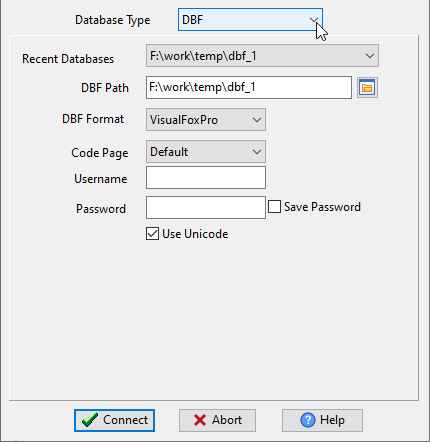
Choose HiperSix and logon.
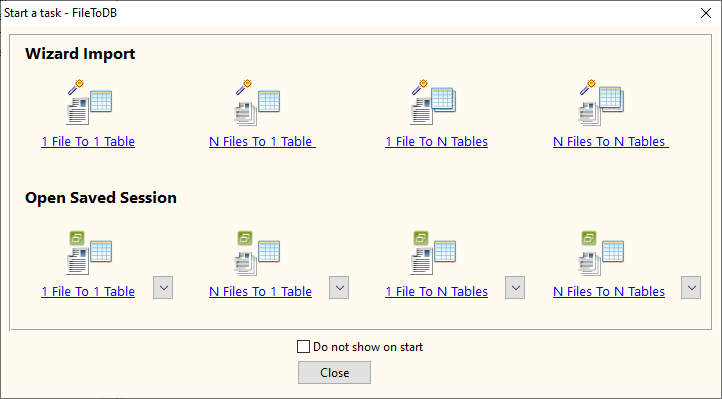
Click “Wizard – 1 File To 1 Table” at task dialog.
Select “Source File From” with “Url”.

1. Input the RESTful API URL, and download to JSON file.

2. Open the saved JSON file.

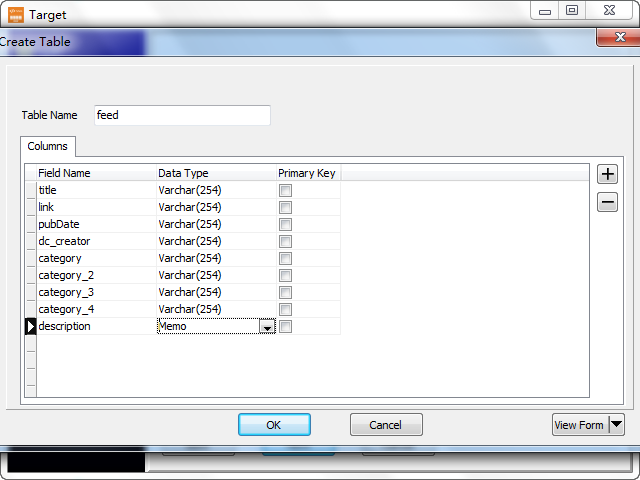
3. Config target HiperSix database.

You can create new HiperSix table by JSON struct, just a few mouse clicks.
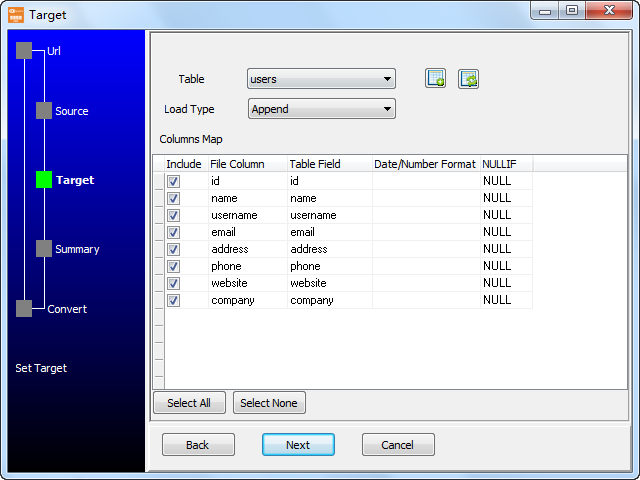
Select table and config fields.
4. Summary.
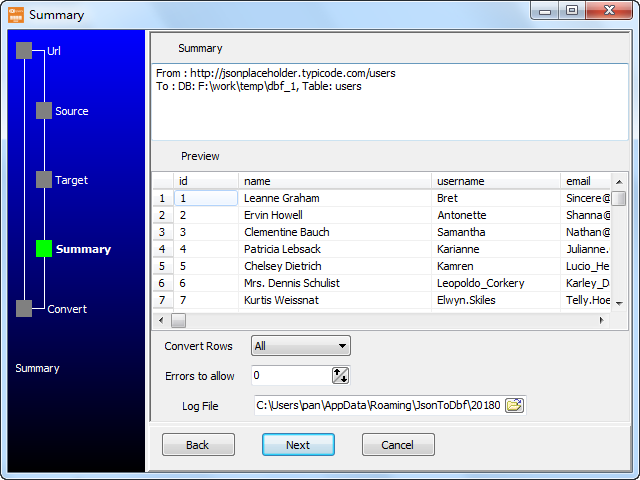
5. Import RESTful JSON to HiperSix.

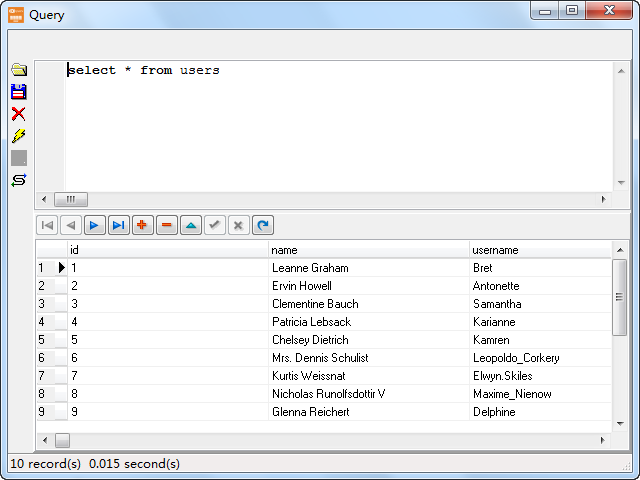
See importing results in HiperSix table
Import API JSON_API to HiperSix in command line
Save “JSON_API to HiperSix” session, then you can:
- Import API JSON_API to HiperSix in Windows command line.
- Import API JSON_API to HiperSix in Linux command line.
- Import API JSON_API to HiperSix in macOS command line.
Set scheduled tasks for importing API JSON_API to HiperSix
You can schedule and automate this importing task by:
- Save session and create .bat (Windows) or .sh (Linux/macOS) file for “JSON to HiperSix” conversion.
- Set scheduled task for “JSON to HiperSix” conversion.
More about FileToDB – JSON to HiperSix converter
Download FileToDB
JSON → HiperSix reference
Type mapping
| Value kind | in JSON | in HiperSix |
|---|---|---|
| Int | 1234 (number) | Numeric(10,0) |
| Bigint | 9007199254740993 | Numeric(19,0) |
| Decimal | 1234.56 (number) | Numeric(p,s) |
| Float | 1.234e10 (number) | Float |
| Text | "text" (string) | Character(n) |
| Long text | "multi-line\ntext" (escaped newline inside a string) | Memo |
| Date | "2026-09-18" (string) | Date |
| Datetime | "2026-09-18T14:30:00Z" (string) | (none) |
| Binary | "base64:..." (string) | (none) |
| Boolean | true / false (boolean) | Logical |
| JSON | nested object or array, kept as structure | (none) |
Dialect differences
JSON is a file format and HiperSix is a database server, so the target has to be told the types the file never carried - the rows below are where the two sides diverge.
| Property | in JSON | in HiperSix |
|---|---|---|
| port | — | (file-based) |
| identifiers | Double quotes; backslash escapes | — |
| row limit | — | (driver dependent) |
| dates | No date type: dates arrive as strings and the reader must p... | Date (D) |
| long text | — | Memo (M) |
| binary | Not supported natively - base64 inside a string | — |
| separator | Braces and commas | — |
| encoding | UTF-8 by definition | — |
| typing | string, number, boolean, null, object, array - no date type | — |
| shape | Nested objects and arrays | Tables of rows and columns |
| ceiling | Whole document is usually parsed into memory | — |
No counterpart
- JSON values of kind Date and time have nowhere to go in HiperSix.
- JSON values of kind Binary have nowhere to go in HiperSix.
- JSON values of kind JSON have nowhere to go in HiperSix.
Convert your data online, free
Free in-browser converters for CSV, Excel, JSON, XML and SQL: Withdata Online Data Conversion. Large files, batch conversion or scheduling? See the offline desktop apps, or browse all data conversion tools.

