Want to import data from each table in a SQL file to a separate HiperSix table?
Try Withdata FileToDB, a SQL to HiperSix converter, Import each table data in a SQL file to a separate HiperSix table, Easy and Fast.
- Can run in GUI mode, Step by Step, just a few mouse clicks.
- Can run in Command line, for Scheduled Tasks and Streams.
- Import SQL to HiperSix locally and privately, avoid uploading SQL file(s) to online services.
- Support Windows, Linux, and macOS.

Import data from each table in a SQL file to a separate HiperSix table
Select tables in SQL file -> Set HiperSix tables -> Import SQL data to HiperSix
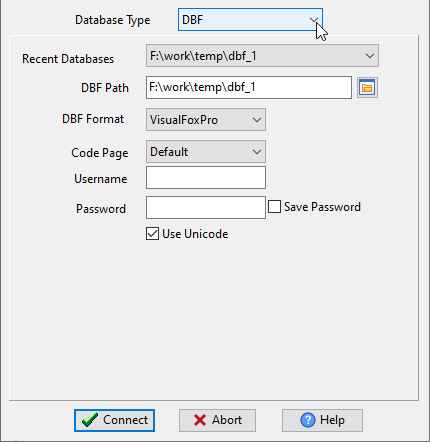
Choose HiperSix and logon.
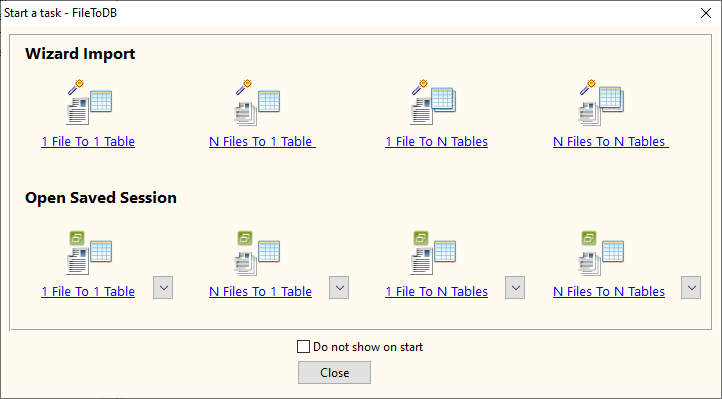
Click “Wizard – 1 File To N Tables” at task dialog.
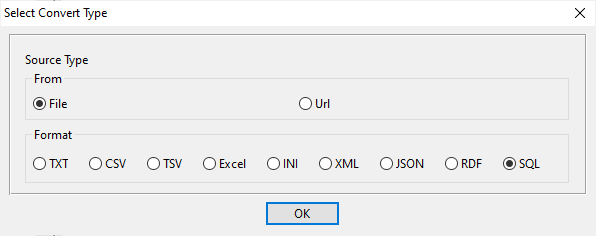
Select the “SQL” file type.
then show the wizard.
1. Open a SQL file, select tables.

2. Show existing HiperSix tables, choose “Import Type”.
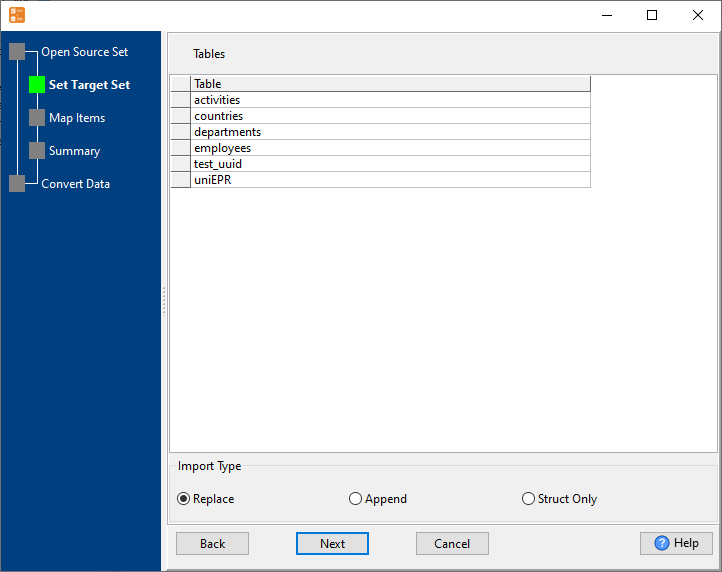
3. Set HiperSix tables.
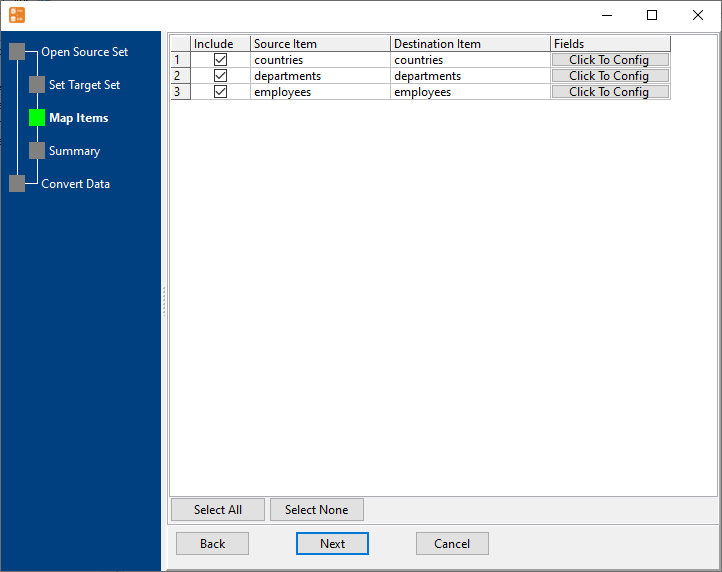
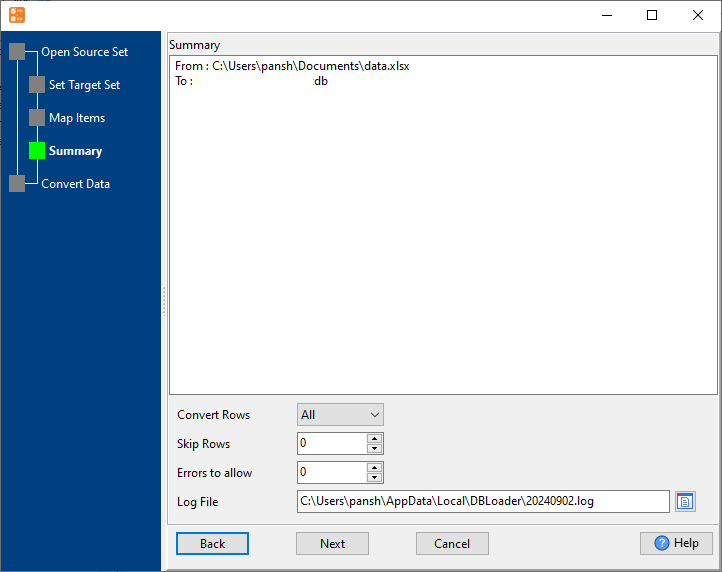
4. Show summary, set “Convert Rows”.
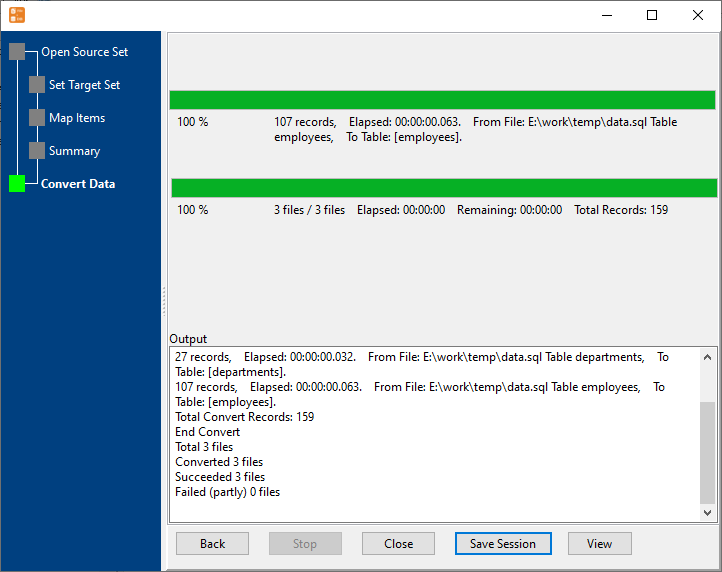
5. Import data from each table in a SQL file to a separate HiperSix table.
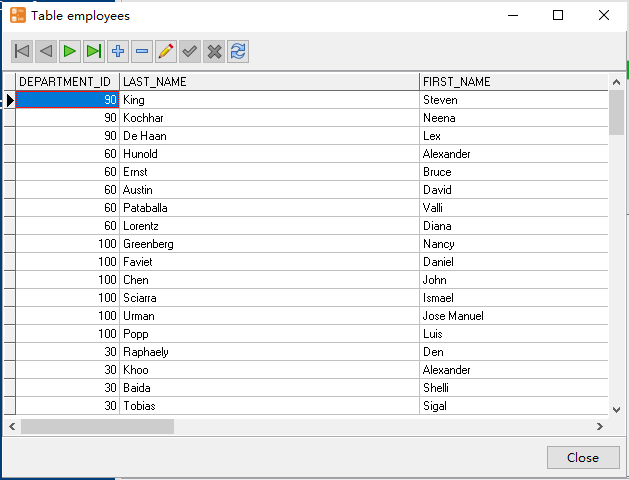
View imported data in HiperSix table
More about SQL file to HiperSix converter
Download Withdata FileToDB
SQL → HiperSix reference
Type mapping
| Value kind | in SQL | in HiperSix |
|---|---|---|
| Int | INT | Numeric(10,0) |
| Bigint | BIGINT | Numeric(19,0) |
| Decimal | DECIMAL(p,s) | Numeric(p,s) |
| Float | DOUBLE PRECISION | Float |
| Text | VARCHAR(n) | Character(n) |
| Long text | TEXT / CLOB | Memo |
| Date | DATE | Date |
| Datetime | TIMESTAMP | (none) |
| Binary | BLOB / BYTEA | (none) |
| Boolean | BOOLEAN / SMALLINT | Logical |
| JSON | JSON / TEXT | (none) |
Dialect differences
SQL is a file format and HiperSix is a database server, so the target has to be told the types the file never carried - the rows below are where the two sides diverge.
| Property | in SQL | in HiperSix |
|---|---|---|
| port | — | (file-based) |
| identifiers | Two competing conventions: single-quoted literals and diale... | — |
| row limit | — | (driver dependent) |
| dates | Depends on the dialect: DATE literals, TO_DATE(), or plain ... | Date (D) |
| long text | — | Memo (M) |
| binary | Dialect-specific: X-quoted literal, 0x hex, or decode() | — |
| separator | Statement terminators (;) | — |
| encoding | No declaration | — |
| typing | Types belong to the target database, and they differ betwee... | — |
| shape | Statements; a dump usually means CREATE TABLE plus INSERT rows | Tables of rows and columns |
| ceiling | No formal limit, but a single INSERT statement has to fit i... | — |
No counterpart
- SQL values of kind Date and time have nowhere to go in HiperSix.
- SQL values of kind Binary have nowhere to go in HiperSix.
- SQL values of kind JSON have nowhere to go in HiperSix.
Convert your data online, free
Free in-browser converters for CSV, Excel, JSON, XML and SQL: Withdata Online Data Conversion. Large files, batch conversion or scheduling? See the offline desktop apps, or browse all data conversion tools.

