Want to import multiple TSV files into a single SQLite table?
Try Withdata FileToDB, a desktop TSV to SQLite converter for Windows, MacOS, and Linux, Convert TSV to SQLite, Easy and Fast.
- Can run in GUI mode, Step by Step, just a few mouse clicks.
- Can run in Command line, for Scheduled Tasks and Streams.
- Convert locally and privately, avoid uploading large or private TSV files to online services.
- Support Windows, Linux, and macOS.

Import multiple TSV files into a single SQLite table
Login to SQLite -> Choose TSV files -> Set SQLite table -> Import TSV files to SQLite table
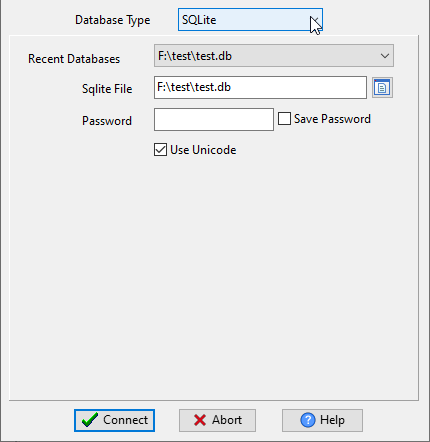
Choose SQLite and logon.
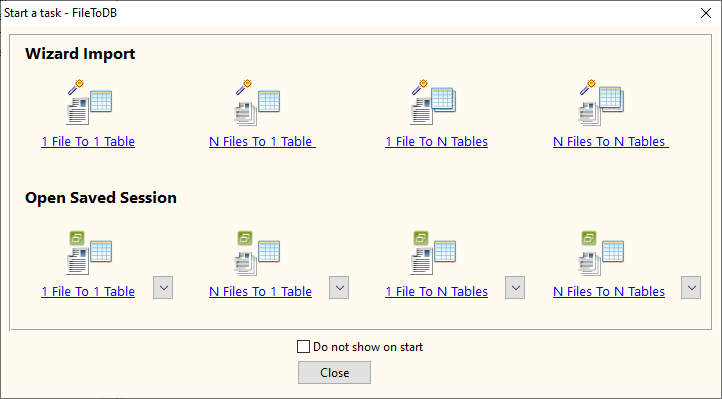
Click “Wizard – N Files To 1 Table” at task dialog.
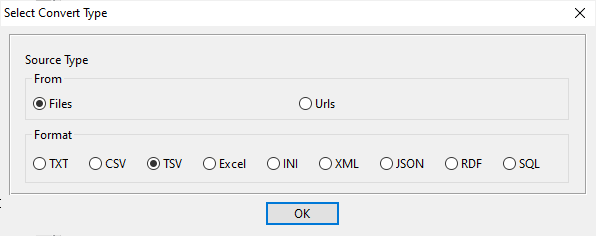
Select the “TSV” file type.
then show the wizard.
1. Select a folder that constains TSV files.
Support large ( > 4GB ) TSV files.
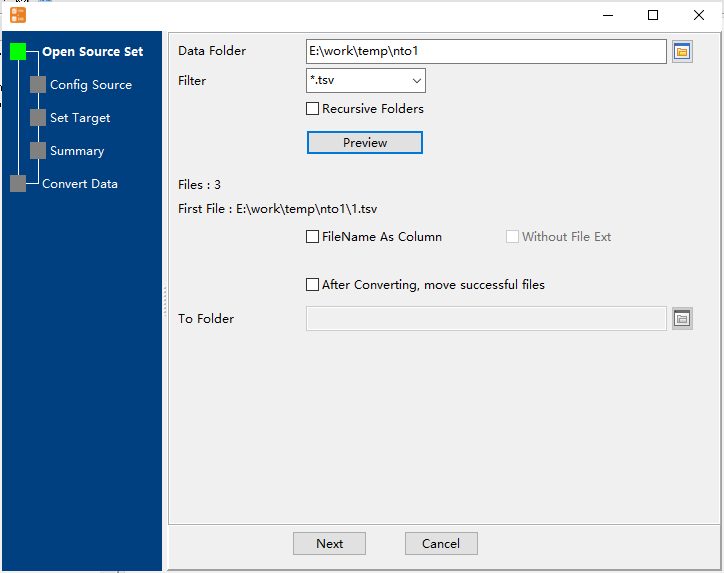
2. Config first TSV file importing options.
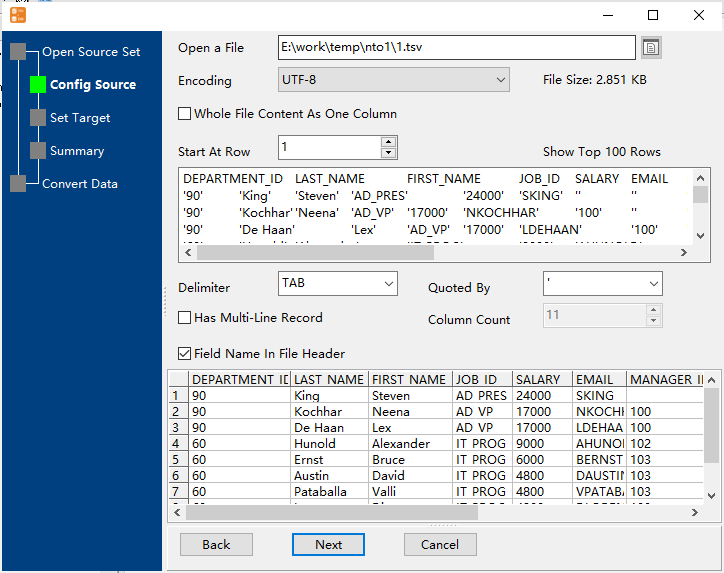
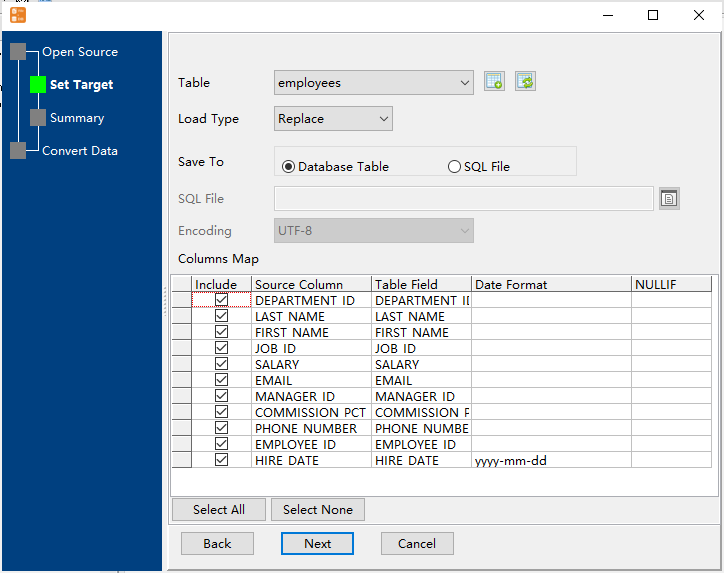
3. Select a SQLite table and config fields.
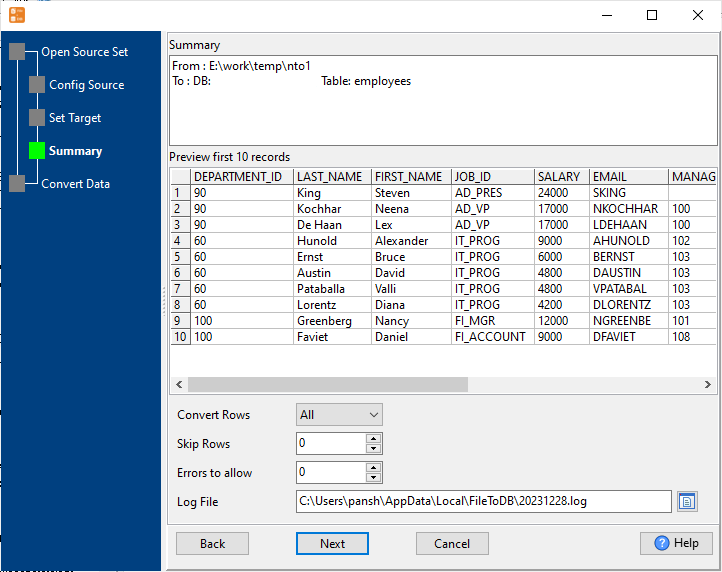
4. Preview data will be in SQLite table.
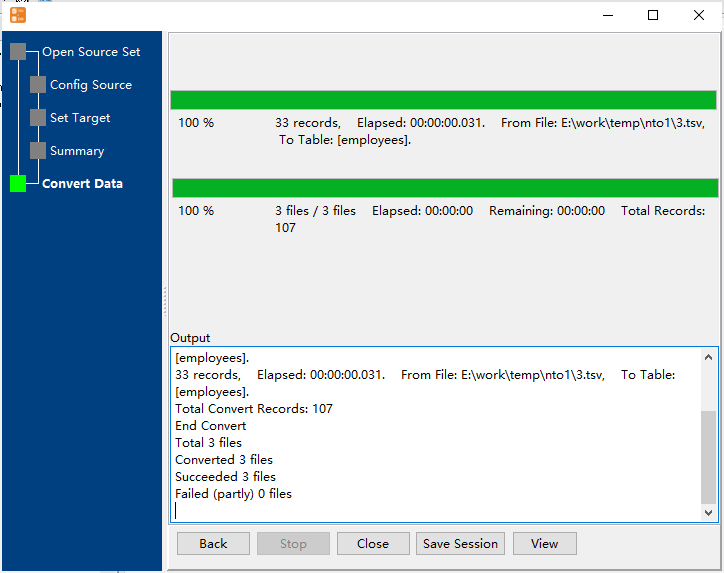
5. Import multiple TSV files to the SQLite table.
View imported data in SQLite table
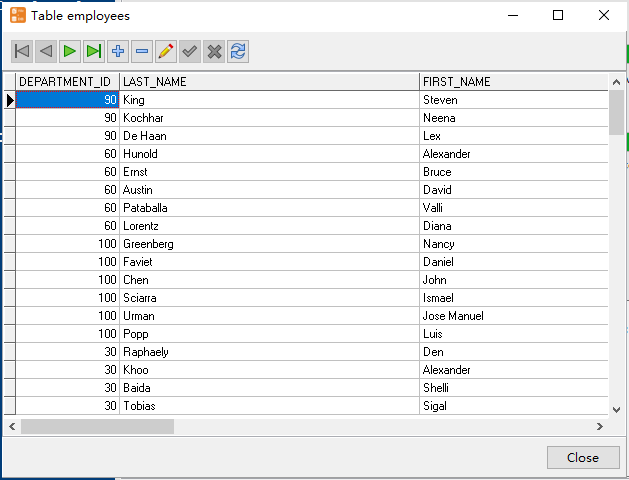
Import multiple TSV files to SQLite in command line
Save “multiple TSV files to SQLite” session, then you can:
- Import multiple TSV files to SQLite in Windows command line.
- Import multiple TSV files to SQLite in Linux command line.
- Import multiple TSV files to SQLite in macOS command line.
Set scheduled tasks for importing multiple TSV files to SQLite
You can schedule and automate this converting task by:
- Save session and create .bat (Windows) or .sh (Linux/macOS) file for “TSV to SQLite” conversion.
- Set scheduled task for “TSV to SQLite” conversion.
FAQ
More about Withdata FileToDB – TSV to SQLite converter
Download Withdata FileToDB
See also:
TSV → SQLite reference
Type mapping
| Value kind | in TSV | in SQLite |
|---|---|---|
| Int | 1234 | INTEGER |
| Bigint | 9007199254740993 | INTEGER |
| Decimal | 1234.56 | NUMERIC |
| Float | 1.234e+10 | REAL |
| Text | unquoted; a tab in the value splits the column | TEXT |
| Long text | unquoted; newlines break the row | TEXT |
| Date | 2026-09-18 | TEXT |
| Datetime | 2026-09-18 14:30:00 | TEXT |
| Binary | not representable | BLOB |
| Boolean | TRUE / FALSE | INTEGER |
| JSON | the whole JSON value as-is (its own quotes stay) | TEXT |
Dialect differences
TSV is a file format and SQLite is a database server, so the target has to be told the types the file never carried - the rows below are where the two sides diverge.
| Property | in TSV | in SQLite |
|---|---|---|
| port | — | (file-based) |
| identifiers | Rarely used, which is exactly why tabs in data break it | "double quotes" or [brackets] |
| row limit | — | LIMIT n |
| dates | Conventional text: 2026-09-18 or 2026-09-18 14:30:00 | TEXT (no date type) |
| long text | — | TEXT |
| binary | Not supported - must be encoded | BLOB |
| separator | Tab | — |
| encoding | No declaration - UTF-8 works only with a BOM | — |
| typing | None - every field is text | — |
| shape | Flat table, optional header row | Tables of rows and columns |
| ceiling | No formal limit | — |
Command line
| Side | Command |
|---|---|
| SQLite | sqlite3 .dump |
| SQLite (load) | .import (sqlite3) |
Convert your data online, free
Free in-browser converters for CSV, Excel, JSON, XML and SQL: Withdata Online Data Conversion. Large files, batch conversion or scheduling? See the offline desktop apps, or browse all data conversion tools.
New to the format? Read what a TSV file is (and how it differs from CSV).

