Want to transfer data from Redis to Oracle without programming?
Using RedisDataStudio, a native GUI tool, you can transfer data from Redis to Oracle easily and fast, just a few mouse clicks!
Support Windows, Linux, macOS.
Transfer data from Redis To Oracle
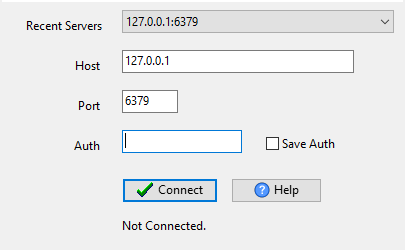
Log in to Redis.
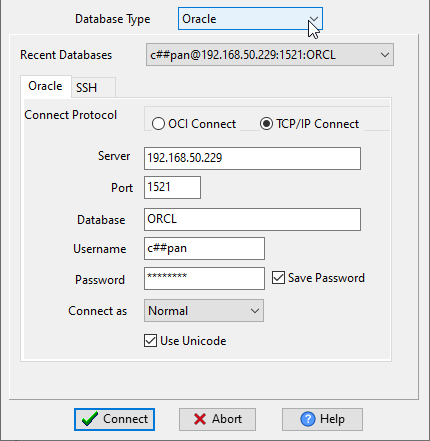
Log in to Oracle database.
1. You can transfer data from a Redis hash key to Oracle table.
For example, a redis hash key “users”, store each record as a JSON string.
| Key | Field | Value |
| users | ||
| 1 | {“name”:”Fred”,”age”:25} | |
| 2 | {“name”:”Tom”,”age”:28} |
2. You can transfer data from Redis hash keys to Oracle table.
For example, 2 redis hash keys “user:1” and “user:2”, each store a record, and each field of the record as a Redis hash key’s field.
| Key | Field | Value |
| user:1 | ||
| name | Fred | |
| age | 25 | |
| user:2 | ||
| name | Tom | |
| age | 28 |
3. You can transfer data from Redis string keys to Oracle table.
For example, 2 redis string keys “user:1” and “user:2”, each store record as JSON-encoded string.
| Key | Value |
| user:1 | {“name”:”Fred”,”age”:25} |
| user:2 | {“name”:”Tom”,”age”:28} |
All above 3 cases, data will store in a Oracle table “users”.
| id | name | age |
| 1 | Fred | 25 |
| 2 | Tom | 28 |
Transfer data from Redis to Oracle .

Here you can Download RedisDataStudio
Convert your data online, free
Free in-browser converters for CSV, Excel, JSON, XML and SQL: Withdata Online Data Conversion. Large files, batch conversion or scheduling? See the offline desktop apps, or browse all data conversion tools.

