DBCopier » Use cases » Consolidate several databases into one
Download DBCopier Free Trial » Buy DBCopier Now »
The situation
Every branch, store or production line keeps its own copy of the same database - same tables, same columns, different rows. To report over all of them you need the rows in one place, and the classic answer is a script that loops over servers dumping and importing each one.
When the sources are not all the same engine, that script grows a branch per engine. And if it is run again the next night, it has to know what is already there.
What you do
- Point DBCopier at the source databases (one at a time, or as a batch of saved sessions) and at the single target database.
- Use the similar tables mode: it finds tables with matching columns in the sources and copies them all into one table on the target, adding a source column if you ask it to.
- Choose update/upsert on the second and later runs, so re-running adds what is new and updates what changed instead of duplicating rows.
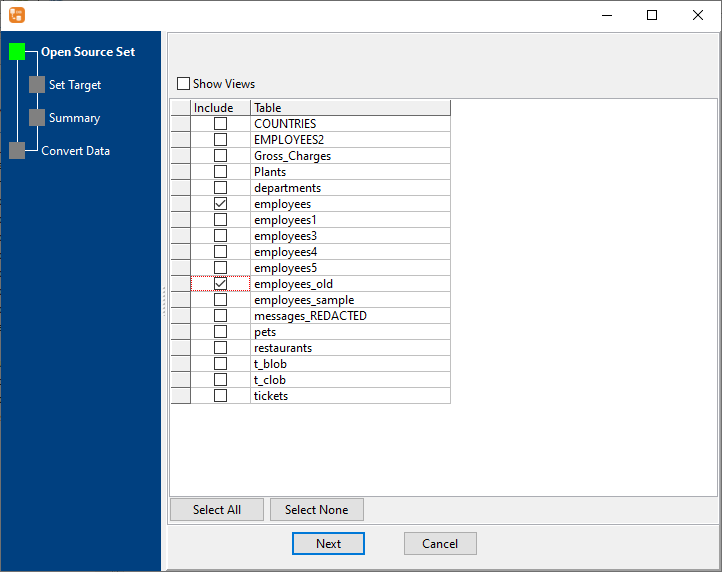
The whole job is a saved session, so next month it is the same two clicks. Sources can be different engines - a MySQL branch and a SQL Server branch can land in the same PostgreSQL warehouse.
What it will not do
- It does not merge rows by business key. Upsert matches on the columns you name; if two branches use different customer IDs for the same customer, that is a data problem the copy will faithfully preserve.
- It does not add a source column automatically. If you want to know which database a row came from, add that column to the target and map it.
- It is not a scheduler. It runs when you run it (or when your cron / Task Scheduler runs it). There is no built-in queue or dependency handling.
- It copies tables. Views, stored procedures and triggers on the target are not generated for you.
Related
The mode itself: similar tables to one table. A whole database instead of many: migrate a database. Doing it nightly: keep a table in sync on a schedule. Running from a script: command line, saved setup: sessions.