DBCopier » Use cases » Copy a table without a dump
Download DBCopier Free Trial » Buy DBCopier Now »
The situation
One table is too big to move the usual way. A dump writes the whole thing to disk as text (and then a bit more, for the escaping), the restore has to run in one go, and if it fails halfway there is a half-loaded table and a very large file to delete before trying again.
Usually only part of the table is wanted anyway - a month, a range of keys, a slice of IDs - but a dump cannot do "part of a table".
What you do
- Connect to the source and target databases.
- Pick the table, and if you only want part of it, use a query with a WHERE clause instead.
- Run the copy. Rows go from one database to the other over the connection - no dump file is written, and disk usage stays flat.
- If it stops, run it again with update/upsert: rows already there are updated, the rest are added.
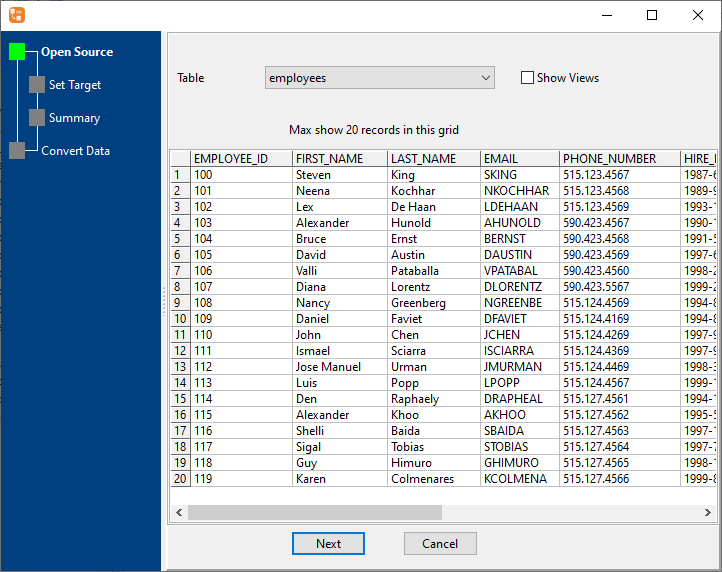
Both ends can be different engines, so a huge MySQL table can be landed into PostgreSQL, SQLite or Access in the same way. Progress and row counts are shown while it runs, so a slow link is visible rather than mysterious.
What it will not do
- It will not fix data types for you. Where the engines disagree - text encodings, dates, decimals, blobs - the mapping is worth checking on a small sample first.
- It is still one row-set over one connection. A very large table over a slow link takes time; there is no parallel sharding across machines.
- It does not replace a full backup. This is a copy of a table's data, not a restorable backup of a database.
- Identity and default values are handled by the target. If the target auto-generates keys, the copied values may conflict; check the target's key settings.
Related
Part of a table: query to table. Many tables at once: all tables. A whole database: migrate a database. Keeping it current: on a schedule. Pairs of engines: supported conversions.