DBLoader » Use cases » Export tables to Excel or CSV
Download DBLoader Free Trial » Buy DBLoader Now »
The situation
The data lives in a database, but the person who needs it does not have access to one. They want a spreadsheet, or the BI tool reads CSV, or the archive for this quarter has to be a set of files on disk.
Typing a query and pasting the grid into a spreadsheet works right up to the point where the result is large, has commas and quotes in it, or is twenty tables instead of one.
What you do
- Connect to the database and open either the table or a query - a query is how you export a filtered part of a table.
- Choose the output format: CSV, TSV/TXT, Excel, JSON, XML, HTML, INI, RDF or SQL.
- Pick the destination folder and file name. When exporting many tables, a file-name pattern is used so each table lands in its own file.
- Run. The data is written to disk, properly quoted and escaped for the format you chose.
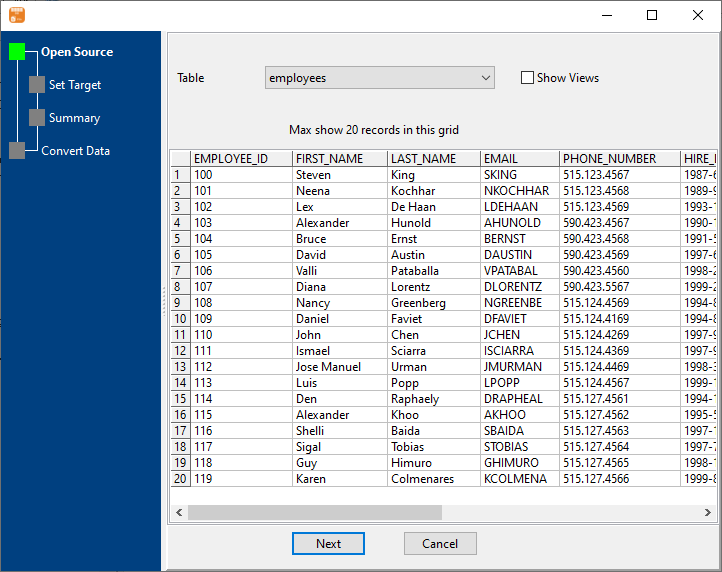
For a regular delivery this is worth saving as a session: same source, same folder, one click each week - or a command-line call from the scheduler before anyone arrives.
What it will not do
- It does not format the report. The output is data - headers and rows. Bold headers, totals, charts and pivot layouts are the spreadsheet's job, not the export's.
- It does not email or upload anywhere. It writes files; delivering them is your step.
- It will not silently fix a query. If the query returns the wrong rows, the file contains the wrong rows.
- Excel has a hard row limit. A spreadsheet that exceeds it cannot hold the data no matter which tool writes it - use CSV for large exports and treat Excel as the smaller-format option.
Related
The modes: one table to files, a query to a file, many tables at once, similar tables into one file. Going the other way: file to table. Doing it on a schedule: nightly tasks, command line.