DBLoader: Fast Cross-Platform Database Import & Export Tool

Import & export millions of rows in minutes, save 80% time compared to manual operations. Support 10+ mainstream databases & 10+ data formats with 100% local data security.

Cross-Platform

100% Secure

Batch Processing

See DBLoader in Action

Watch our quick demo to learn how DBLoader can streamline your data import/export workflow in minutes

Powerful Features for Every Scenario

📊 Multi-Format Support

Support 10+ data formats including CSV, Excel, JSON, XML, SQL, and more. Convert between any formats with zero data loss.

🗄️ Database Compatibility

Work with MySQL, PostgreSQL, SQL Server, Oracle, SQLite, DBF and 10+ other mainstream databases.

💻 Command Line Operation

Run DBLoader via command line for automation and integration with your existing scripts or workflows (Linux/macOS/Windows).

⚡ High Performance

Process millions of rows in minutes with optimized algorithms. 80% faster than traditional manual data conversion methods.

📦 Batch Import/Export

Import/export multiple tables or files at once, perfect for enterprise-level large-scale data migration scenarios.

🔧 Easy to Use

Intuitive GUI interface, no complex configuration required. Get started in 5 minutes even for non-technical users.

Trusted by Professionals Worldwide

Used by 10,000+ developers, DBAs and enterprises in e-commerce, finance, manufacturing and more

"DBLoader solved our cross-platform data conversion pain point. We save 90% of time on daily transaction data export for our e-commerce platform."

— John Doe, Senior DBA @ E-commerce Corp

"The command line feature allows us to automate data backup workflows. No more manual Excel exports every week!"

— Jane Smith, DevOps Engineer @ Tech Startup

"Local operation ensures our financial data security. DBLoader is reliable and easy to deploy across our Linux servers."

— Mike Wilson, IT Manager @ Financial Institution

Import, Export or Copy

DBLoader does all three directions. Pick the pair you need, or browse the database and file format indexes for the full matrix.

Import files into a database

Load a file into a table: CSV to MySQL, Excel to PostgreSQL, JSON to SQLite, CSV to DBF.

Export a database to a file

Write a table or query result to a file: MySQL to Excel, SQLite to TXT, PostgreSQL to JSON, DBF to Excel.

Copy between databases

Move data from one database to another: MySQL to PostgreSQL, SQL Server to SQLite, SQLite to MySQL.
DBLoader imports files into databases, exports databases to files, and copies data between databases

What People Load and Export

Every file in the folder belongs in the same table

A supplier, a meter or a nightly export produces one file at a time. Point DBLoader at the folder, append them all into one table, and map the columns once.

The CSV is too big for the usual import

When the client wizard runs out of memory, the spreadsheet stops at its row limit, or the server-side loader cannot see your file - read the CSV locally and write the rows straight to the table.

The files land at midnight

Save the load as a session, run it headless from Task Scheduler or cron, and read the log when a night goes wrong.

Somebody wants the data as a file

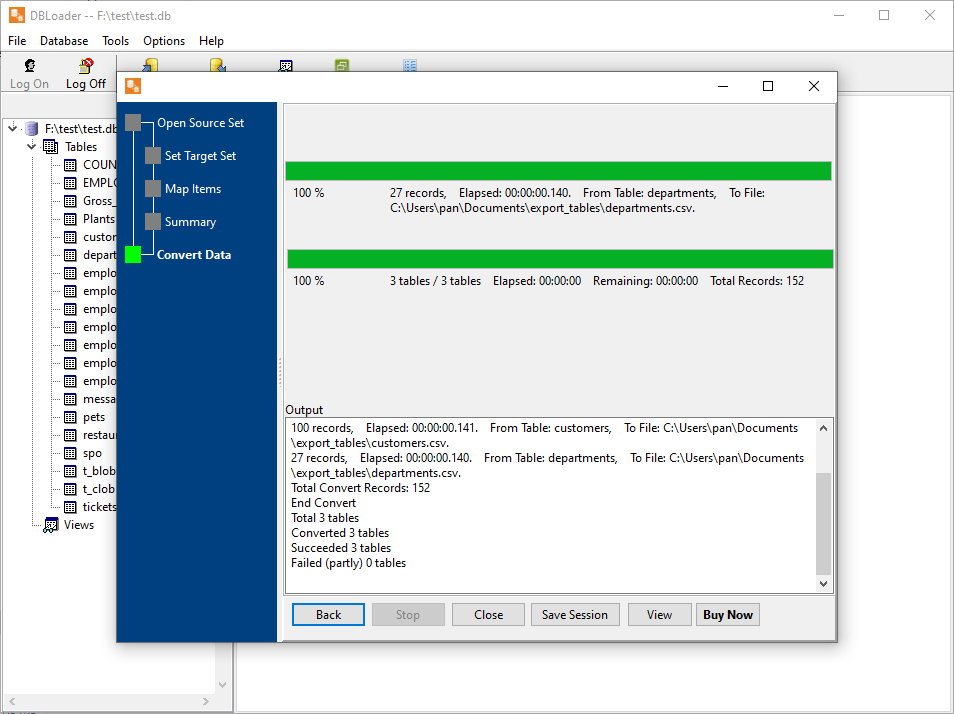
Export a table, a query result, or twenty tables at once to CSV, Excel, JSON, XML or HTML - properly quoted, into the folder you choose.

Frequently Asked Questions

What operating systems does DBLoader support?
DBLoader fully supports Windows (7/10/11, Server 2016+), Linux (Ubuntu, CentOS, Debian, RedHat), and macOS (10.15+), with seamless operation across all platforms.
Is my data secure when using DBLoader?
Yes! DBLoader runs entirely locally on your device - no data is uploaded to the cloud or our servers. Your data remains 100% secure and private at all times.
What databases and data formats does DBLoader support?
DBLoader supports 10+ mainstream databases (MySQL, PostgreSQL, SQL Server, Oracle, DB2, SQLite, DBF, etc.) and 10+ data formats (CSV, Excel, JSON, XML, SQL, HTML, etc.).
Does DBLoader offer a free trial?
Yes! We provide a free trial version that includes core features (small-scale data import/export). The trial has no time limit but limits batch processing and advanced command line features. You can download it from our Download page.
Is technical support included with purchase?
All purchases include free technical support via email for both import and export functionality.

Ready to Boost Your Data Conversion Efficiency?

Download the free trial to experience 80% time savings, or purchase the full version with free email support.