DBLoader » Use cases » Load a folder of files into one table
Download DBLoader Free Trial » Buy DBLoader Now »
The situation
A supplier, a meter, an export job or a colleague produces one CSV (or Excel, or TXT) per day, per week or per branch. The files all have the same columns, and they all belong in the same table. Loading them one at a time means the same five clicks repeated a hundred times, and it is easy to skip one.
The naive alternative - concatenating the files first - copies all the data into a second file just to be able to load it.
What you do
- Start an import, and point the source at the folder instead of a single file. Set the format and the encoding (UTF-8 for accented or non-Latin text).
- Choose append all files into one table rather than one table per file.
- Connect to the target database, pick the table - or let DBLoader create it from the file's columns - and map the columns once.
- Run. Every matching file in the folder is imported in that one run.
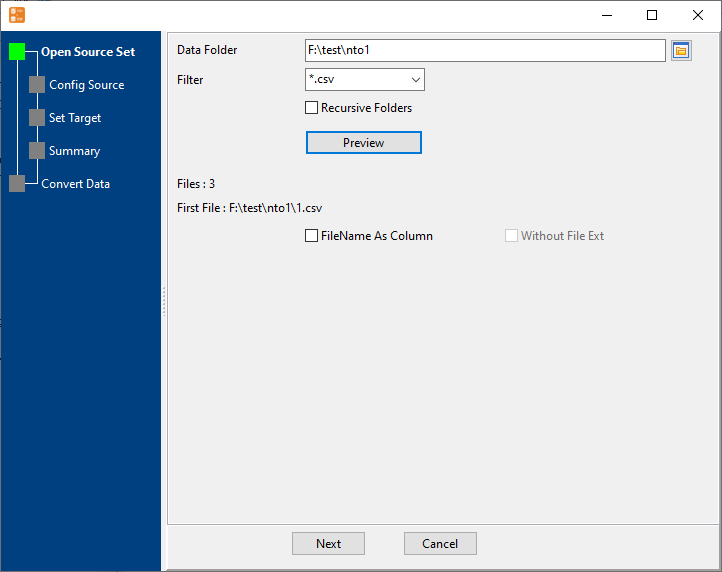
Because the mapping is done once for the whole folder, files that arrive later are handled the same way: keep the folder as the drop point and re-run the task. Saving it as a session means the next load is one click or one command.
What it will not do
- It does not reconcile files that disagree. If one file has an extra column, a different delimiter or a different date format, it fails or lands in the wrong column. Files in one folder should share a shape.
- It creates a table, not a schema. DBLoader can create the target table from the file's columns, but only the columns - indexes, primary keys, constraints and defaults are not created for you.
- It does not clean the data. Values are copied as they are; trimming, de-duplicating and type fixing are not part of the import.
- It is a local, repeatable job, not a service. Nothing watches the folder. The load happens when you run it, or when your scheduler runs it.
Related
The mode itself: batch import a folder to one table. One file instead: file to table. Doing it nightly: nightly loads. Repeating without the wizard: sessions, command line.