MongoToFile » Use cases » Export a collection to Excel
Download MongoToFile Free Trial » Buy MongoToFile Now »
The situation
The person who needs the data - finance, a partner, a colleague on the business side - does not have a MongoDB client and is not going to install one. What they have is a spreadsheet, and what they want is a file that opens in it.
Copying a JSON export into a spreadsheet produces one long column of braces. The data has to arrive already shaped as rows and columns.
What you do
- Connect to the MongoDB server and open the collection - or a query, when only some of the documents are wanted.
- Choose the output format: Excel for the person who lives in a spreadsheet, CSV/TSV/TXT for a tool that imports it, JSON, XML, HTML or SQL for the rest.
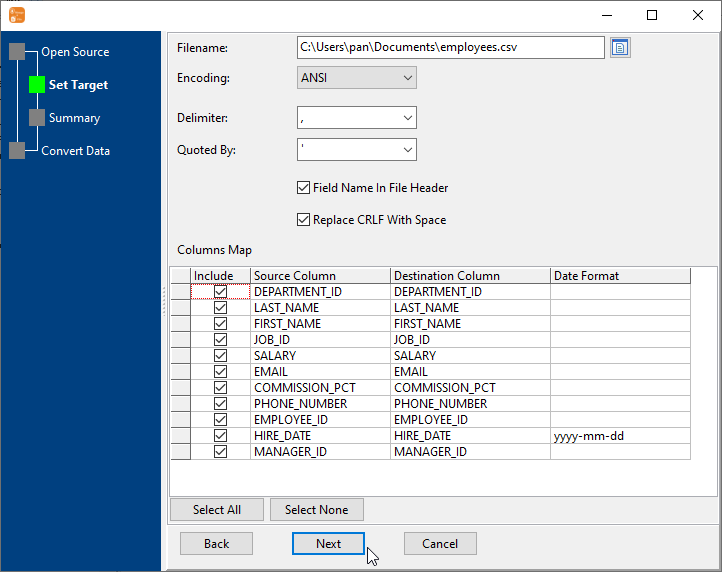
- Pick the fields to include and the file name, and give the export a folder.
- Run. The file is written locally and nothing is uploaded anywhere.
Since the export is a saved session, "the same report again next month" is one click - or one command from a scheduler, so the file is waiting instead of being remembered.
What it will not do
- It does not build the report. The output is a header row and data rows. Totals, pivot layouts and charts belong in the spreadsheet.
- It does not deliver the file. It writes to the folder you choose; emailing, uploading or sharing it is your step.
- It will not make a spreadsheet hold more than a spreadsheet can hold. Millions of rows export happily, but the reader has its own limits - see the CSV option, or split the export by a query.
- It exports what the collection or query contains. If the query is wrong, the file is wrong - review the preview before writing it out.
Related
Documents with sub-fields: nested fields in a flat file. Why not the official utility: MongoToFile or mongoexport. Many collections at once: collections to files, on a schedule. The basic mode: collection to file.