pg-cmd » Use cases » Nothing installed
Download pg-cmd Free Trial » Buy pg-cmd Now »
The situation
A production or customer server, reached over SSH or a remote session, where you need to look at PostgreSQL - and where installing anything is not an option. No package manager rights, no administrator to approve a client, no change ticket for "put a database client on the server". Sometimes the machine is not even allowed outbound traffic to fetch a package.
What the machine does have is a terminal, a filesystem and a network route to the database.
What you do
- Copy pg-cmd to the server - it is a single executable that runs from the folder it sits in. No PostgreSQL client, no DLL files, no system environment configuration.
- Run it. The interactive interface opens in the terminal you are already using.
- Connect:
connect user:password@host:5432/database- host, port, user and schema in one line. - Work: browse the objects, run a query, import or export a file. Everything happens over the connection the machine already has.
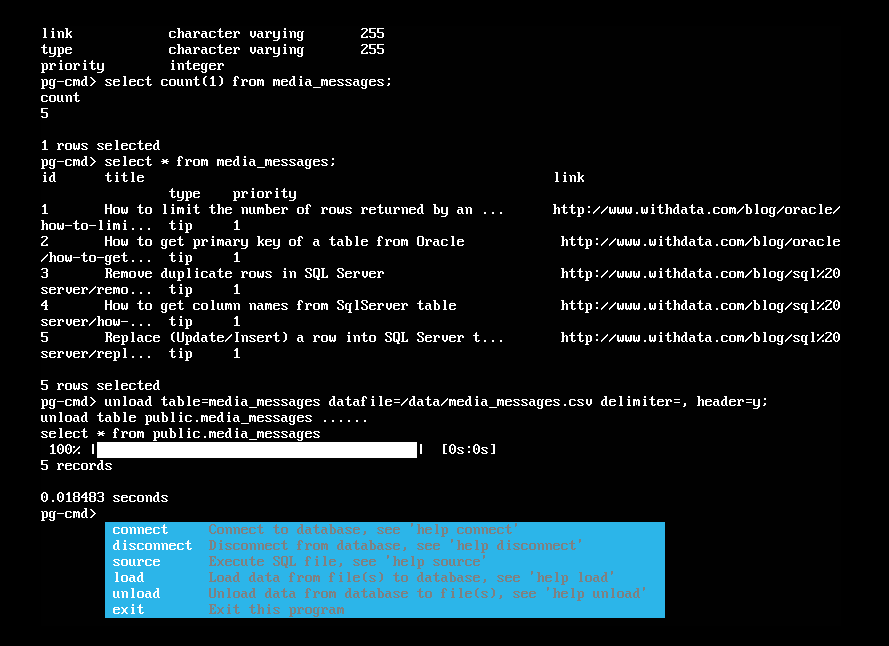
Because nothing has to be installed, the same copy can be left in a tools folder on any number of servers, and removing it is deleting a file. That is the difference between "someone has to approve a client package" and "I looked at it in two minutes".
What it will not do
- It is not a remote agent. Nothing keeps running after you exit, and no port is opened on the server. It is a tool you run, not a service you install.
- It does not bypass permissions. The connection uses the credentials you give it and the database's own grants. If an account cannot read a table, this cannot either.
- It does not carry the PostgreSQL server's tools with it. Server-side utilities - dumps, imports run by the database itself - are still the server's, not this. Data moves over the client connection.
- It needs a route and an open port to the database from the machine you are on - 5432 by default, or whatever your environment uses.
Related
The modes: connecting, interactive mode, the guide. Working in a script instead: use it in a shell script. Moving data: JSON and CSV in and out. One copy for every platform: the same commands everywhere.