SubtitleConverter » Use cases » Subtitles for a web video
Download SubtitleConverter Free Trial » Buy SubtitleConverter Now »
The situation
A video goes on a website, and the subtitles come from the editing tools as .srt. The page uses an HTML5 <track> element, which reads WebVTT - so the file has to be .vtt before the captions will appear, and before any accessibility check will pass.
It is rarely one file: a course has forty lessons, a series has twenty-four episodes, and each one has its own subtitle file.
What you do
- Point SubtitleConverter at the folder of
.srtfiles. - Choose VTT as the output format.
- Run it. Every file in the folder is converted, with the names kept, so
lesson-01.srtbecomeslesson-01.vttand the lesson numbering is preserved.
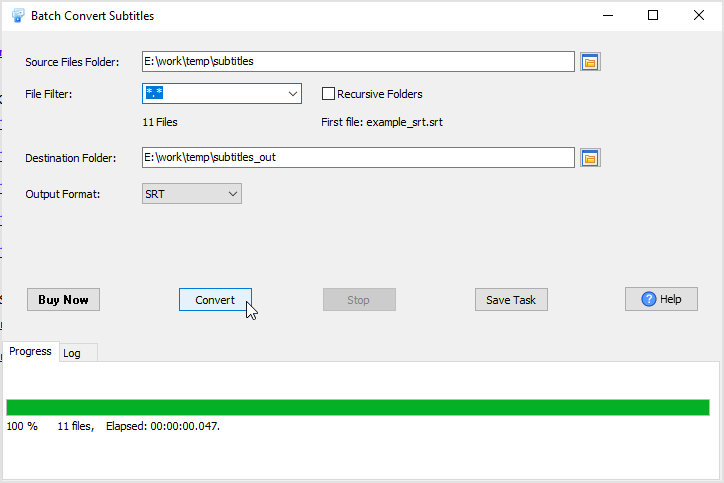
The conversion is local, so unreleased course material or client video does not have to be sent to a converter website. VTT is one of more than ten formats supported, alongside SRT, ASS/SSA, TTML, DFXP, SMI and others.
What it will not do
- It does not create the track element. It produces the
.vttfile; wiring it into the page - the<track>tag, the language attribute, the CORS setting - is the front end's job. - It does not style the captions. WebVTT can carry cue styling and positioning; the converter moves the text and timings, it does not design how the captions look.
- It does not translate or proofread. The text comes across as it was.
- It does not touch the video. No burning in, no re-encoding, no muxing.
Related
Converting one file: convert a subtitle file. A whole series: batch convert subtitles. Another player refusing a format: the player will not show the subtitles.