SubtitleConverter » Use cases » Translate subtitles in a spreadsheet
Download SubtitleConverter Free Trial » Buy SubtitleConverter Now »
The situation
A translator, or a reviewer who has to check every line, does not want to work inside a subtitle file with timecodes and blank lines between cues. They want a table: a row per subtitle, one column with the text they have to replace, and the timing columns they must not touch.
The same is true of a proofread: reading a spreadsheet column is faster than stepping through a video, and it makes it obvious if a line was missed.
What you do
- Convert the
.srtto CSV. Each cue becomes a row with its id, start time, end time and text. - Work on the text column - translate it, correct it, hand it to somebody else - leaving the id and time columns exactly as they are.
- Convert the CSV back to SRT, and check the result against the video.
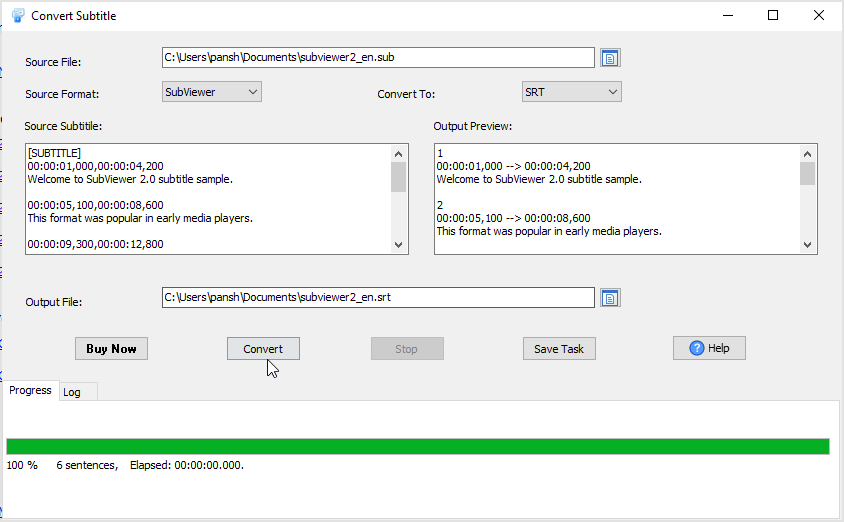
The conversion goes both ways (SRT to CSV and CSV to SRT), and the CSV delimiter can be set to comma, semicolon or tab depending on what the spreadsheet expects. Everything happens locally - a pre-release film does not have to be handed to an online converter to be translated.
What it will not do
- It does not translate anything. There is no machine translation in the tool. It moves the text into a format a translator can work in, and back.
- It does not merge or split cues. One cue in, one row out - and the same on the way back. If the translation needs a long line split into two subtitles, that has to be arranged in the spreadsheet.
- It does not protect the timing columns. The round trip relies on them being left alone: delete or reorder a row and the timings no longer line up with the video.
- It does not check the result. Whether the translated text fits the reading speed, or the line breaks look right, is a judgement the tool does not make.
Related
Just the text, no timings: turn subtitles into a transcript. Converting formats instead of editing: convert a subtitle file, batch convert subtitles.