Tail4win » Use cases » Filter a busy log
Download Tail4win Free Trial » Buy Tail4win Now »
The situation
A production log is not a quiet document. Requests, health checks, retries and routine messages scroll past faster than anyone can read, and the one line that explains the problem is somewhere in the middle of it - if it is on screen at all before it scrolls away.
Reading it in a viewer means watching the text go by and hoping to notice. The Unix habit is to pipe the tail into grep; on Windows there is no such pipeline without a development environment.
What you do
- Open the file and turn on the real-time display.
- Add a filter. It behaves like
tail -f | grep: only the lines that match are shown, and the rest of the stream is discarded. - Use a regular expression when one pattern is not enough - an id, a range of codes, a set of words.
- Keep it running while you reproduce the problem; the filtered view stays current, and nothing scrolls by unseen.
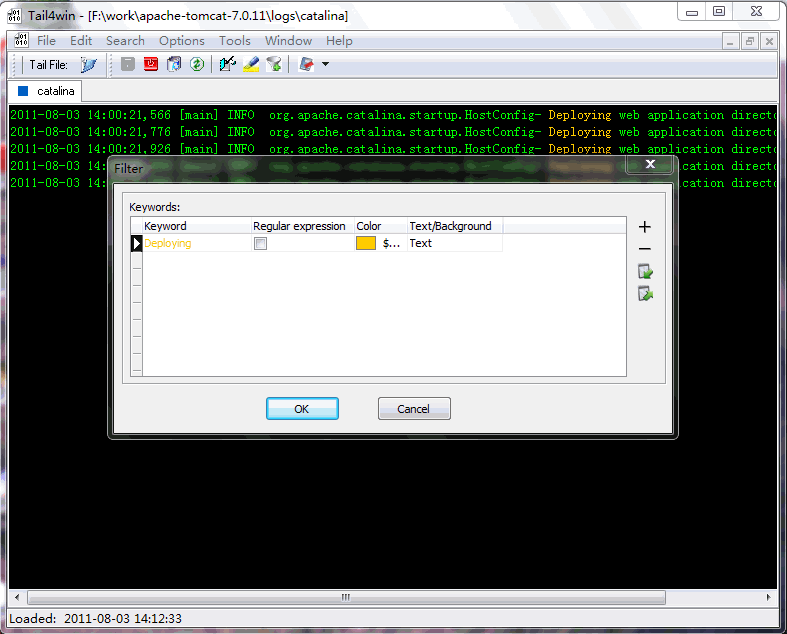
The filter can be switched off to see the full stream again - which matters when the thing you were looking for turns out not to be the thing that was wrong. Filters and highlight rules are part of a saved session, so the same view can be opened again tomorrow.
What it will not do
- A filter hides context. Twenty matching lines with nothing between them can be less informative than fifty lines around the failure. Highlighting (keeping everything, marking what matters) is often the better first move.
- It does not search the whole file. The filter applies to what the tool is reading; going back through gigabytes of history is a search, not a tail.
- It does not parse the log format. Matching is textual - the patterns are yours, so a level written as
ERRin one file andERRORin another needs two patterns. - It does not reduce the disk traffic. The file is still read as it grows; filtering only changes what is displayed.
Related
Marking instead of hiding: highlighting. The grep comparison: Windows tail with grep, and the guide to tail and grep on Windows. Following the file first: watching a live log. Command line equivalent: Tail4win command line.