Tail4win » Use cases » Watching a live log
Download Tail4win Free Trial » Buy Tail4win Now »
The situation
Something is happening right now and the only account of it is a file that keeps being appended to. A request comes in, a job starts, a device reconnects - and you want to see the lines as they appear, not open the file in Notepad and press Ctrl+End every few seconds.
That is what tail -f does on Linux and macOS. Windows has no tail in the Command Prompt, and PowerShell's Get-Content -Wait prints the entire file first, which for a multi-gigabyte log is not a practical starting point.
What you do
- Open the log file in Tail4win. Only the end of the file is read, so the first lines appear immediately no matter how large the file is.
- Turn on the real-time display. New lines are shown as they are written - the file is followed rather than polled by hand.
- Leave it running. Highlight and filter keep working while it runs, so you can watch for one thing in a stream of everything.
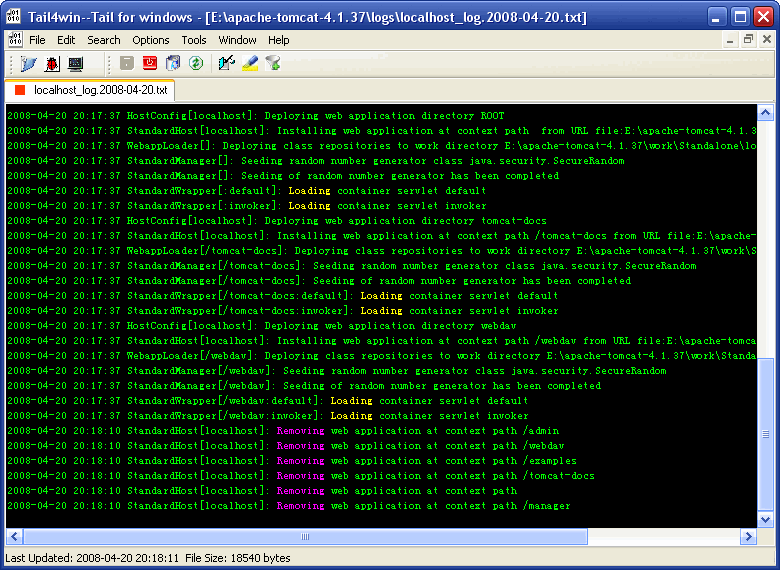
Because it is a window rather than a console, the log can sit next to whatever you are using to reproduce the problem - a browser, a service manager, another log - and it does not have to be restarted when that window loses focus. The equivalent command line is described in tail -f and Tail4win's command line.
What it will not do
- It does not keep history. What you see is the file; there is no separate archive of what was in it an hour ago. Scrolling back goes as far as the file content allows.
- It does not warn you when the file disappears. If the application deletes and recreates its log on rotation, following the file itself stops being useful - that case is logs that rotate.
- It does not collect logs from other machines. This is not a log shipping or aggregation service; the file has to be reachable as a file.
- It does not interpret the lines. You get the text as written. Highlighting and filtering help you find things, but nothing parses levels or fields for you.
Related
Several files at once: two services, one screen. Narrowing the stream: find the error, highlighting. Logs that change name: rotated logs. Common cases: IIS, Apache, MySQL, Tomcat.