Download free trialBuy TextMerger
How to merge files with different encodings
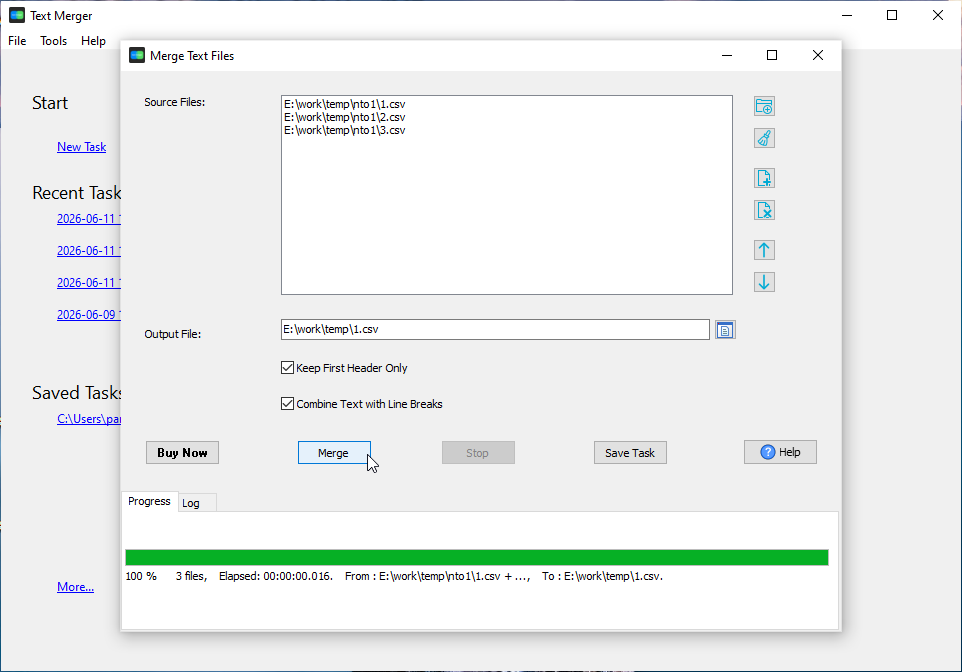
- Open TextMerger and click New Task.
- Add the files, or Add Folder... to take a whole directory at once.
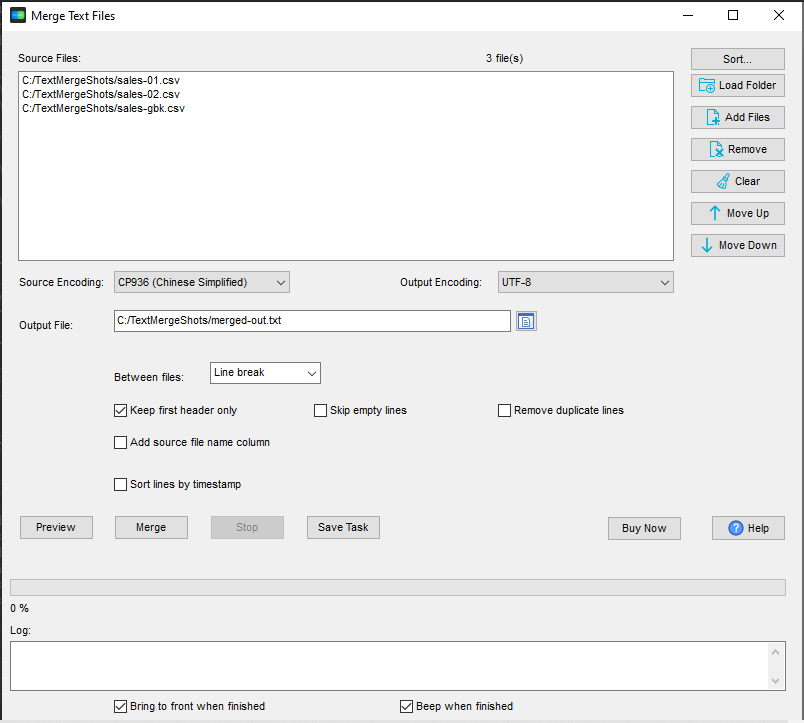
- Set Encoding: to the encoding you want the merged file to use - UTF-8 is a safe default.
- If automatic detection gets one file wrong, set Source: for it (for example GBK for a Chinese export).
- Click Merge and choose the output file.
Why a plain concatenation is not enough
cat, copy /b or type join bytes and nothing else. If the input files do not share one encoding, the result is a file no single encoding can read: UTF-8 text sitting next to GBK text sitting next to UTF-16 text. Encoding conversion is the part that has to happen while the files are put together.
What TextMerger does
- Choose the output encoding: Same as input, or one of 28 - UTF-8, UTF-16 (LE / BE), Windows-1252, GBK, Big5, Shift-JIS, KOI8-R and more.
- Automatic detection covers UTF-8, the BOM of UTF-16 / UTF-8 files, and the system code page.
- Override the source encoding when detection is not enough - per file, without editing the file first.
- Streaming conversion, split on safe character boundaries, so a multi-byte character is never cut in half between blocks.
- The BOM follows the target encoding, so the merged file opens correctly in the next tool.
- Unmappable characters are counted and reported, not silently dropped.
- The command line takes the same options:
--encoding=and--source-encoding=.
What it does not do
It converts encodings; it does not repair text that was already decoded wrongly before it reached you. If a file is not valid in any encoding, no converter can invent the missing bytes.
Related tools
Converting one file to another format (not just encoding): DataFileConverter. Opening a very large merged file: BigTextFileViewer. Full reference: merging text files. Related use case: removing duplicate lines while merging.