COUNTRY_NAME,COUNTRY_ID,REGION_ID
Netherlands,NL,1
United Kingdom,UK,1
United States of America,US,2
Output CSV file
countries.csv:
COUNTRY_NAME,COUNTRY_ID,REGION_ID
Argentina,AR,2
Australia,AU,3
Belgium,BE,1
Brazil,BR,2
Canada,CA,2
China,CN,3
Germany,DE,1
France,FR,1
Italy,IT,1
Japan,JP,3
Netherlands,NL,1
United Kingdom,UK,1
United States of America,US,2
Merge CSV Files with the Same Header — Keep Only One Header
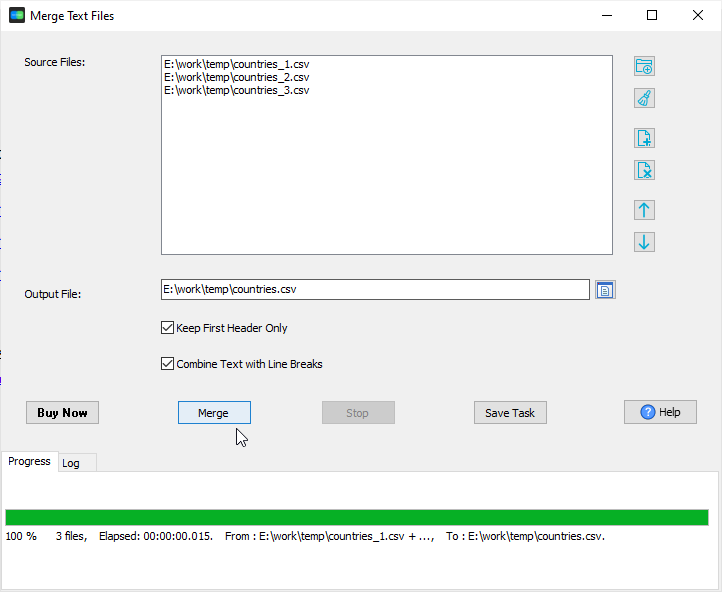
When every CSV has the same columns (same header row), a plain concatenation is all you need. TextMerger appends the files in the order you set and writes a single output file with just one header row — the repeated header lines of the following files are not copied into the middle of the data.
Same header / same columns → this page: keep one header row, append the rows in order.
Header / no-header mix → choose whether the first row of each file is a header and whether it is kept.
TextMerger concatenates whole files — it does not parse columns. For column-level work — keep or remove specific columns, merge columns, or merge CSVs whose headers differ — use Withdata DataFileConverter: