Frequently Asked Questions
What file formats does TextMerger support?
TextMerger mainly supports standard .txt plain text files, .csv CSV (Comma-Separated Values) file, .tsv TSV (Tab-Separated Values) file, JSONL/NDJSON/LDJSON (JSON Lines) file. It also works well with text-based files like log files and script files.
Is my data secure while using this tool?
Yes. TextMerger is a fully offline desktop application. All file processing happens locally on your computer, no files are uploaded to any server.
Can I change the order of files before merging?
Absolutely. You can reorder files freely before starting the merge process.
Does it support different text encodings?
Yes. The tool supports most common text encodings including UTF-8, ANSI and ASCII to avoid garbled text after merging.
Is there a limit on the number of files to merge?
There is no strict quantity limit. It can handle large batches of text files for daily office and personal use.
How do I merge text files into one?
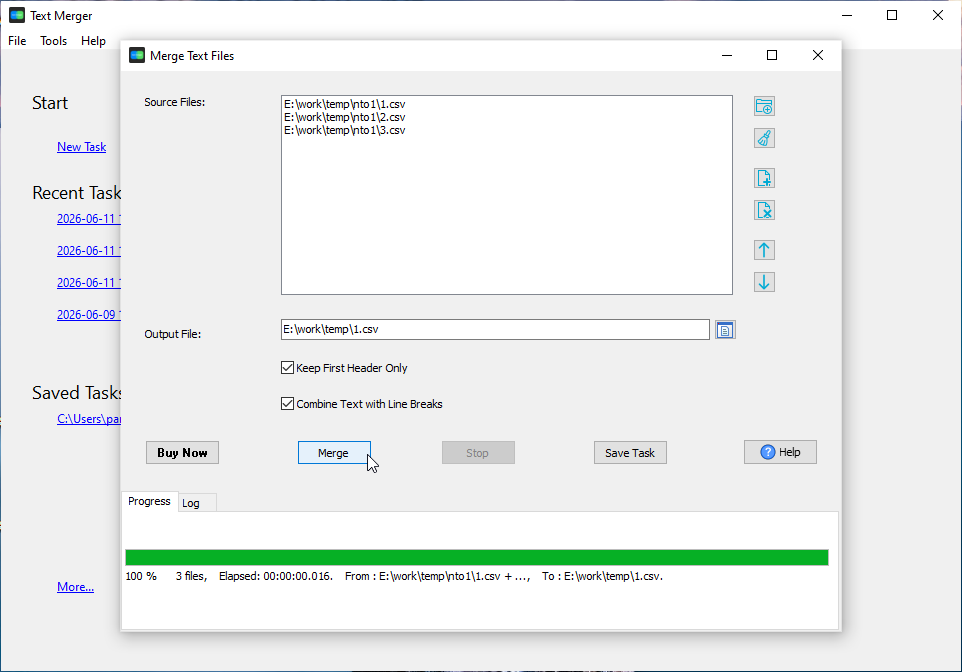
Open TextMerger, add the text files (or a whole folder), put them in the order you want, and click merge. Line breaks and the original encoding are kept, and the result is written to a single new file.
Is merging the same as combining or joining text files?
Yes - merging, combining and joining text files are the same job: putting several files into one, in the order you choose. TextMerger does it for TXT, CSV, TSV, JSONL and log files, locally and without a command line.
Can I merge text files in a specific order?
Yes. The file list can be reordered by dragging, so the merged document follows your order rather than the file name. The list can also be saved as a session and reused.
Can I merge text files online?
Yes, for small files - see merge TXT files or merge CSV files. For a large batch, or for files you would rather not upload, the desktop tool is faster and keeps everything local.