BillSight » Batch extract invoices
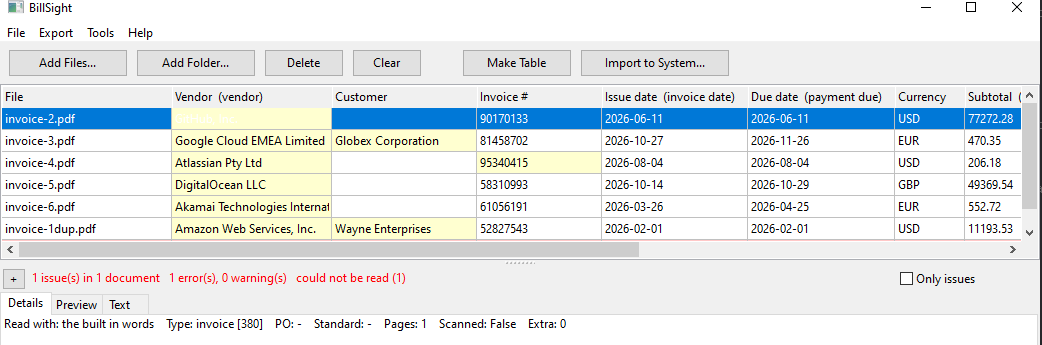
A month of supplier invoices is a folder, not a list. BillSight reads the whole folder - sub-folders included - lets you stop it while it runs, tells you which files it could not read instead of skipping them quietly, and never lets a duplicate through unnoticed.
BillSight » Batch extract invoices
Point it at the folder. Sub-folders are taken too, and both PDFs and e-invoice XML files are read, so a mixed folder is fine.
It shows which file it is on and how far it has got - 12 of 50 - with a Cancel button that works, and a summary at the end: Added 47, 3 could not be read.
Every invoice becomes a row, and the ones with something wrong are marked - so you work through the exceptions, not the pile.
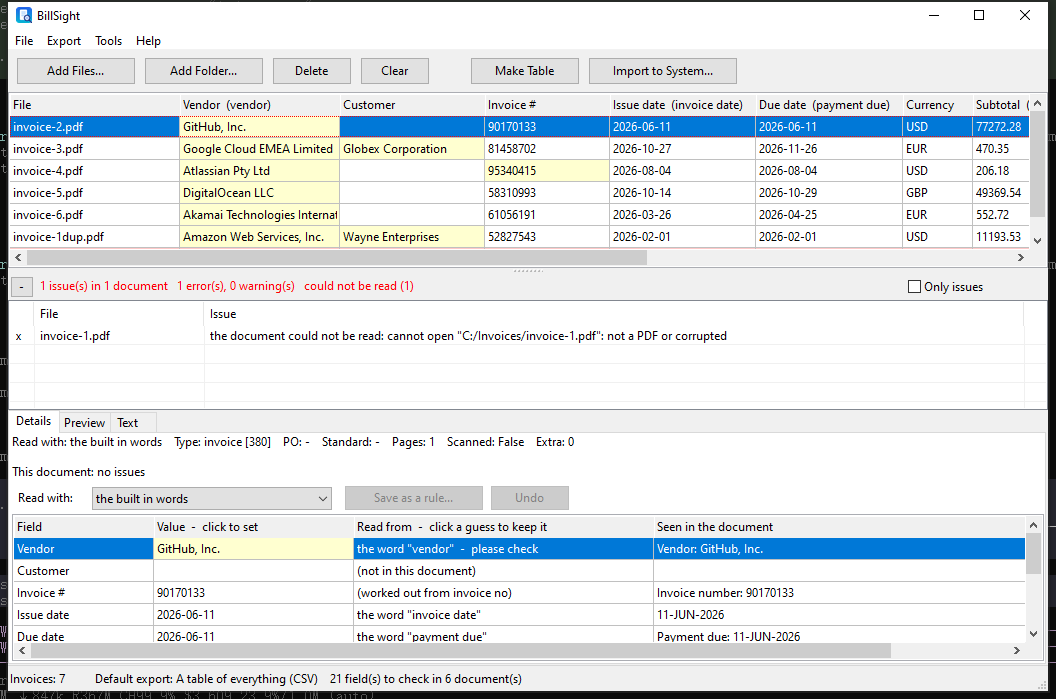
It becomes a row of its own, marked, with the reason attached - "the document could not be read: ... not a PDF or corrupted". A batch of 200 must not hide the one file you need to chase.
A duplicate is caught on the supplier and the invoice number - never on the file name - so the same invoice arriving in a second file, under a different name, is still spotted. Clicking the warning takes you to the row.
It says so. A document with no text layer is reported as a scan and read no further - BillSight does not invent numbers to fill the row.
Before an export produces a file, the batch is checked: subtotal plus tax against the total, dates that cannot be right, invoice numbers that appear twice, an invoice type code that is not a real one, a currency that does not hold together - and, when you are exporting for a particular standard, the fields that standard requires. You can stop the export and go back to the rows; nothing is written until you let it.
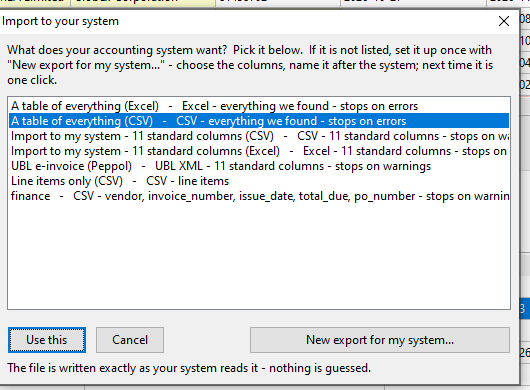
Excel (XLSX), CSV or TSV, with the columns picked and reordered. Save that column set as a template and the next month's export is one click.
There is a built-in template of the 11 standard columns, and a stricter mode that refuses to export a row with a field missing.
One row per invoice line, for the jobs that need the detail rather than the totals.
An invoice can be written out as a UBL 2.1 e-invoice, credit notes included - checked against the official schema before the file is written.
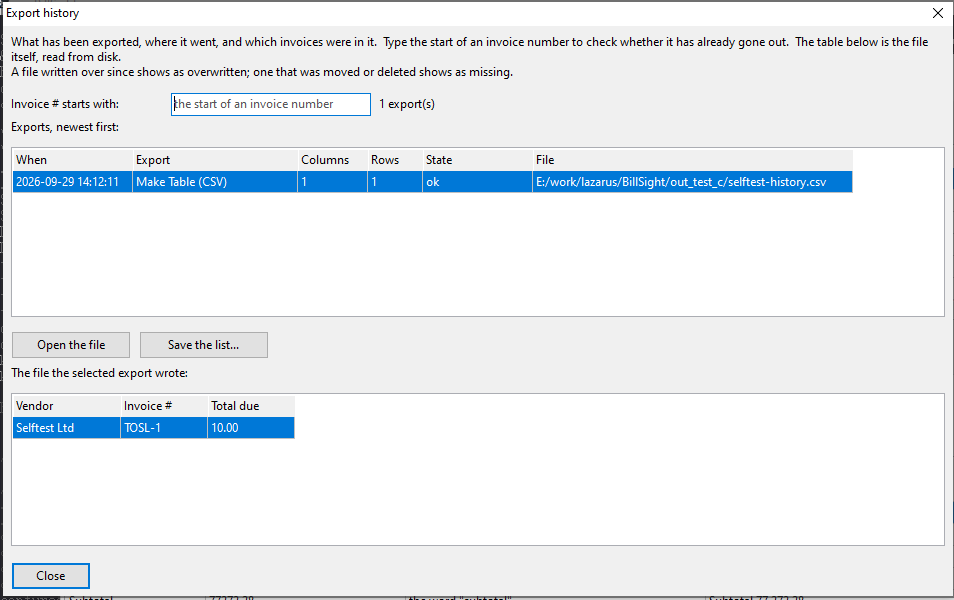
Every export is recorded - when it ran, which invoices went into it, how many rows and columns, and where the file was written. Search it by invoice number to answer "have I sent this one already?" without opening a single spreadsheet.
The record remembers the file it wrote - its time, size and hash - and says ok, overwritten or missing, so an export that was quietly replaced by a later one does not pass for the original.
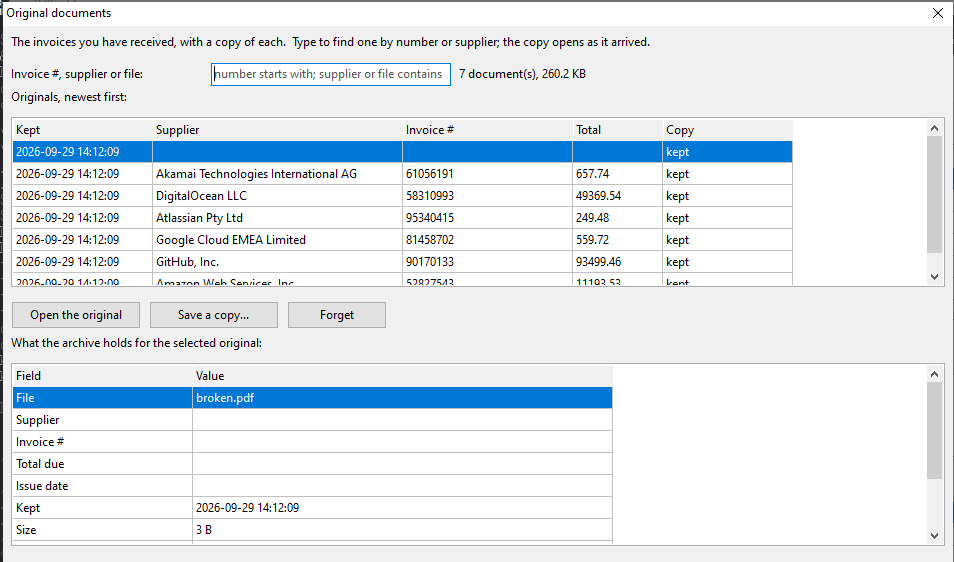
Every original is copied into a local archive as it is taken in, addressed by its own content hash - so the same file kept twice is stored once, and a changed one is a different document. Search it by invoice number, supplier or file name; keep one, or let one go.
A folder and its sub-folders; there is no fixed limit. Long runs show a progress bar with a Cancel button, and stopping leaves the invoices already read in the table.
It is not skipped in silence. It becomes a row of its own with the reason it could not be read, and it counts in the summary at the end of the run.
Yes - matched on supplier and invoice number across the batch, not on the file name, so a second copy under another name is still flagged.
Yes. The progress window has a Cancel button that works during the run, and the summary tells you how far it got.
Into a folder on your own computer, copied as they are taken in and addressed by their content. Nothing is uploaded anywhere.
Everything happens on this computer - your invoices are never uploaded.