BillSight Help

BillSight reads the invoices you receive and turns them into one table you can hand to your accounting system. Everything happens on this computer - your invoices are never uploaded.

What It Can Read

Drop files or a folder on the window (folders are read recursively), or use Add Files... / Add Folder.... It recognises 15+ e-invoicing standards and regions, and reads the label wording in English, German, French, Spanish, Italian and Dutch. A page with no text layer is kept and flagged Scanned - this version does not run OCR.
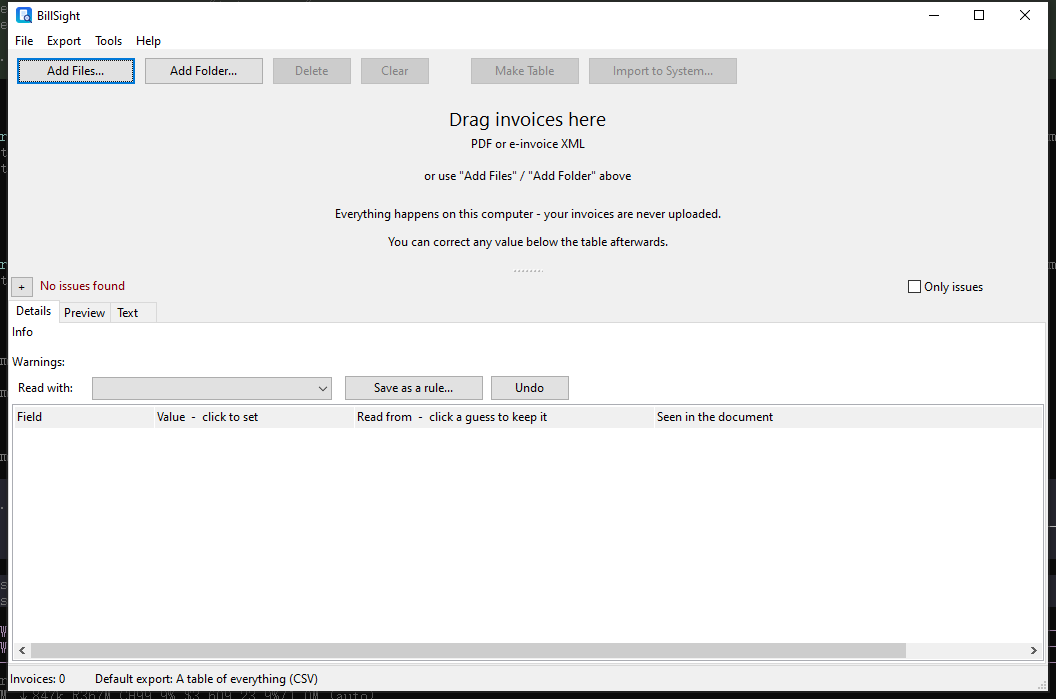
Drop invoices on the BillSight window

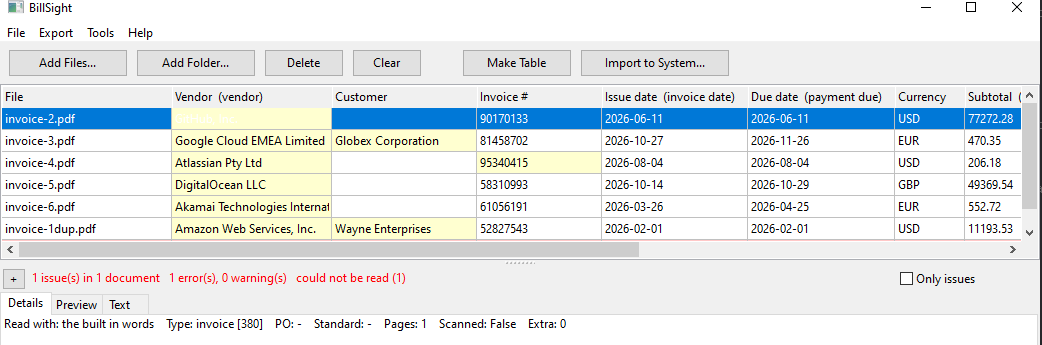
What It Pulls Out

A batch of invoices read into one table

Looking at the Document

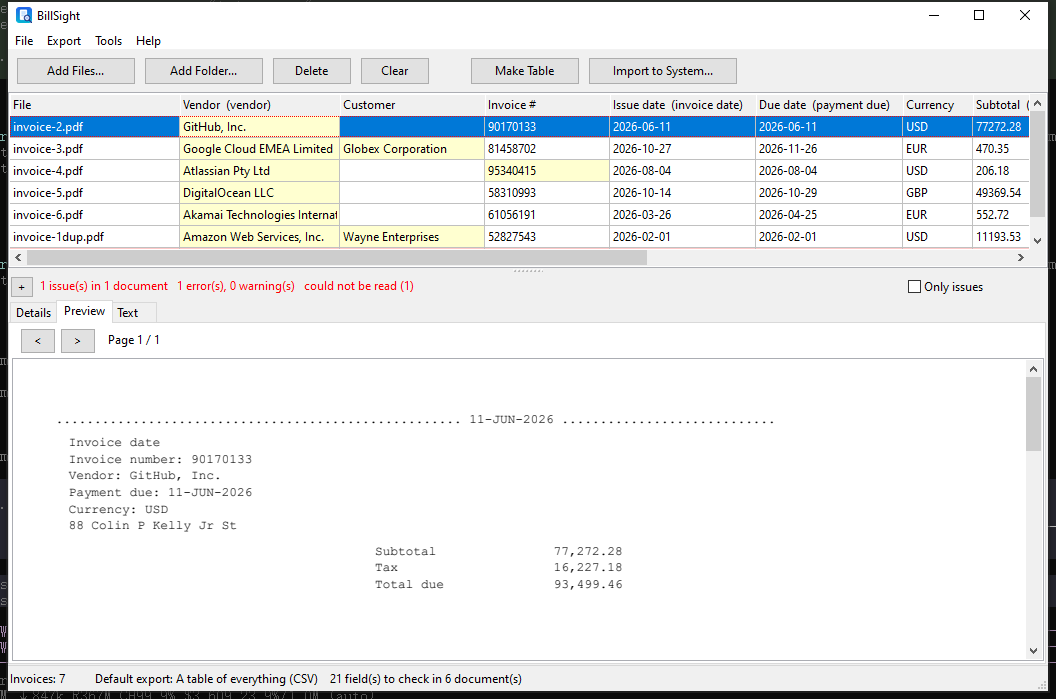
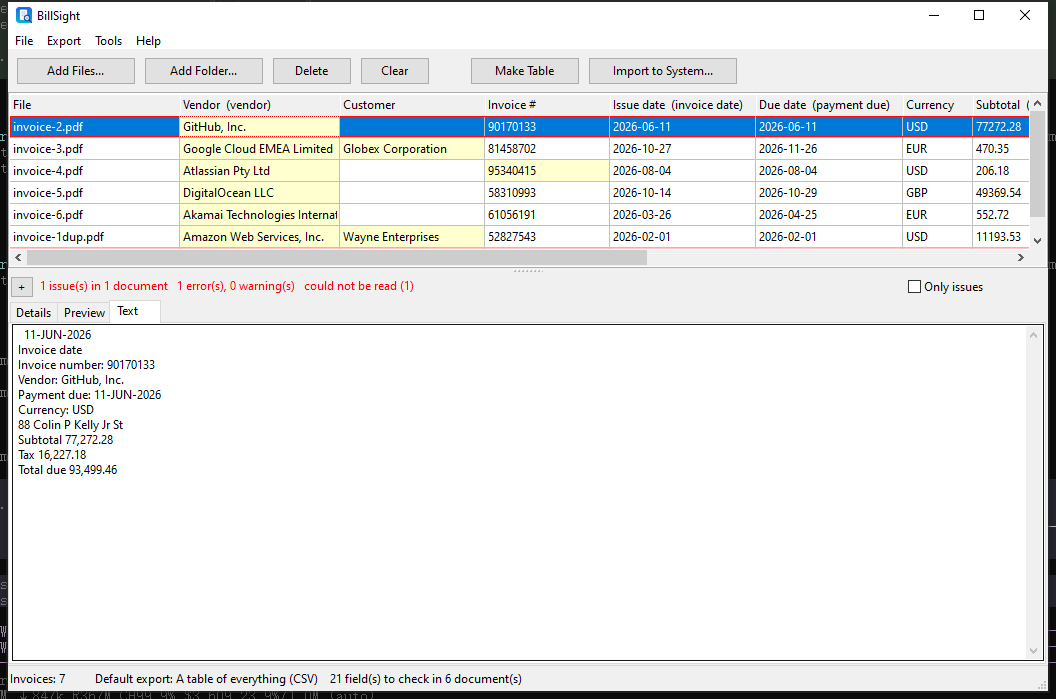
Every document has its own Preview (the page as it was printed, with page navigation) and Text (the text BillSight read from it), so you can compare a value against the page it came from.

Preview of the invoice page

The text layer BillSight read

Checking a Reading

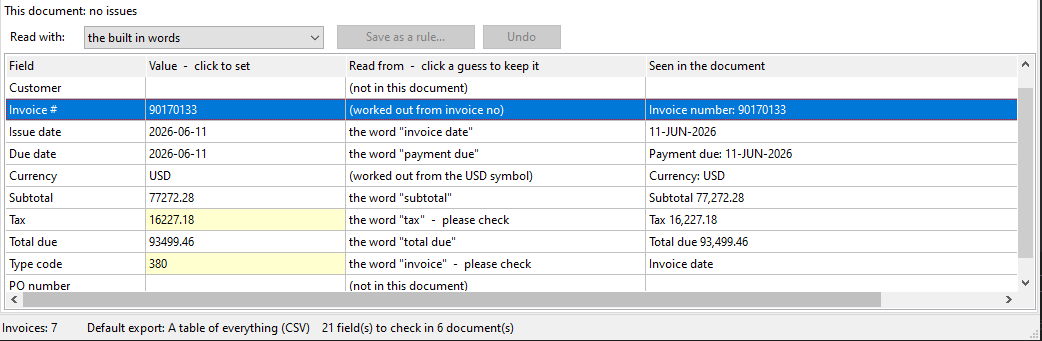
The Details page says, for every field, the value, how it was found (Read from) and the line it was taken from (Seen in the document):

Details page: value, how it was found, and the line it came from

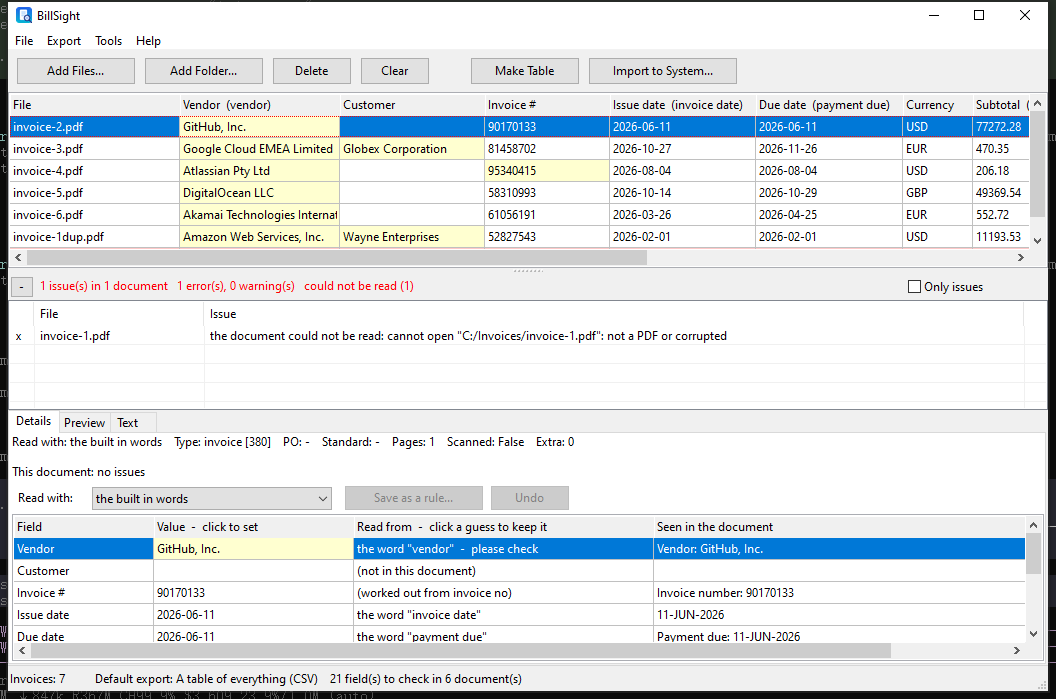
Anything that could not be read, or is worth a second look, is listed - and the row it came from is a click away:

The issues bar, expanded, naming each problem

Teaching It Your Suppliers

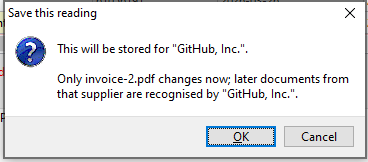
Open a document's Details, click the value you want and pick the right one: BillSight works out the rule and re-reads that document at once. Save it, and every document read with that rule is read again - so the next invoice from that supplier reads right the first time.

A rule is a small JSON file kept with your settings, so you can back it up, edit it by hand or hand it to a colleague. One document can also be read with a different rule from the Read with: list on its Details page, without changing the others.

Saving the reading as a rule for this supplier

Getting the Data Out

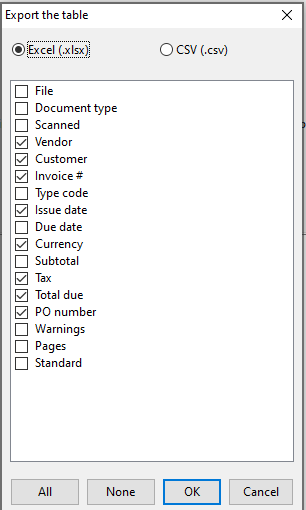
Choosing the columns for the exported table

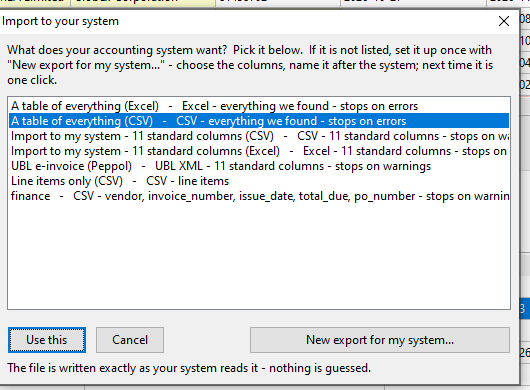
Or pick the accounting system instead of the columns - save the set once and reuse it:

Import to your system - choosing an export template

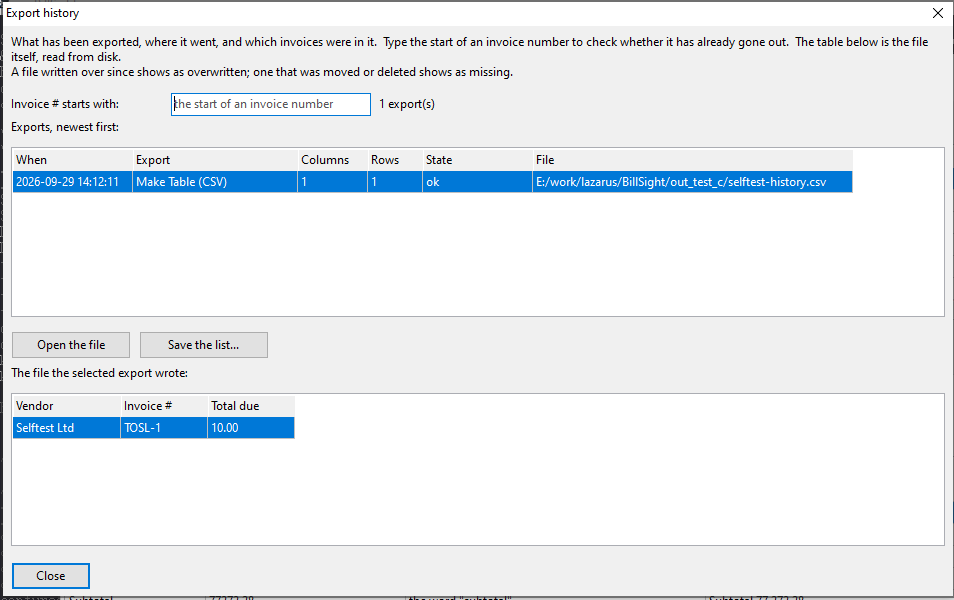
Every export is recorded, so you can answer "was this invoice already sent on?":

Export history: what went out, and the file it wrote

Keeping the Originals

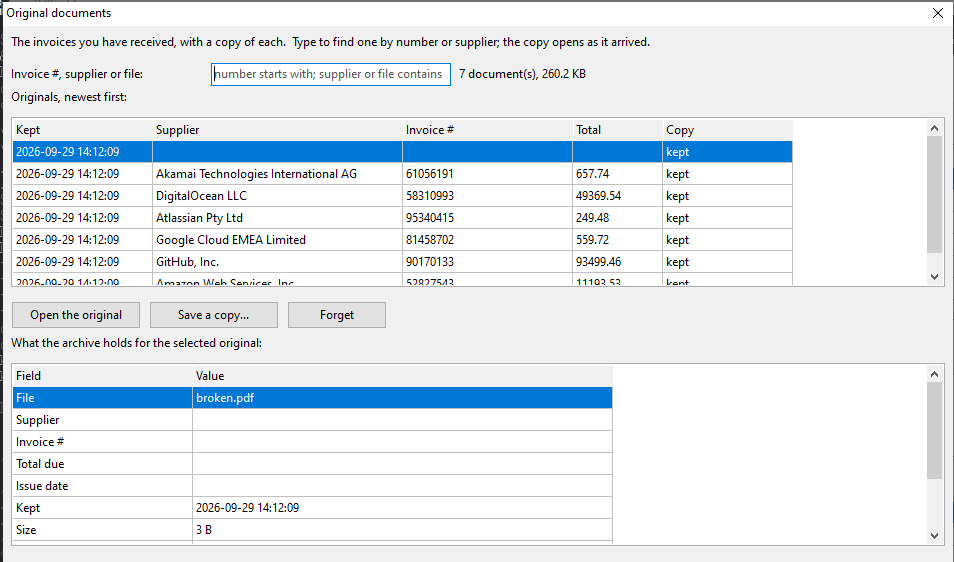
Every document you take in is copied into a local archive and identified by its content, so the same file is one entry however it arrives, and you can find an invoice again by number, supplier or file name (Tools → Original documents...). From there you can open the copy as it arrived, save a copy elsewhere, or Forget one - that removes the archived copy, and leaves the file you received alone.

Keeping is on by default, stops at a 2 GB soft cap (nothing is ever deleted to make room), and can be turned off with Tools → Keep a copy of every invoice.

Original documents: the invoices BillSight kept

Trial and Licence

BillSight is a 30-day full trial. When it ends the window still opens and you can look at everything already there, but it stops reading new documents and exporting; import your licence file from the Help menu to lift that.

Command Line

The same reading and exporting can be scripted:

BillSight.exe <invoice.pdf> [out.csv] extract -> csv (+ .txt beside it)
BillSight.exe -x <pdf> <out.xlsx> extract -> xlsx
BillSight.exe -i <pdf> <out.csv|out.xlsx> canonical ("integration") preset
BillSight.exe -c <pdf> <out.txt> dump the canonical record
BillSight.exe -p <pdf> <out.txt> dump the pdf text layer
BillSight.exe -v <pdf> <out.txt> validate and dump the issues
BillSight.exe -u <pdf> <out.xml> write UBL 2.1
BillSight.exe -l <pdf> <out.csv> line items
BillSight.exe -t list <out.txt> list export templates
BillSight.exe -t <id> <file|folder> <out> export with a template
BillSight.exe -t add <id> <format> <cols> <label...>
BillSight.exe -m <out.txt> list the mapping data
BillSight.exe -D <db> <out.txt> [invno] list the export history
BillSight.exe -h | --help this list

More How-Tos

Extract invoice data - the fields, and where each value comes from »
Batch extract invoices - a folder in, one table out »
What people actually do with BillSight »