Want to export data from Azure query result to Excel using current date as file name?
Try Withdata DBToFile, a Azure to Excel converter for Windows, Linux, and macOS, Export Azure data to Excel, Easy and Fast.
- Can run in GUI mode, Step by Step, just a few mouse clicks.
- Can run in Command line, for Scheduled Tasks and Streams.
- Support Windows, Linux, and macOS.

Export Azure query result to Excel file using dynamic filename with date and time
Login to Azure -> Enter Azure SQL statement -> Set Excel filename template including date -> Export Azure query to Excel using current date as file name
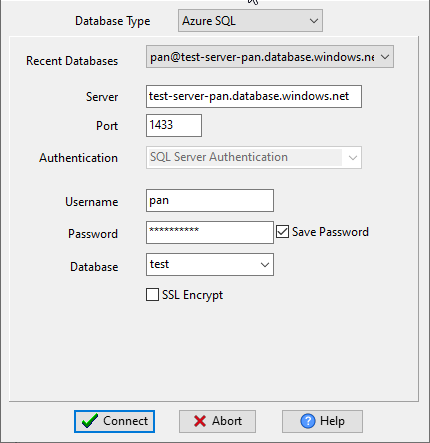
Choose Azure and logon.
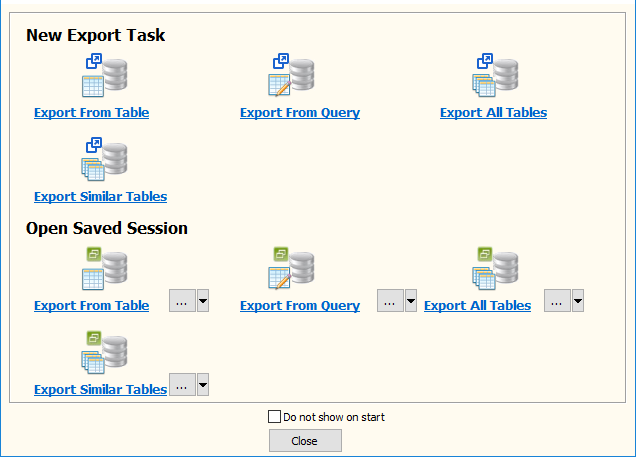
“Export From Query” for “Excel to Azure“.
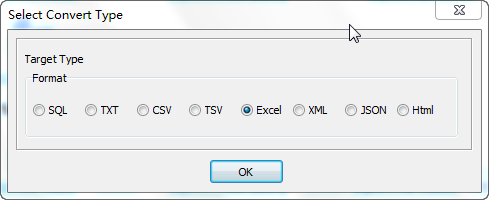
Select Excel file type.
1. Enter Azure SQL query.

2. Set Excel file options. Enter filename template, including date, #yyyy# is for current year, #mm# month, #dd# day, #hh# hour, #mi# minute, #ss# second.
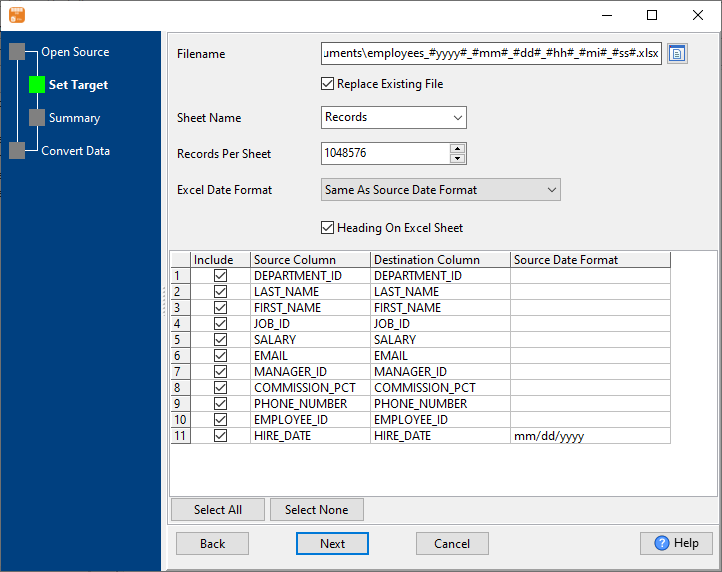
3. Preview Excel.
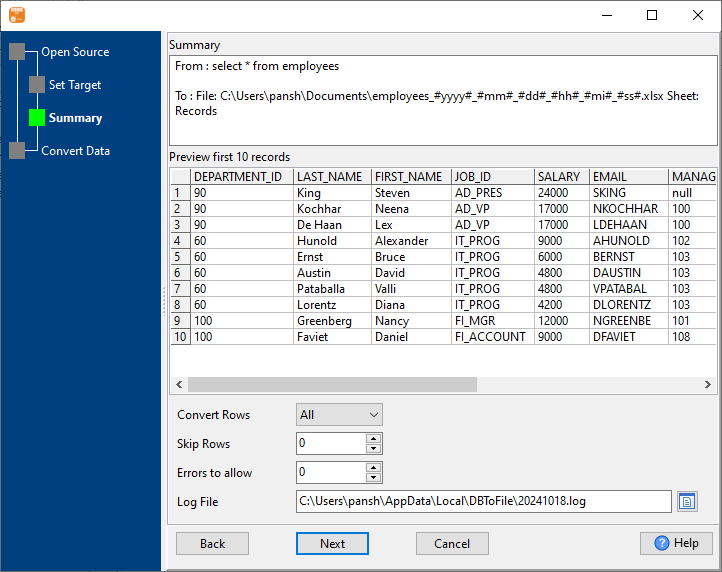
4. Export Azure query results to Excel file. Dynamically created Excel file name using present system time.
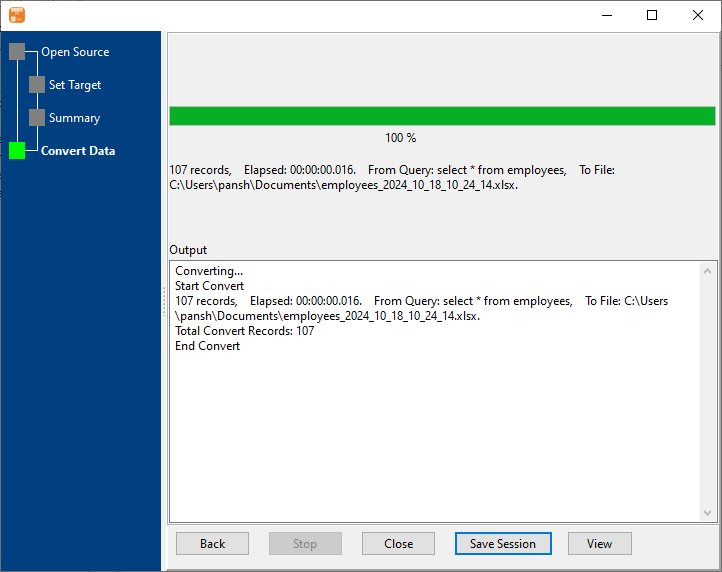
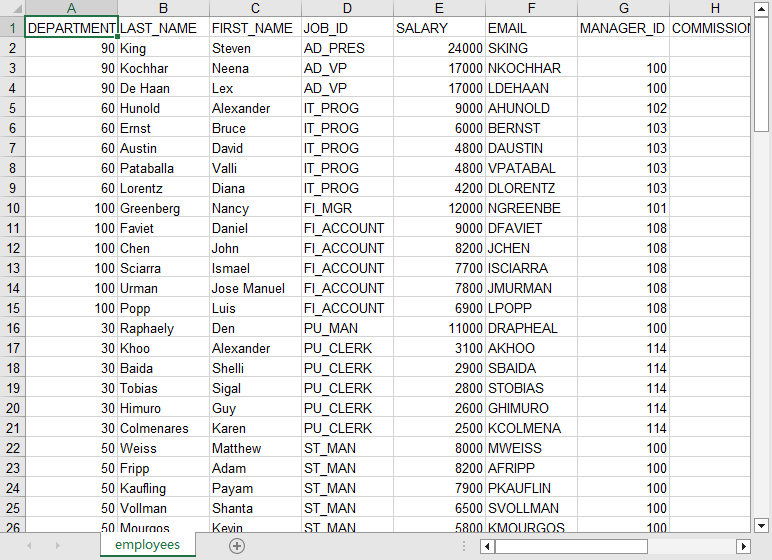
After exporting, you can view output Excel files.
More about Azure to Excel converter
Download Withdata DBToFile
Azure SQL → EXCEL reference
Type mapping
| Value kind | in Azure SQL | in EXCEL |
|---|---|---|
| Int | int | 1234 (a real numeric cell) |
| Bigint | bigint | 9007199254740993 (exact only while the cell stays text) |
| Decimal | decimal(p,s) | 1234.56 (numeric cell, format controls the displayed decimals) |
| Float | float | 1.234E+10 (numeric cell) |
| Text | nvarchar(n) | text cell; leading zeros survive only if the column is text |
| Long text | nvarchar(max) | text cell; wraps inside the cell rather than the row |
| Date | date | a serial number plus a date cell format |
| Datetime | datetime2 | a serial number plus a date-time cell format |
| Binary | varbinary(max) | not representable as data |
| Boolean | bit | TRUE / FALSE (a real boolean cell) |
| JSON | nvarchar(max) | a text cell; the quotes are part of the value |
Dialect differences
Azure SQL is a database server and EXCEL is a file format, so the gap is wider than a dialect difference - the rows below are where values and structure stop lining up.
| Property | in Azure SQL | in EXCEL |
|---|---|---|
| port | 1433 | — |
| identifiers | [square brackets] | Not applicable; a cell holds exactly one value |
| row limit | SELECT TOP n | — |
| dates | datetime2, date, time | Stored as a serial number; only the cell format makes it lo... |
| long text | nvarchar(max) | — |
| binary | varbinary(max) | Only as text or an embedded object, not as a data column |
| separator | — | Cells, not delimiters |
| encoding | — | UTF-8 internally, declared in the package |
| typing | — | Real cell types: text, number, date, boolean, error |
| shape | Tables of rows and columns | Multiple sheets, each a flat grid |
| ceiling | — | 1,048,576 rows x 16,384 columns per sheet; 255 sheets per w... |
Command line
| Side | Command |
|---|---|
| Azure SQL | bcp |
| Azure SQL (load) | bcp, or BULK INSERT |
Convert your data online, free
Free in-browser converters for CSV, Excel, JSON, XML and SQL: Withdata Online Data Conversion. Large files, batch conversion or scheduling? See the offline desktop apps, or browse all data conversion tools.

