Want to parse JSON from open RESTful API and save to MariaDB database?
Try Withdata FileToDB, a desktop JSON to MariaDB converter for Windows, MacOS, and Linux, Import JSON to MariaDB, Easy and Fast.
- Can run in GUI mode, Step by Step, just a few mouse clicks.
- Can run in Command line, for Scheduled Tasks and Streams.

Import JSON from open RESTful API to MariaDB database
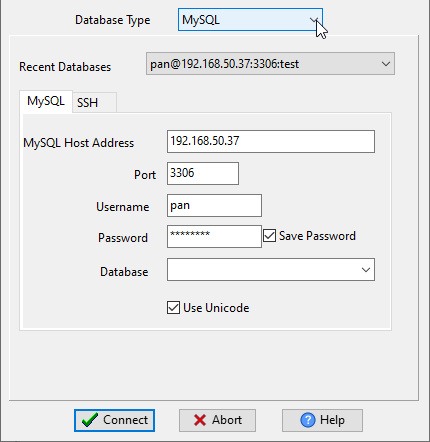
Choose MariaDB and logon.
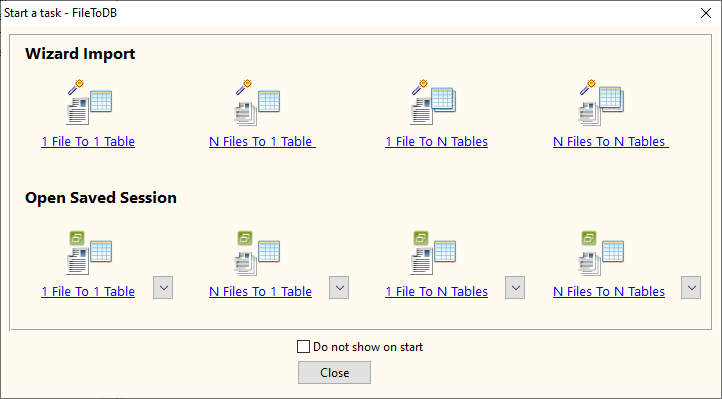
Click “Wizard – 1 File To 1 Table” at task dialog.
Select “Source File From” with “Url”.

1. Input the RESTful API URL, and download to JSON file.

2. Open the saved JSON file.

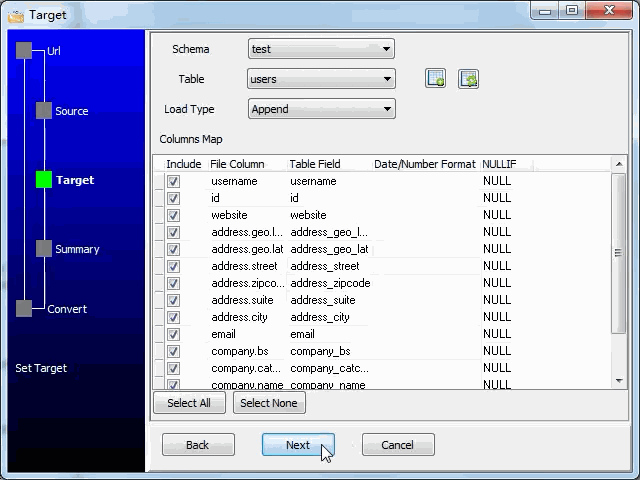
3. Config target MariaDB database.

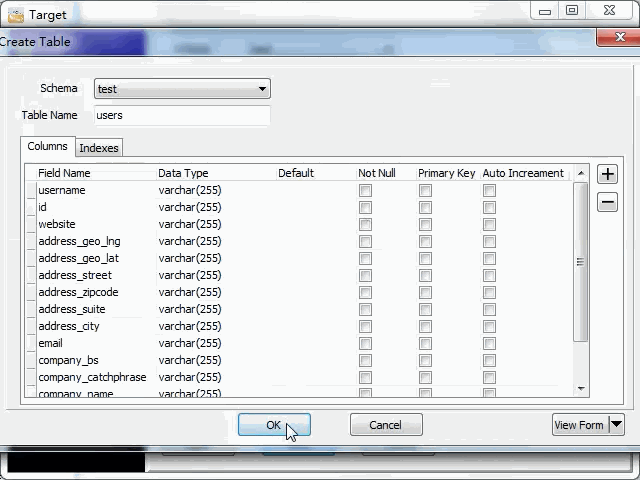
You can create new MariaDB table by JSON struct, just a few mouse clicks.
Select table and config fields.
4. Summary.

5. Import RESTful JSON to MariaDB.

See importing results in MariaDB table

Import API JSON_API to MariaDB in command line
Save “JSON_API to MariaDB” session, then you can:
- Import API JSON_API to MariaDB in Windows command line.
- Import API JSON_API to MariaDB in Linux command line.
- Import API JSON_API to MariaDB in macOS command line.
Set scheduled tasks for importing API JSON_API to MariaDB
You can schedule and automate this importing task by:
- Save session and create .bat (Windows) or .sh (Linux/macOS) file for “JSON to MariaDB” conversion.
- Set scheduled task for “JSON to MariaDB” conversion.
More about FileToDB – JSON to MariaDB converter
Download FileToDB
JSON → MariaDB reference
Type mapping
| Value kind | in JSON | in MariaDB |
|---|---|---|
| Int | 1234 (number) | INT |
| Bigint | 9007199254740993 | BIGINT |
| Decimal | 1234.56 (number) | DECIMAL(p,s) |
| Float | 1.234e10 (number) | DOUBLE |
| Text | "text" (string) | VARCHAR(n) |
| Long text | "multi-line\ntext" (escaped newline inside a string) | LONGTEXT |
| Date | "2026-09-18" (string) | DATE |
| Datetime | "2026-09-18T14:30:00Z" (string) | DATETIME |
| Binary | "base64:..." (string) | LONGBLOB |
| Boolean | true / false (boolean) | TINYINT(1) |
| JSON | nested object or array, kept as structure | JSON |
Dialect differences
JSON is a file format and MariaDB is a database server, so the target has to be told the types the file never carried - the rows below are where the two sides diverge.
| Property | in JSON | in MariaDB |
|---|---|---|
| port | — | 3306 |
| identifiers | Double quotes; backslash escapes | `backtick` |
| row limit | — | LIMIT n |
| dates | No date type: dates arrive as strings and the reader must p... | DATETIME, TIMESTAMP, DATE, TIME |
| long text | — | TINYTEXT / TEXT / MEDIUMTEXT / LONGTEXT |
| binary | Not supported natively - base64 inside a string | BLOB / TINYBLOB / LONGBLOB |
| separator | Braces and commas | — |
| encoding | UTF-8 by definition | — |
| typing | string, number, boolean, null, object, array - no date type | — |
| shape | Nested objects and arrays | Tables of rows and columns |
| ceiling | Whole document is usually parsed into memory | — |
Command line
| Side | Command |
|---|---|
| MariaDB | mariadb-dump |
| MariaDB (load) | mariadb-import, or LOAD DATA INFILE |
Convert your data online, free
Free in-browser converters for CSV, Excel, JSON, XML and SQL: Withdata Online Data Conversion. Large files, batch conversion or scheduling? See the offline desktop apps, or browse all data conversion tools.

