Want to update data from TSV file to Azure?
Using File To DB, a native GUI tool for Windows, MacOS, and Linux, you can update data from TSV file to Azure easily and fast.
- Can run in GUI mode, Step by Step, just a few mouse clicks.
- Can run in Command line, for Scheduled Tasks and Streams.
- Convert locally and securely, avoid uploading large or private TSV file(s) to online services.

Update data from TSV file to Azure
Login to Azure -> Choose TSV file -> Set Azure table -> Update TSV to Azure
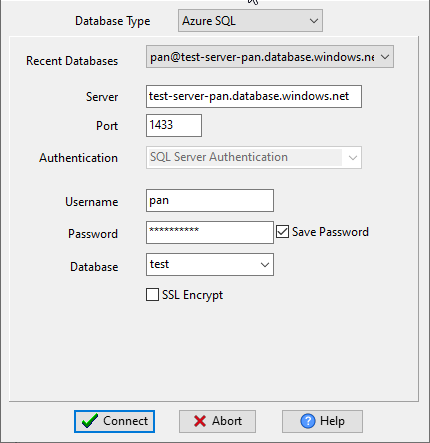
Choose Azure and logon.
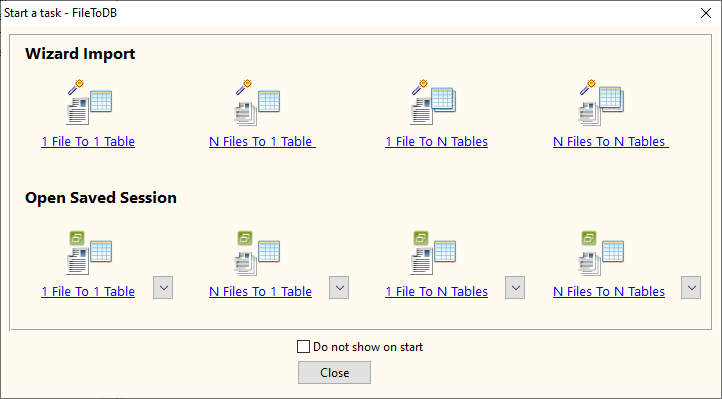
Click “Wizard – 1 File To 1 Table” at task dialog.
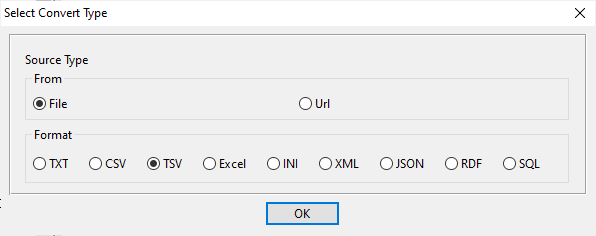
Select the “TSV” file type.
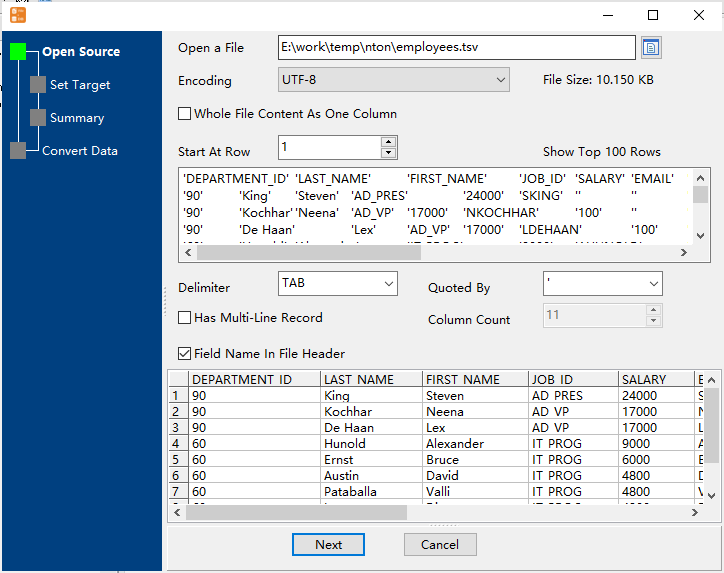
then show the wizard.
1. Open a source TSV file.
2. Select a Azure table and config fields.
Set “Load Type” to “Update”, choice “By Key”.

3. Preview data.
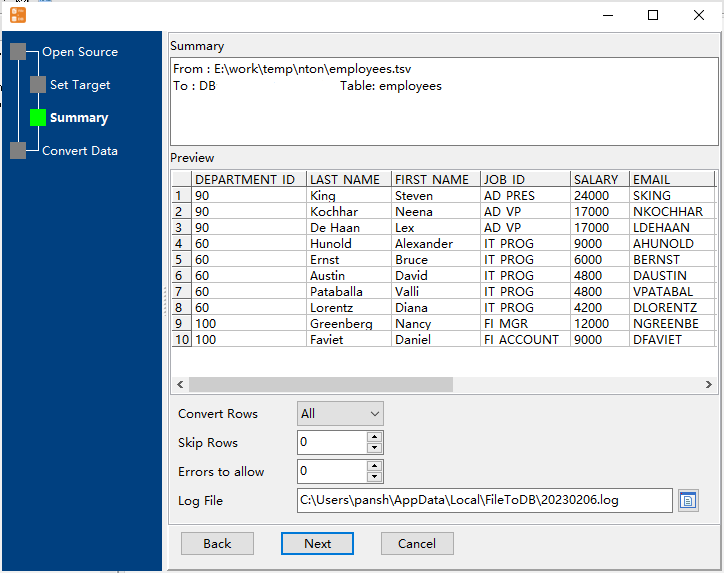
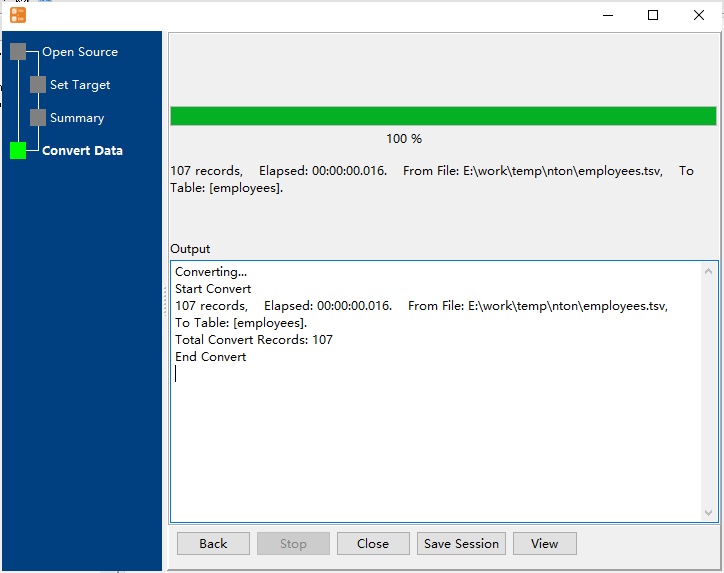
4. Update TSV data to Azure .
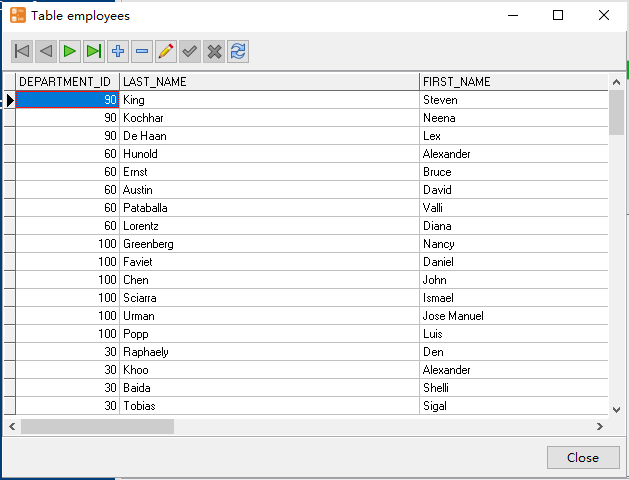
View updateed data
Update TSV data to Azure in command line
Save session, and then create .bat file for Windows command line, or .sh file for Linux / macOS.
Set scheduled tasks for updating TSV data to Azure
You can schedule and automate this “TSV to Azure” conversion task by:
1) Save session and create .bat (Windows) or .sh (Linux/macOS) file.
FAQ
More about FileToDB – TSV to Azure converter
Download FileToDB
TSV → Azure SQL reference
Type mapping
| Value kind | in TSV | in Azure SQL |
|---|---|---|
| Int | 1234 | int |
| Bigint | 9007199254740993 | bigint |
| Decimal | 1234.56 | decimal(p,s) |
| Float | 1.234e+10 | float |
| Text | unquoted; a tab in the value splits the column | nvarchar(n) |
| Long text | unquoted; newlines break the row | nvarchar(max) |
| Date | 2026-09-18 | date |
| Datetime | 2026-09-18 14:30:00 | datetime2 |
| Binary | not representable | varbinary(max) |
| Boolean | TRUE / FALSE | bit |
| JSON | the whole JSON value as-is (its own quotes stay) | nvarchar(max) |
Dialect differences
TSV is a file format and Azure SQL is a database server, so the target has to be told the types the file never carried - the rows below are where the two sides diverge.
| Property | in TSV | in Azure SQL |
|---|---|---|
| port | — | 1433 |
| identifiers | Rarely used, which is exactly why tabs in data break it | [square brackets] |
| row limit | — | SELECT TOP n |
| dates | Conventional text: 2026-09-18 or 2026-09-18 14:30:00 | datetime2, date, time |
| long text | — | nvarchar(max) |
| binary | Not supported - must be encoded | varbinary(max) |
| separator | Tab | — |
| encoding | No declaration - UTF-8 works only with a BOM | — |
| typing | None - every field is text | — |
| shape | Flat table, optional header row | Tables of rows and columns |
| ceiling | No formal limit | — |
Command line
| Side | Command |
|---|---|
| Azure SQL | bcp |
| Azure SQL (load) | bcp, or BULK INSERT |
Convert your data online, free
Free in-browser converters for CSV, Excel, JSON, XML and SQL: Withdata Online Data Conversion. Large files, batch conversion or scheduling? See the offline desktop apps, or browse all data conversion tools.
New to the format? Read what a TSV file is (and how it differs from CSV).

