ExcelDataTransformer » Use cases » Merge a year of workbooks
Download ExcelDataTransformer Free Trial » Buy ExcelDataTransformer Now »
The situation
The report exports one workbook per month, and the question at the end of the year is always the same: what did the whole year look like? Answering it by opening twelve files side by side, or by copying and pasting rows into a thirteenth, is slow and easy to get wrong - especially when the exports were made at different times by different versions of the same system.
What you do
- Add the twelve monthly workbooks (a folder at once is fine).
- Choose the merge, and whether the result should be one workbook, one sheet, or one sheet per source file.
- Run it and save the output.
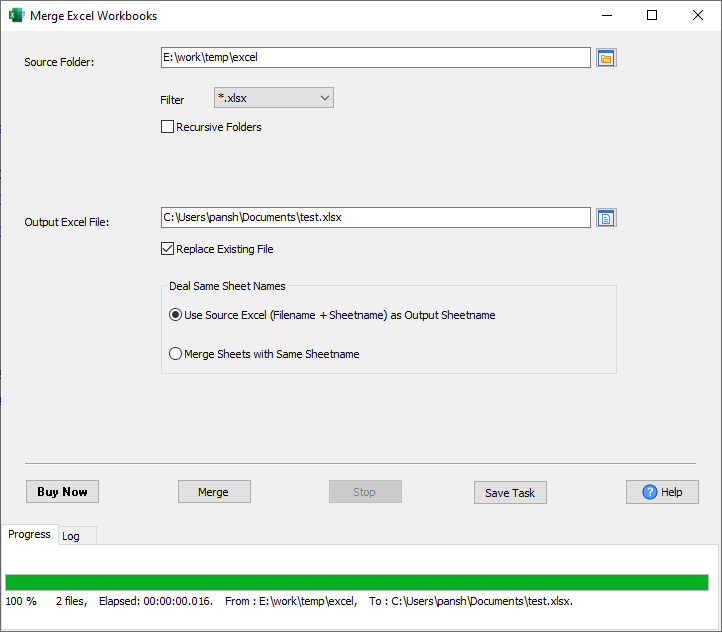
The repeated header row is skipped, and the sheet names are kept - January's Data opens the sheet, February to December append to it, so the year does not arrive with twelve header rows in the middle. Rows are appended by column position: if a column was added or moved between exports, align the files first (in Excel, or with DataFileConverter's column mapping) - that is the one thing this merge will not guess for you.
What it will not do
- It does not de-duplicate or sort. If the same row appears in two months, it appears twice in the result.
- It does not recalculate. It moves the data that is in the files; formulas are not recomputed to reconcile the merged set.
- It is not a database. A year of workbooks merged into one is still one spreadsheet. To load the result into a database, use FileToDB.
- It does not convert formats. Excel to Excel - for CSV, JSON or SQL, use DataFileConverter.
Related
Merging: merge Excel workbooks, merge Excel worksheets. Guide: merging Excel workbooks. In the browser: merge Excel files. Repeating it every month: saved session, scheduled task.