LevelDataStudio » Use cases » Bulk load keys
Download LevelDataStudio Free Trial » Buy LevelDataStudio Now »
The situation
Hundreds or thousands of entries have to go into a LevelDB store: reference data that somebody maintains in a spreadsheet, an export from another environment, or the seed values a development store needs before an application can start.
LevelDB has a bulk-load path for this, but it is a program you write - and a program written once for one store tends to be written again for the next one.
What you do
- Open the target database (or create one to load into).
- Choose import and pick the source file: JSON, CSV or XML.
- Say which column or field is the key and which is the value - the rest is the batch.
- Run. Large imports are handled with the same incremental loading as the rest of the tool, so a file with a great many entries does not have to fit in memory.
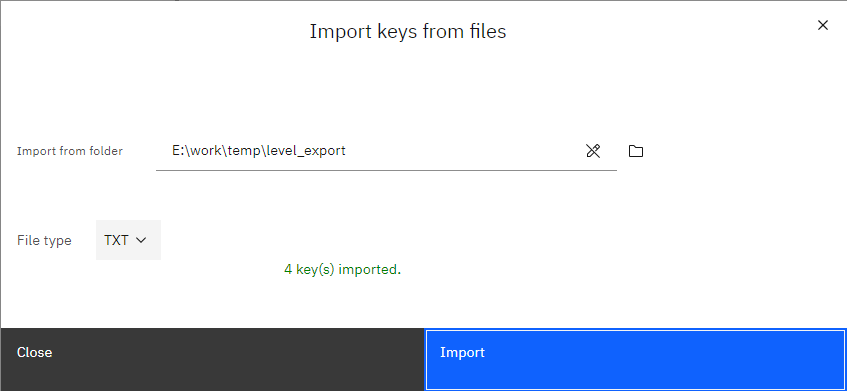
The reverse case is the common one: data exported from this store or another one, loaded back into a fresh database to reproduce a problem or to set up a colleague's machine - without anybody needing the original application to be running.
What it will not do
- It does not merge intelligently. Entries are written as the file says. What happens to a key that already exists in the store depends on the mode, so check before loading into something you care about.
- It will not reconstruct the original byte layout. A value that arrives as text stays text. Loading an export back gives you the same visible data, not necessarily the same bytes.
- It does not validate your data. The application that reads the store may expect a particular serialisation; the import writes what you give it.
- It cannot load into a locked database. Close the owning application first - LevelDB takes an exclusive lock.
Related
The mode itself: import LevelDB keys from files. Producing such a file: export the keys. An empty starting point: create a LevelDB database. Checking what landed: look inside the database.