LevelDataStudio » Use cases » Export the keys
Download LevelDataStudio Free Trial » Buy LevelDataStudio Now »
The situation
You need the contents somewhere else than in the store: a copy taken before a risky change, a diff between two versions of the same database, a list of keys that a colleague can look at, or values that have to be joined against something in a spreadsheet.
A LevelDB folder is not a deliverable. Copying the folder gives you a binary artefact; the .ldb files are not readable and a diff tool will not tell you what changed.
What you do
- Open the database and choose export.
- Decide the scope: the whole database, or a range of keys rather than everything.
- Choose the format the reader needs - JSON (with pretty printing), CSV, TSV, Excel, XML, SQL or TXT - and any formatting options.
- Write the file. Large databases are exported with the same incremental loading as browsing, so a store with millions of pairs does not have to fit in memory.
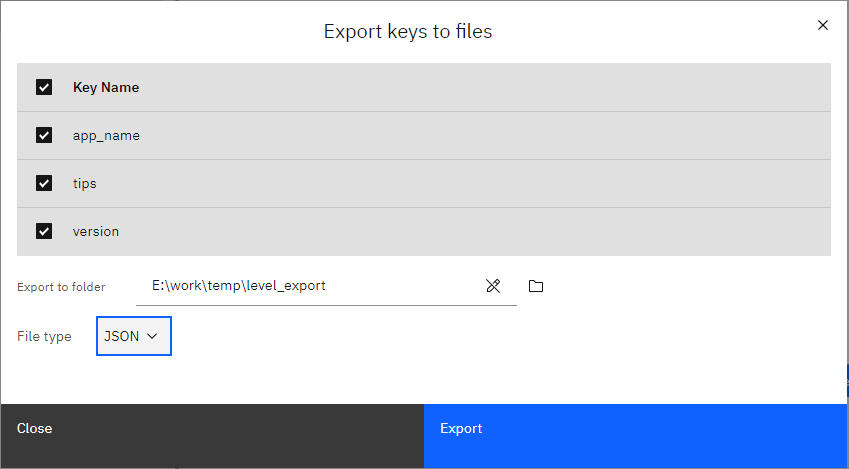
Two exports of the same store at different times, both as sorted CSV or JSON, give you a diff that actually means something - which is the usual way to find out what an application changed in its own store.
What it will not do
- It is not a backup of the database. A JSON or CSV file cannot be turned back into a LevelDB store, byte for byte. Keep a copy of the folder for that; this is a readable extract.
- It does not preserve the internal structure. Keys become text, and values become text, HEX or an encoded representation. The original byte-level layout of values is not reproduced perfectly for every format.
- It does not format a report. Headers and rows - totals and pivot layouts belong where the file is opened.
- It will not export from a locked database. As with any LevelDB access, the owning application has to be closed first.
Related
The mode itself: export LevelDB keys to files. Loading an exported file somewhere else: import keys from files. Looking before you export: look inside the database. Correcting an entry instead: fix one key by hand.