LevelDataStudio » Use cases » Look inside a LevelDB database
Download LevelDataStudio Free Trial » Buy LevelDataStudio Now »
The situation
An application keeps its state in an embedded LevelDB store, a program's cache lives in one, or a piece of test data was written by a library and nobody kept the schema. What is on disk is a folder of .ldb / .sst files and a write-ahead log, in binary key order - not something a text editor can help with.
The question is always the same and always concrete: what are the keys, and what is actually in the values?
What you do
- Point Level Data Studio at the folder that holds the database. It opens the store directly - no export, no import, no conversion step.
- Browse the keys in a tree view, with filtering and search, sorted by name, refreshed as the store changes.
- Open a key and read its value in the form the bytes deserve: text, JSON, HEX or image - which is how you find out that what you assumed was a string is actually a serialised object or a thumbnail.
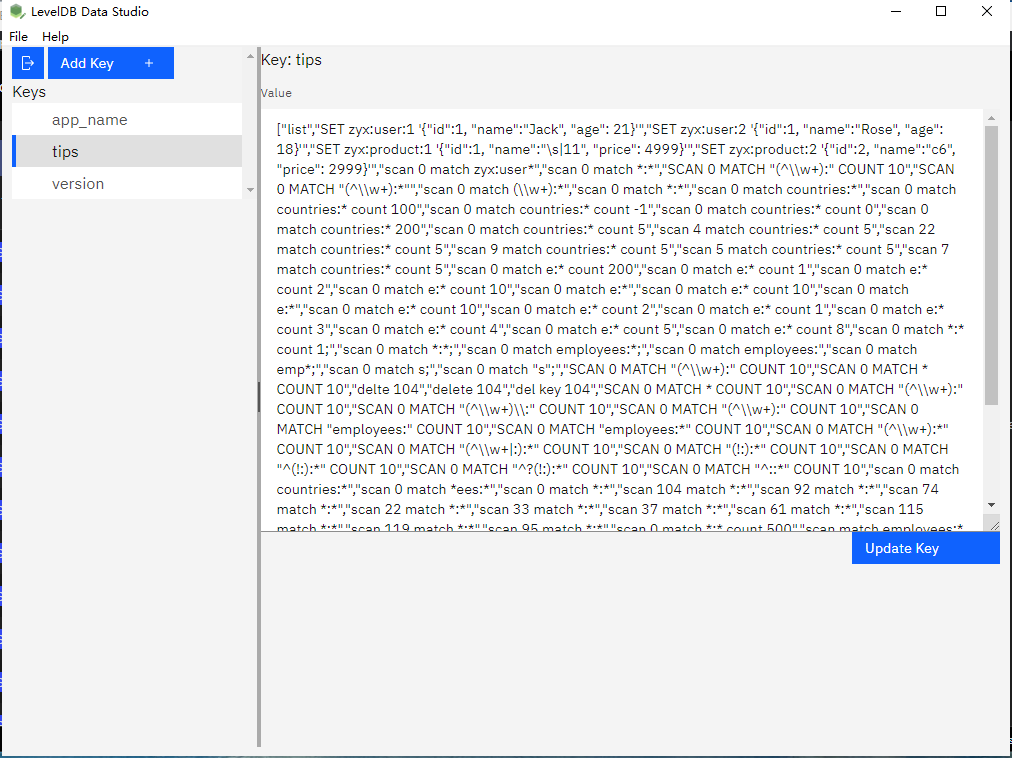
Reading is offline and local: the tool opens the folder on your disk and nothing leaves the machine. Databases up to 10GB with millions of key-value pairs are handled with incremental loading, so opening a large store is a normal event rather than an overnight one.
What it will not do
- It cannot read a locked database. LevelDB allows one process at a time. If the application that owns the store is running, close it first - otherwise the lock will refuse the open.
- It does not decode your application's serialisation. The tool shows the bytes as text, JSON, HEX or an image. If a value is a compressed blob, a protobuf or a proprietary format, you will see bytes, not meaning.
- It does not repair a corrupt store. A database with damaged
.ldbfiles or a truncated log is not resurrected by opening it. Recovering that is a different class of problem. - It does not manage compactions or tuning. LevelDB's background compaction and its options are the application's business, not this tool's.
Related
Changing what you find: fix one key by hand. Getting a copy out: export the keys. Loading data in: bulk load keys. Starting from nothing: create a LevelDB database. The mode itself: open / create LevelDB.