LevelDataStudio » Use cases by role » Electron and Chromium users
Download LevelDataStudio Free Trial » Buy LevelDataStudio Now »
The situation
You want to know what an Electron application, Chrome or Edge actually stores on disk. The site data lives in LevelDB stores under the browser profile - Local Storage\leveldb, Session Storage, and *.indexeddb.leveldb - but the Developer Tools will not show you those files, and writing a script to read them properly is its own project.
What you do
- Open the profile's
Local Storage\leveldbfolder (or an IndexedDB folder). The tool recognises the kind of store automatically and shows a badge in the header. - Local Storage and Session Storage are grouped by site (origin), so
_https://example.com\u0000tokenis shown as the site plus the key. The value's version byte and UTF-16LE encoding are decoded for you. - IndexedDB is recognised through its
idb_cmp1comparer and shown as a tree of database → object store → primary key.
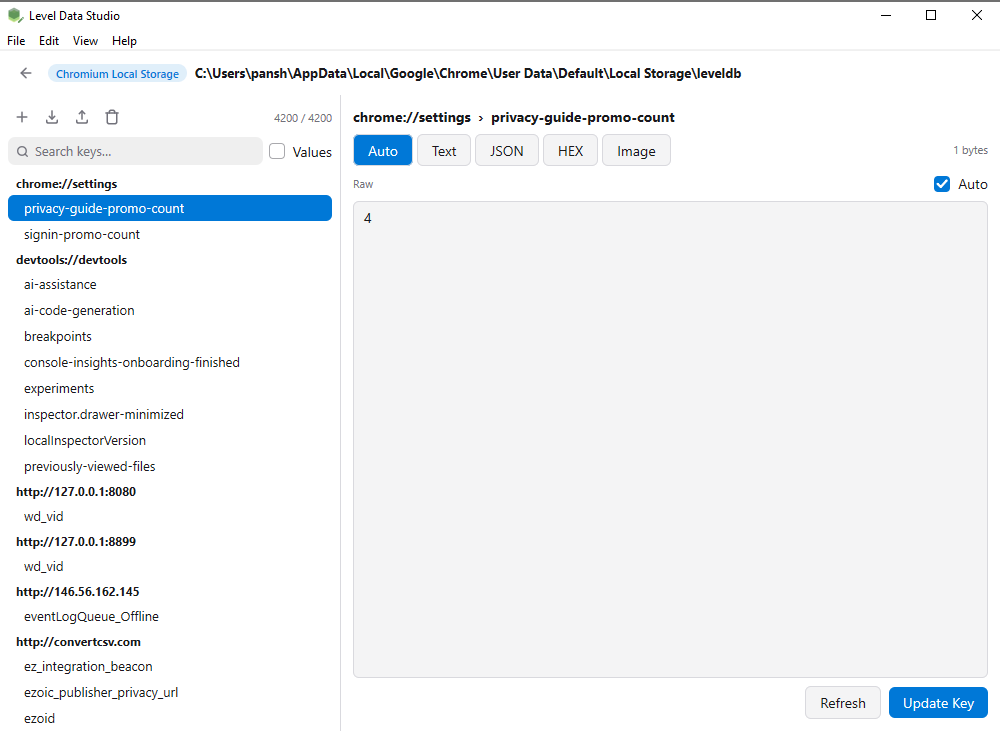
Local Storage, grouped by site - the origins in bold, the keys under each, the decoded value on the right.
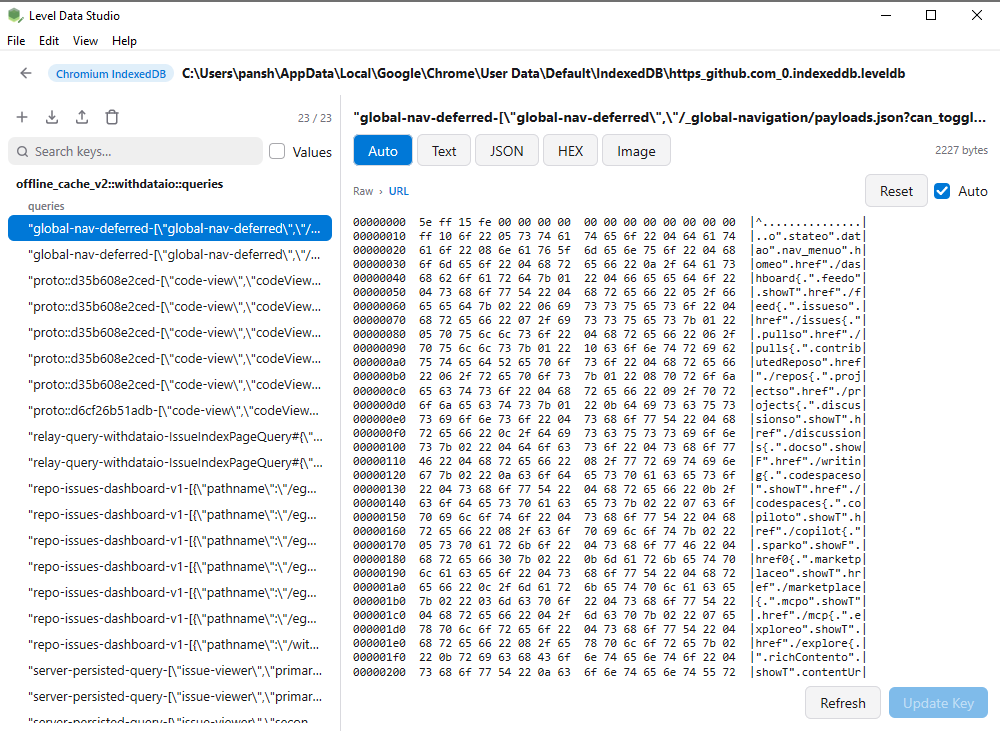
IndexedDB, shown as database → object store → primary key. (Both screenshots are a real Chrome profile, not sample data.)
The browser can be running while you read: the store is opened read-only, so there is no fight over the lock, and nothing is written back unless you explicitly change a value.
What it will not do
- IndexedDB values are shown as raw bytes. Keys are decoded into database, store and primary key, but a value's structured clone is not decoded yet - use the HEX view for those.
- Session Storage is not labelled separately. It uses the same format as Local Storage and is read the same way, but the two are not split apart.
- It does not go into the
.blobdirectory. Large binary values stored outside the database are out of scope.
Related
Reading a store: look inside a LevelDB database. Other roles: use cases by role. Basic operations: open / create LevelDB, export keys.