MongoLoader » Use cases » Huge files
Download MongoLoader Free Trial » Buy MongoLoader Now »
The situation
Warehouse extracts arrive as multi-gigabyte CSVs, log collections hold hundreds of millions of documents, and the machine doing the work is an ordinary one - a laptop, or a server that is busy with something else. The usual failure is not measured in hours: the import simply stops when memory runs out, usually partway through, leaving a half-loaded collection behind.
What you do
- Choose the file or the collection as usual, and the destination.
- Run it. The data is processed in chunks: rows are read, converted and written as they go, so the amount of memory used does not grow with the size of the file or the collection.
- Watch the progress and the log, which report row counts as the run proceeds - so a long job is not a black box.
- For repeated loads, save the task as a session and run it from the command line overnight.
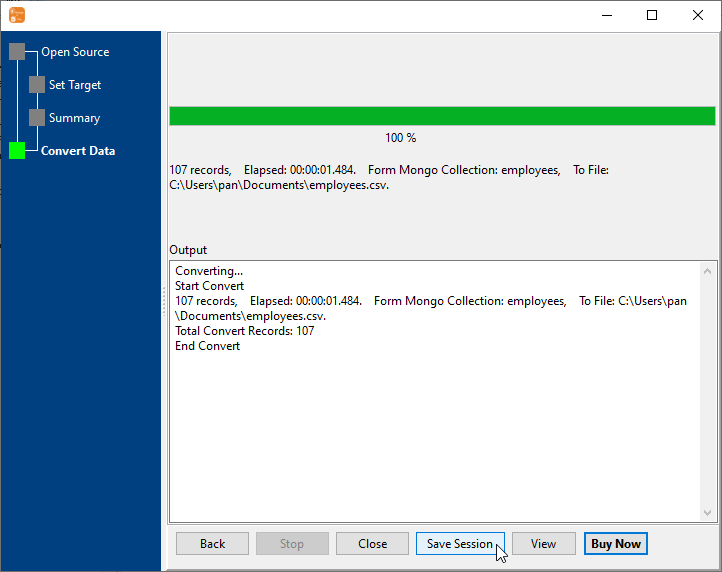
The same chunked approach applies in both directions, so "a 30 GB CSV into a collection" and "that collection back out to files" are both jobs an ordinary machine can finish. Data never leaves the machine: the file is read locally and the documents go to the MongoDB server you name.
What it will not do
- It does not make the target database faster. Writing millions of documents is the server's work; a slow disk or a remote server over a thin link is still slow.
- It is not a resume. If a run is interrupted there is no bookmark to continue from. Either start the load again into a cleared collection, or use update/upsert so a re-run refreshes rather than duplicates.
- It does not shard or parallelise across machines. Chunking keeps memory flat; it is still one process writing over one connection.
- A huge export is still a huge file. Disk space is required for the output, even though RAM is not.
Related
Both directions: one tool for both directions, collection to file, folder to collection. Cleaning during the export: clean the data on the way out. The other direction after editing: export, edit, import back. Unattended runs: command line, sessions.