RedisDataStudio » Use cases » Fix one wrong value
Download RedisDataStudio Free Trial » Buy RedisDataStudio Now »
The situation
A configuration value in Redis was deployed wrong. A feature flag key still says the old value. A cached record has a field that was corrected in the database but never in the cache, and the application keeps reading the stale one. Whatever it is, one key is holding one wrong value and the fix should take a minute.
The alternatives are unappealing: a script for a one-line change, redis-cli commands whose syntax has to be got exactly right (and which are unforgiving on a production server), or a redeploy to make the application rewrite the key.
What you do
- Open the key so you can see its current value in the shape its type deserves - a string, a hash as field/value rows, a list, a set, a sorted set, or JSON.
- Change the field that is wrong. A hash is a table of rows, so correcting one field means editing one cell.
- Save. The change is written to the server, and the surrounding data is left as it was.
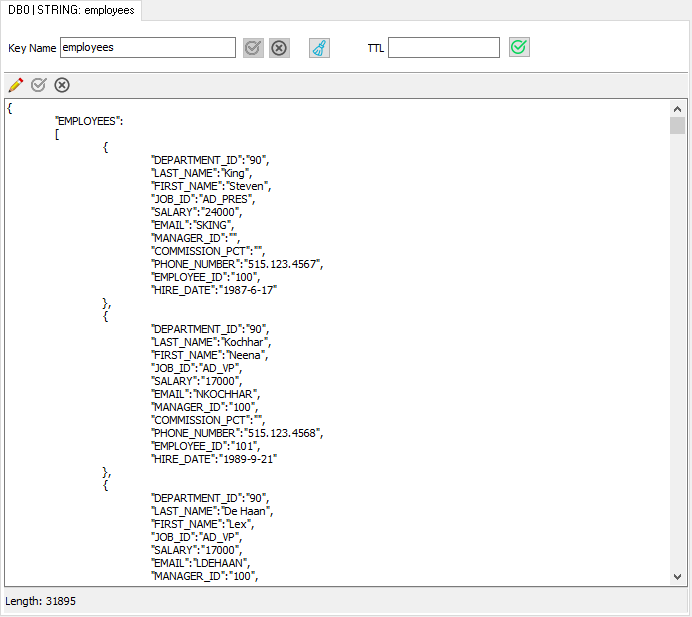
Because it is a table rather than a command line, the value you are about to write is visible while you write it - which on a production key is the difference between a correction and an incident. Hosts and credentials stay in the local configuration; nothing is sent to a third party.
What it will not do
- It does not undo. There is no history of a key's previous value and no revert. If you need the old value back, take a copy first - export the key before editing.
- It does not validate the change against the application. The value you type is the value stored. Redis accepts it; whether your application is happy with it is not something this can know.
- It does not edit keys that are not reachable. A key on another node of a cluster, or one whose TTL has expired, is not there to be fixed.
- It is not a bulk fix. Correcting thousands of keys is an import job, not a session in the editor.
Related
Finding the key first: see what is in Redis. The editor itself: edit key data. Many keys at once: load a namespace from CSV or Excel. Keeping it right afterwards: refresh from the database.