RedisDataStudio » Use cases » See what is in Redis
Download RedisDataStudio Free Trial » Buy RedisDataStudio Now »
The situation
Something in Redis is wrong - a session is not found, a cache returns stale data, a counter is out of step - and the answer is in a key somewhere. What you have is a shell, redis-cli, and a memory of the command for listing keys but not for reading the value of a hash the way you need to see it.
Reading raw key dumps also hides the two things that usually explain the problem: which type the value really has, and when it expires.
What you do
- Connect to the server: host, port, password. SSL and password authentication are supported, and several Redis servers can be kept in the same list.
- Browse the keys, and open one to see its value in the shape its type deserves - a string, a hash as a field/value table, a list, a set, a sorted set, or JSON.
- Read the properties that matter for debugging: the type, the size and the TTL.
- Nothing is written unless you decide to write - opening a key is a read.
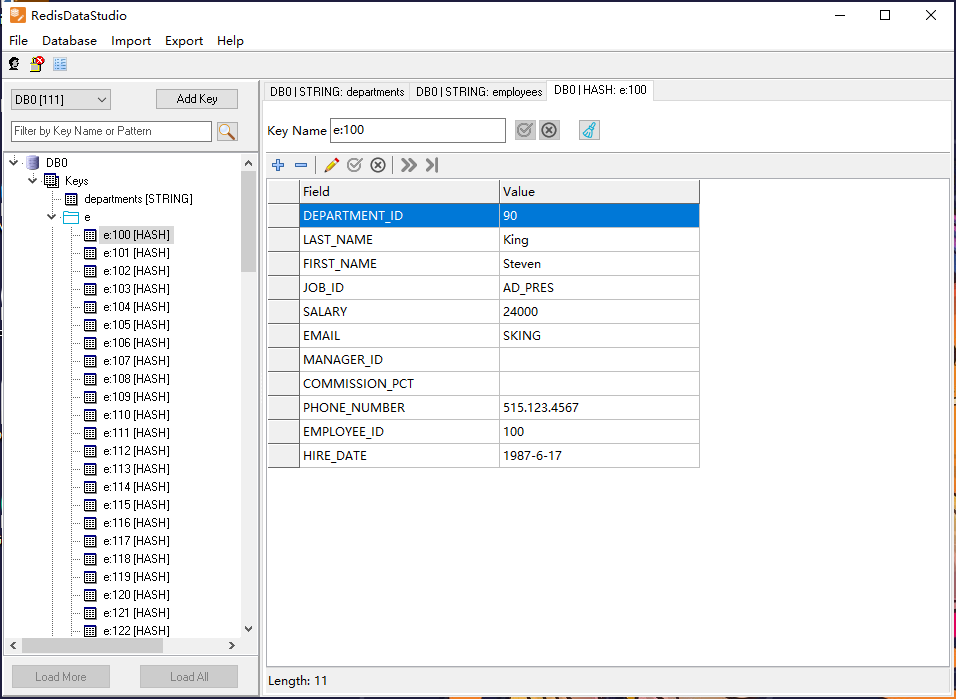
Everything runs from your machine directly to the Redis server you name: no agent, no cloud service, and no copy of the data anywhere else. On a production server, that means looking is safe and reading is exactly a read.
What it will not do
- It is not monitoring. There are no graphs, no alerting and no history. It shows the server's contents at the moment you look at them, not what happened overnight.
- It does not manage the Redis server. Cluster topology, failover, replication, persistence settings and memory policy are the server's administration, not this.
- It does not show keys that are not there. If a key's TTL has already expired, or the key lives on a different node of a cluster than the one connected, it will not appear.
- Very large values are shown as a table, not as a document. A huge hash or list is readable, but it is not a text editor for megabytes of data.
Related
Changing what you find: fix one wrong value. Loading a whole namespace: from CSV or Excel. Getting a copy out for analysis: export a slice of Redis. The modes: edit key data, one key in and out, a whole namespace.