SubtitleConverter » Use cases » Offline subtitle conversion
Download SubtitleConverter Free Trial » Buy SubtitleConverter Now »
The situation
A subtitle file is small, which is exactly why it is easy to hand to a website: drag it into an online converter, get the format back, move on. But a subtitle carries the words of the thing it belongs to - an unreleased film, a client's training video, an interview under NDA, internal material - and an online converter means a copy on somebody else's server.
Sometimes the rule is explicit (an NDA, a client contract); sometimes it is just the sensible default, because the video has not been published and its text should not be either. Either way, "just upload it" is not an option - and the format still has to change.
What you do
- Point SubtitleConverter at the subtitle file or the folder (sub-folders included).
- Choose the format the player or the pipeline actually wants.
- Run it. Every file is converted on your own machine, with its name kept, so each converted subtitle still sits next to the matching video. No file is uploaded and no account is created.
- For a series or a season, batch-convert the whole folder in one run.
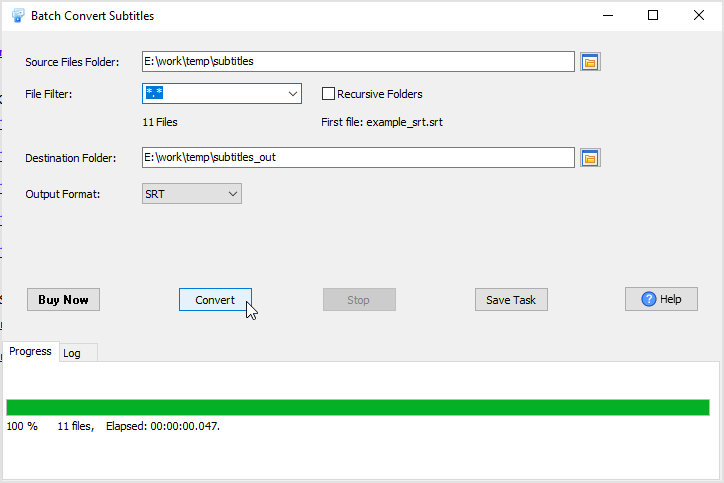
The conversion needs no network at all, so it also fits a machine kept off the internet on purpose.
What it will not do
- It does not upload anything. There is no account and no cloud service; the files are read and written on your own computer.
- It does not translate. It changes the container, not the language. If a subtitle has to be translated without leaving the machine, convert it to CSV, translate the text column, then convert back - see translating subtitles in a spreadsheet.
- It does not retime the subtitles. Adjusting the timecodes is a different job.
- It does not burn or mux subtitles into the video. It produces subtitle files.
- It does not style the captions. Formatting that only exists in one format is not recreated in a simpler one.
Related
All scenarios: SubtitleConverter use cases. A player that refuses the format: the player will not show the subtitles. Subtitles for a web player: SRT to VTT. Just the words: turn subtitles into a transcript. A whole folder: batch convert subtitles.